Operation
Version 1.0.4 - 2020-08-04 31Translation of original instruction
MT60 EN
MT60_GB_4.fm
4.3 Switching the milling machine off
Press the push button "Off" for vertical milling or horizontal milling.
For a long-term standstill of the milling machine switch it off at the master switch.
4.4 Inserting tool
The milling spindle is equipped with a SK40 capture and draw bar M16.
Clean the conical seat in the milling head.
Clean the cone of your tool.
Check that the driving blocks are firmly seated.
Put the tool holder with tool from below into the steep taper of the milling spindle.
Screw the draw bar in the cone of the tool holder.
Tighten the tightening nut.
4.5 Speed variation of vertical / horizontal milling
Set the gearbox to the desired position at standstill.
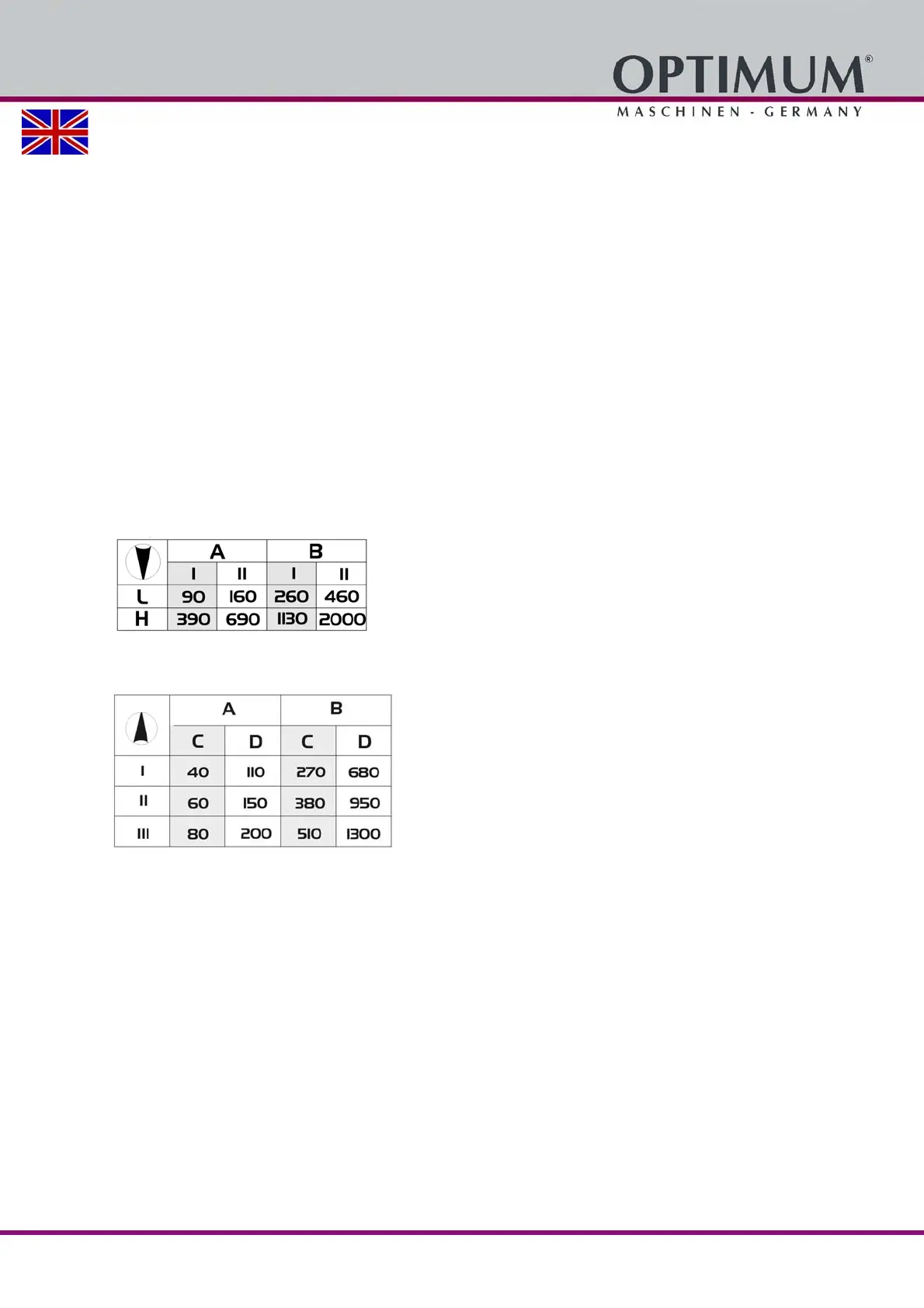
4.5.1 Speed table horizontal milling
Img.4-3: Speed table horizontal milling
4.5.2 Speed table vertical milling
Img.4-4: Speed table vertical milling















 To Next Page