Operation
Version 1.0.4 - 2020-08-0454 Translation of original instruction
DPA21
EN
DPA21_GB_3.fm
5.10 Tool Data Function
Creates up to 99 tool data sets in relation in the coordinate system.
Usage of the tool data function makes it possible to establish a specific relationship between
the tool data in the coordinate system and the displayed values.
INFORMATION
The Save function for tool data only works when the Reference Mark function is activated.
Reference marker function on page 44.
Saved values remain even by loss of electric power.
Example:
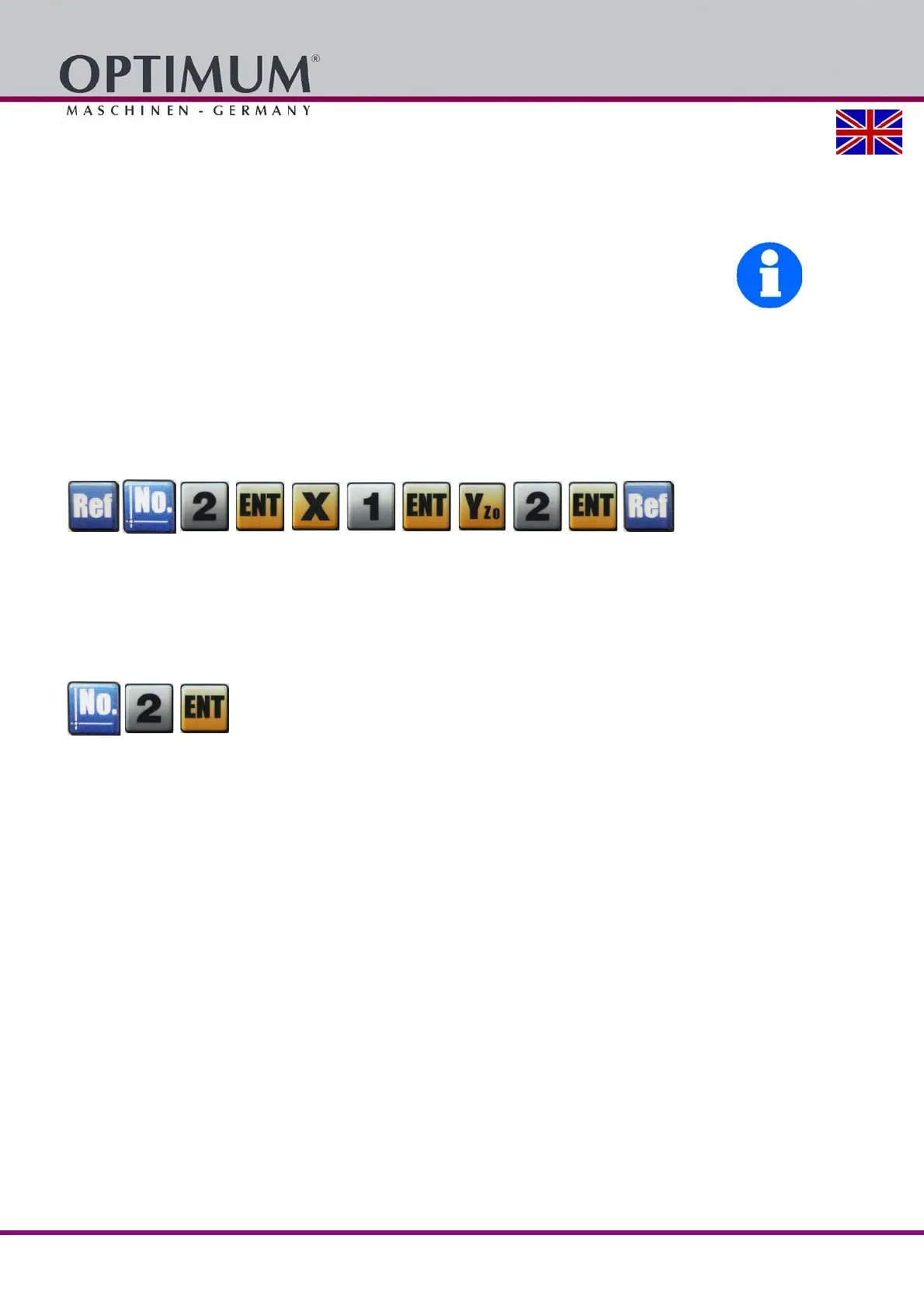
Tool data nr. 2 should lie at X = 1.000 and Y = 2.000 to the shown values.
Press the following keys in the order shown in order to input the values X = 1.000 and Y =
2.000 under tool data nr. 2.
5.10.1 Recall of tool data
Example:
The tool data set nr. 2 should be used at the currently displayed position.
Press the following keys in the order shown in order to use tool data set nr. 2.















 To Next Page