Chapter 3 - How to...
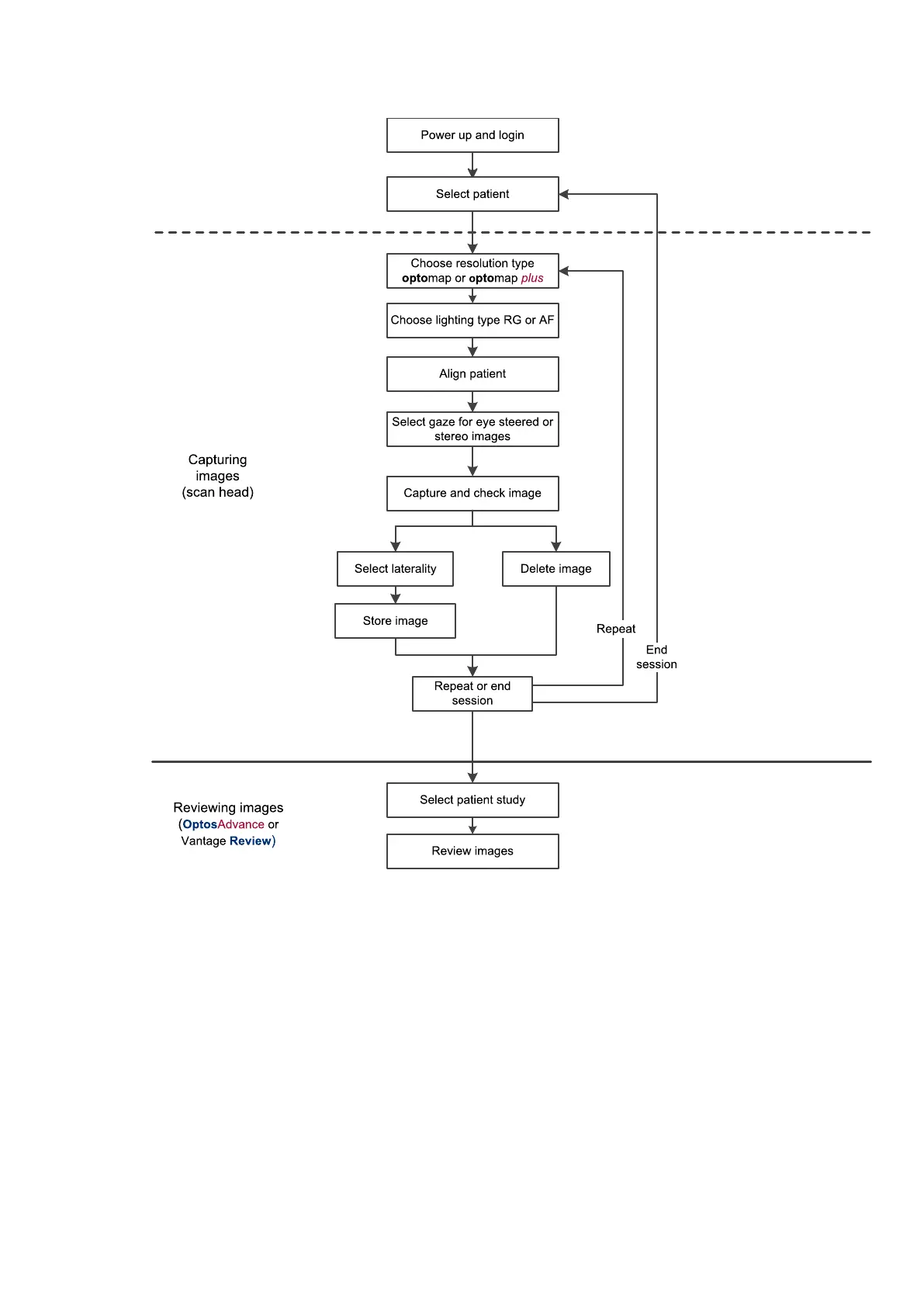
FIGURE 2: Example capture and review work flow
3.2.1 Working with patient details
Before you capture images use the touch screen to add a new patient or select an existing patient.
Search for a patient's details by entering the patient's last name or their patient ID. The matching patient
records are displayed as you type. You can filter the patient records further by typing the patient's date of birth,
first name or any mix of these details to filter the patient names displayed.
Part Number: G102748/9GSE Page 33 of 65
Copyright 2017, Optos plc. All rights reserved. English



 To Next Page