Chapter 4 - Technical Specification
Feature description Compliance
Power Consumption
The touch screen MUST be powered through the
scan head and is included in these figures.
300VA
3A at 100-120Vac
1.5A at 200-240Vac
SMPS continuous
Touch screen voltage +12V
4.1.2 Connections
These connections are NOT intended to be detached by the user.
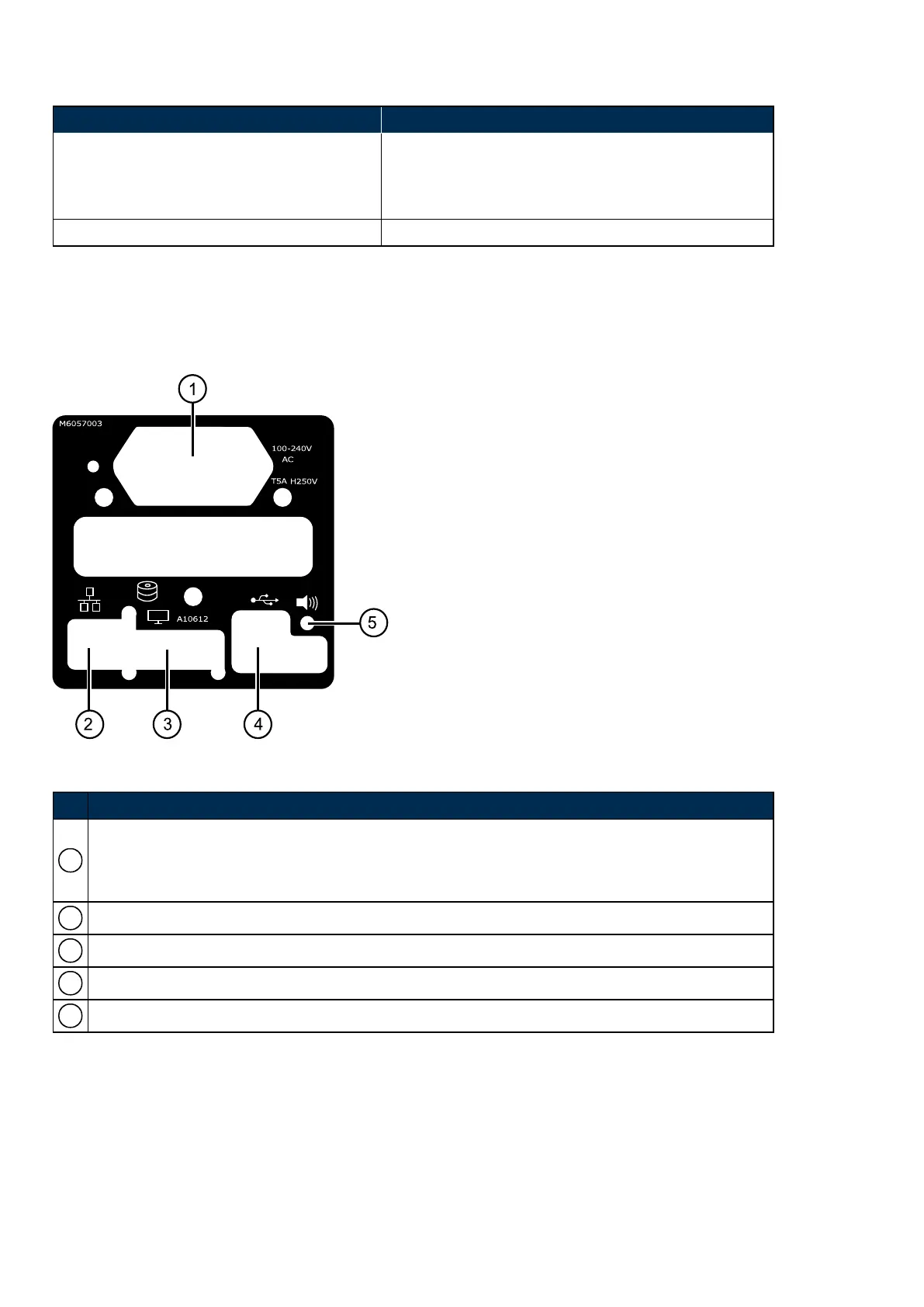
FIGURE 5: Sample of the connection label
No. Description
1
Mains power cable and switch
l Protective earth must be fitted.
l U.K. Power Cable Fuse: 13A
2 Network cable
3 Touch Screen
4 USB. For Optos Service use only.
5 Audio 3.5mm jack - unused.
4.1.3 Scan head dimensions
The scan head and touch screen should be placed on a table which meets the table specification, see Table
requirements on page54. There should be adequate clearance around the table to operate the device.
The image server, switch, browser-based review clients and any Viewing PCs or monitors must be positioned
outside the patient environment; more than 1.5 meters (5 ft) from the scan head.
Page 52 of 65 Part Number: G102748/9GSE
English Copyright 2017, Optos plc. All rights reserved.



 To Next Page