Chapter 3 - How to...
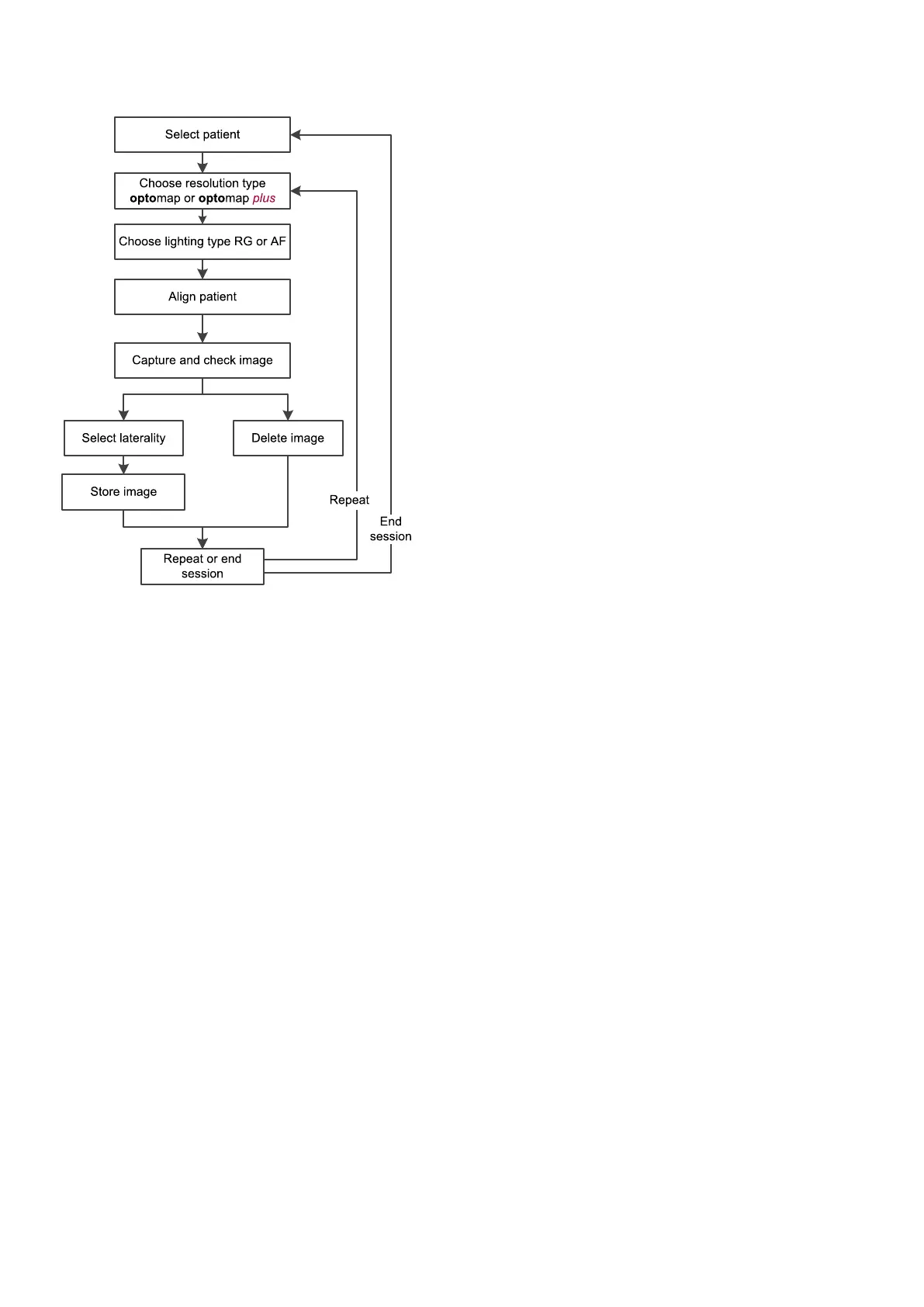
FIGURE 3: SLO capture workflow
1.
Select the required SLO light and resolution types. You should select Red/Green or AF and optomap
or optomap plus.
2. Position the patient, see How to prepare for image capture on page34.
3. Align the patient, see How to align the patient on the previous page.
4.
Ask the patient to open both eyes wide, look at the center of the alignment target and to move closer
until they can see the whole target.
5.
Capture the image either manually or using auto-capture.
l
Auto-capture: Auto-capture is enabled when it is set to On on the touch screen. The system
captures an image when the patient is correctly aligned. You can press the screen to
manually capture the image.
l
Manual capture: Press the screen to capture the image when the pupil is in the center of
the cross hairs and the patient alignment target is green.
6. Check the quality of the images, see What to do after the image is captured on the facing page.
3.2.5 How to capture eye steered images
Depending on the features available on your device, you may be able to capture eye steered images.
1. Attach the 50mm sized eye piece. See How to change the eye piece on the facing page.
2. Position the patient, see How to prepare for image capture on page34.
3. Align the patient, see How to align the patient on the previous page.
4.
Ask the patient to keep their head still in the standard alignment. Select Eye Steering and the eye
steered direction.
5.
Ask the patient to look at the new alignment target, without moving their head. Align the patient to the
eye steered alignment target. Make sure the patient can see the whole target, that the target is green
and that the cross hairs are close to the center of the pupil. Depending on your configuration the eye
Page 36 of 65 Part Number: G102748/9GSE
English Copyright 2017, Optos plc. All rights reserved.



 To Next Page