2-84
INSTALLATION ORBAN MODEL 8685
If you are using an external modem, connect the modem to a serial port
on your PC and make sure the modem is connected to a working phone
line.
b) On your PC, click “Start > Settings > Control Panel > Phone and Modem
Options.”
c) Click the “Modems” tab.
d) Verify that your modem appears in the list available under “The following
Modems are installed.”
e) Verify that your modem is “Attached to” the correct port.
If your modem is unavailable or not attached to the correct port, you
must Add it. See your Windows documentation.
f) If your modem is available in the list available under “The following
Modems are installed” and it is attached to the correct port, then click
“Properties” for that modem.
g) Make sure the port speed is set at 115200.
h) Click “OK.”
C) Create a new Windows XP modem
connection:
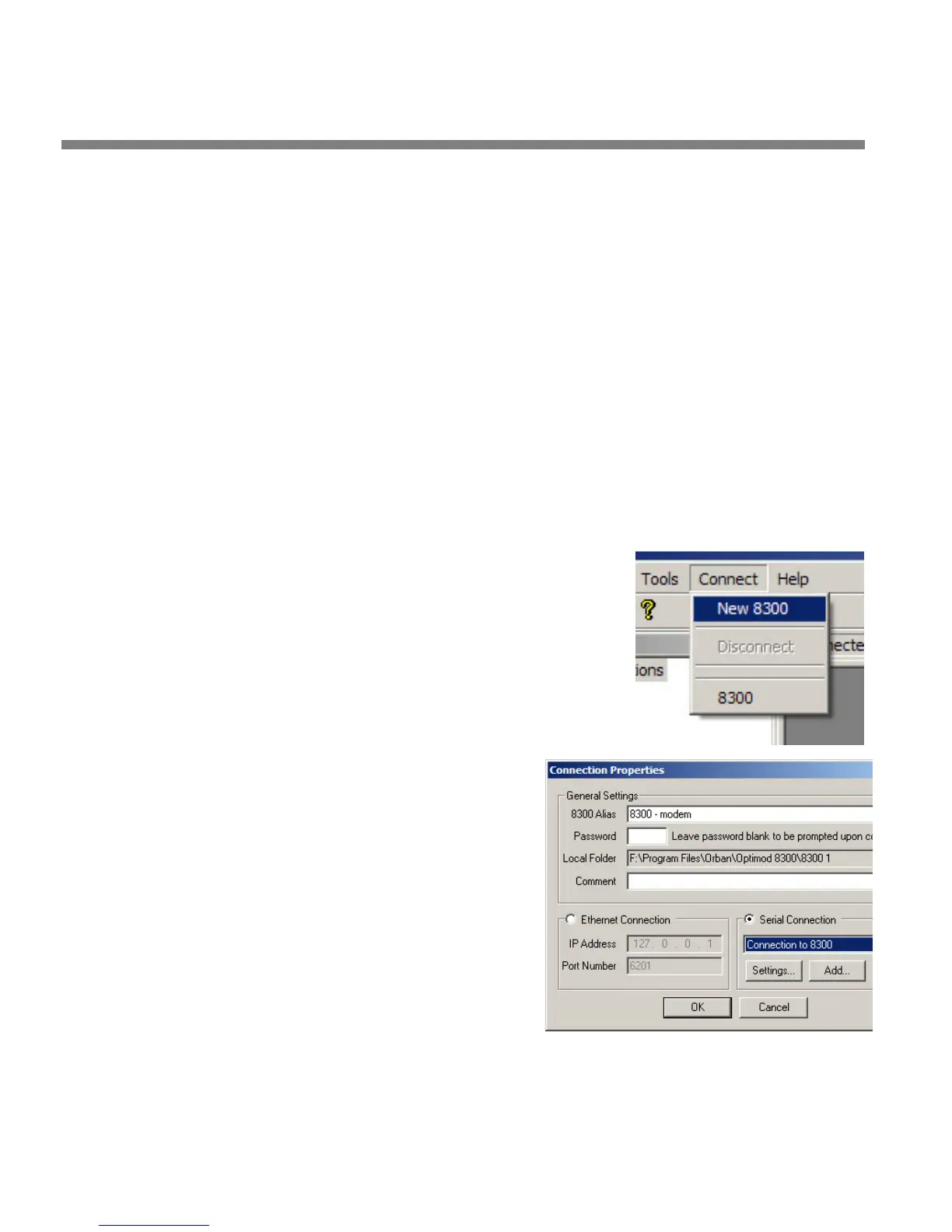
a) Launch 8685 PC Remote.
b) Choose “Connect > New 8685.”
The Connection Proper-
ties window opens.
c) Give your 8685 a name (e.g.,
“KABC”) by entering this name
in the “8685 Alias” field.
d) If you wish to have 8685 PC
Remote remember the password
for this Optimod, enter the pass-
word in the “Password“ field.
You must enter a valid
password to connect. This
means that at least one
8685 passcode must have
been assigned via the
8685’s front panel. (See
step 4on page 2-42.)



 To Next Page