Otoport OAE+ABR
User Manual for Otoport DP+TE model
93
ABR test procedure
10.4.3 Impedance monitoring
During the test, if progress towards ABR detection is slow, the impedance
levels are automatically checked in the background.
• If impedances are low, the test will continue.
• If impedances are high, the test is paused and the ‘Impedance Check’
screen will be displayed.
10.4.4 Stimulus monitoring
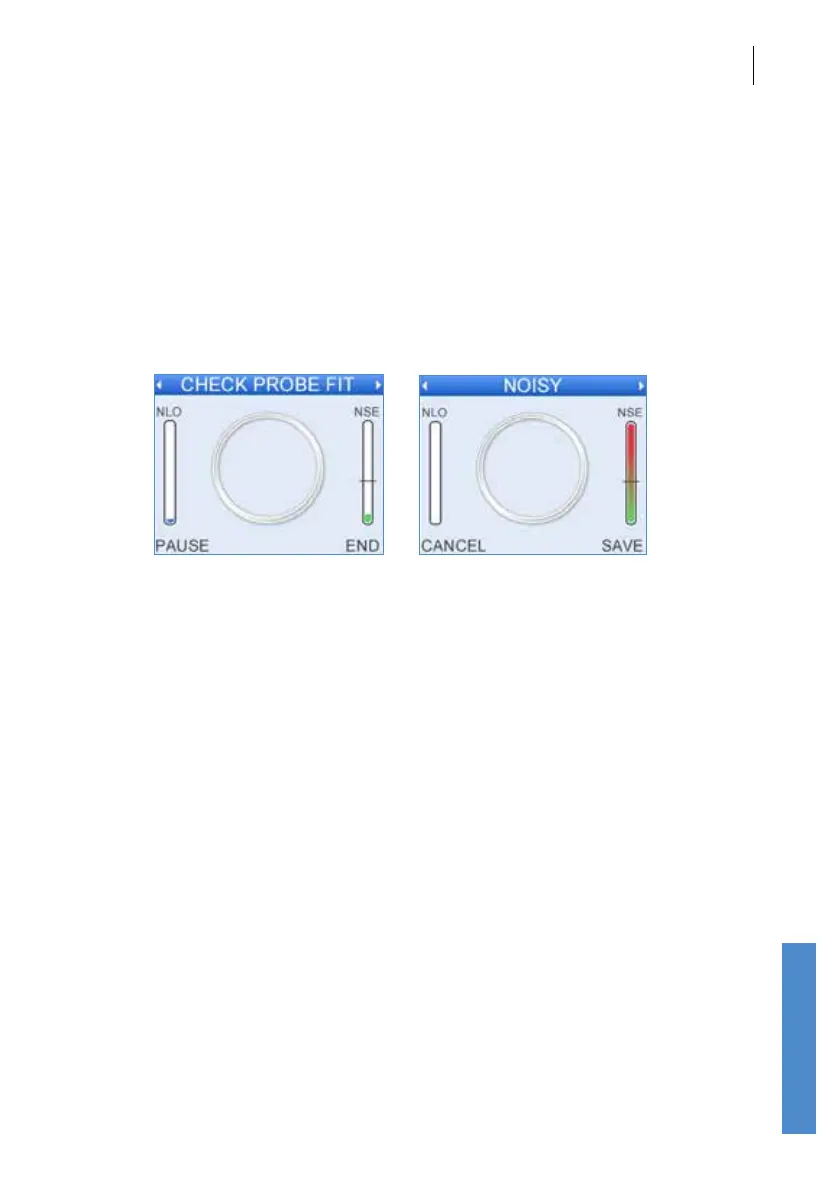
At intervals during the testing the acoustic stimulus and noise levels are
checked. If the stimulus level has changed the ‘Check Probe Fit’ message
is shown. If the environment has become too noisy to test the ‘Noisy’
message is shown. In either case data collection is suspended until
stimulus and noise levels are within range again. The Otoport will beep
to warn the user if test conditions of either ‘Check Probe Fit’ or ‘Noisy’
conditions are present for too long.
If the ‘Check probe t’ message is shown, it is most likely because the
probe has fallen out of the ear. Adjust the probe t until the message goes
away; data collection will automatically restart.
10.4.5 Pausing the test
Select Pause to temporarily stop data collection. You may wish to do
this if the test environment worsens (for example the subject becomes
temporarily active, an electrode becomes detached or the probe falls out of
the ear). If a test is paused an impedance check is automatically run and
electrical noise is monitored (as in section 8.1).
Failure to measure discernible ABR data within the dened test time, and
within acceptable NLO range or before ABR noise target is reached, will
return a No Valid ABR result.



 To Next Page