ADF SERIES™ OPERATION MANUAL
SECTION 6:
Front Panel Operation
Entire Contents Copyright 2018 by Pacific Power Source, Inc. (PPS) • All Rights Reserved • No reproduction without written authorization from PPS.
ADF Series Power Source Operation Manual Page 86 of 349
6.4 PROG – PROGRAM & MEASUREMENTS Screen
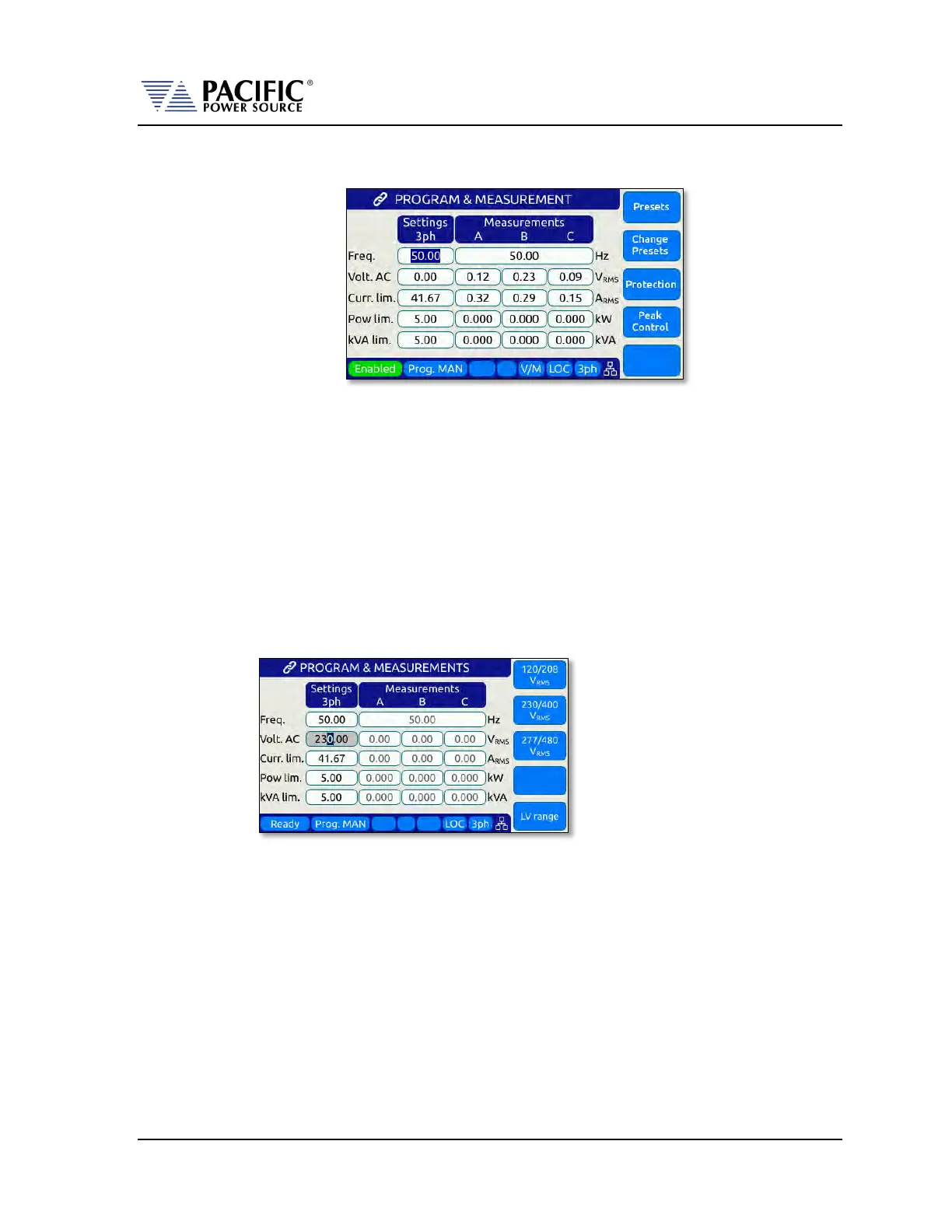
All output parameters can set from the PROGRAM & MEASUREMENTS screen. This screen
has a list of available parameters on the main PROGRAM screen. Each parameter can be
changed by highlighting the field and either slewing the value using the shuttle knob or
entering a value using the numeric key pad. The difference between these two data entry
modes is that slewing causes the output to change as the knob is turned while using the
keypad allows one or more parameters to be preset to a new value which won’t become
active until the “Apply All” soft key or the ENTER key is pressed.
Thus to slew a value, proceed as follows:
1. Use shuttle to move the active field to the parameter you want to slew.
2. Press the shuttle once to enter the slew mode. The selected field will be
highlighted.
3. Use the shuttle to increment (clockwise) or decrement (counterclockwise) the
selected parameter. Note that these changes take effect immediately resulting in
the active output slewing up or down.
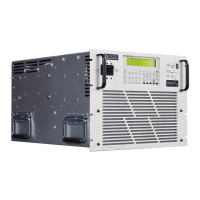
4. To set commonly used standard AC voltage values, the preset value soft keys shown
in the screen above may be used as well to directly set a pre-defined value. The
settings for these pre-set soft keys can be changed from factory defaults shown
here as needed.
Note: This assumes the output is ON. If the output is OFF, the new value will be in effect
and apply at the output as soon as the output is turned ON.


 To Next Page