ADF SERIES™ OPERATION MANUAL
SECTION 6:
Front Panel Operation
Entire Contents Copyright 2018 by Pacific Power Source, Inc. (PPS) • All Rights Reserved • No reproduction without written authorization from PPS.
ADF Series Power Source Operation Manual Page 91 of 349
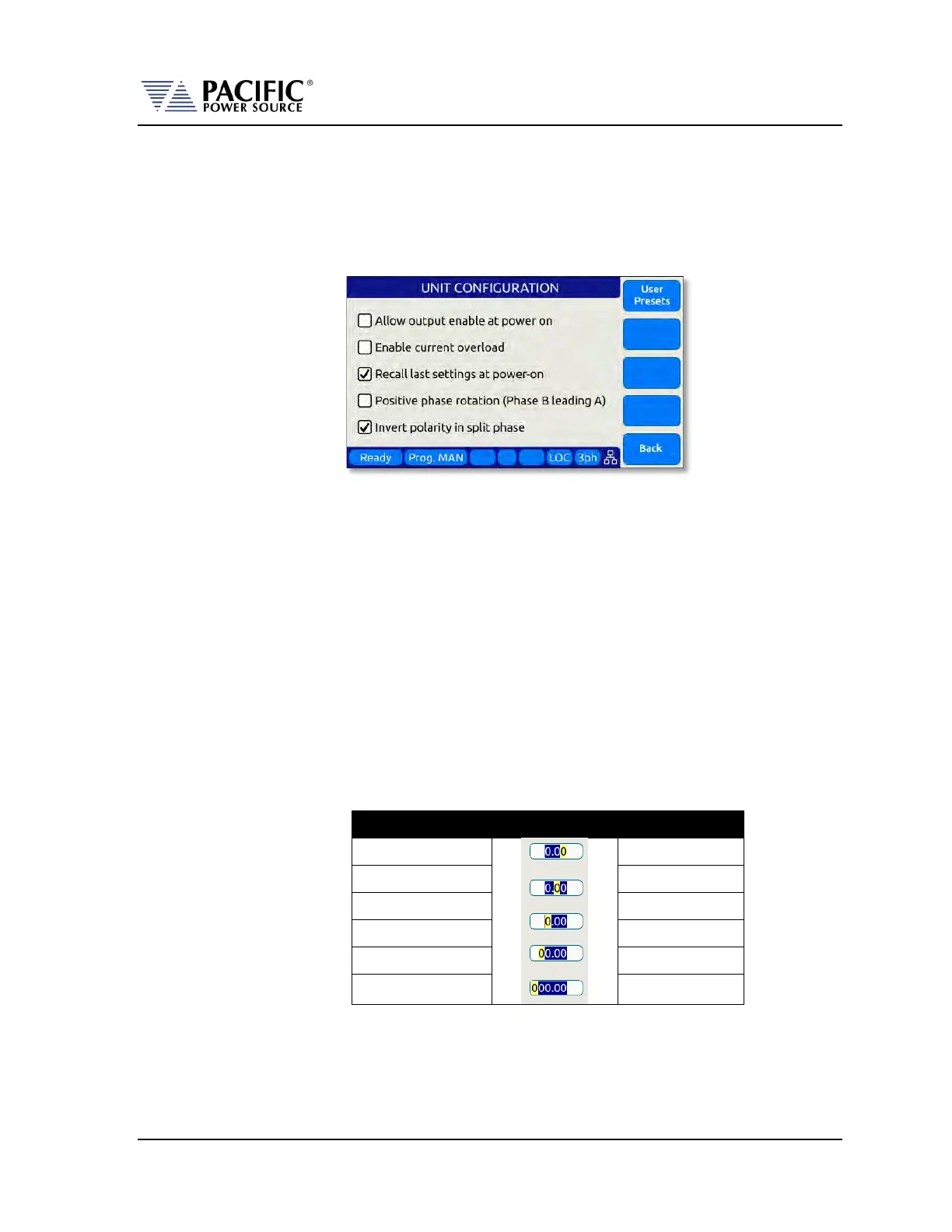
6.4.5 Customizing Output Programming Preset Soft Key Values
The power source allows the user to set up his own preferred or often used output
programming values in place of the factory default selections. This can be done from the
SYST menu by selecting the UNIT CONFIGURATION 2 OF 2 screen and pressing the “User
Presets” soft key.
For details on change any available pre-set soft key value, refer to Section 6.7.6, “USER
PRESETS Screen” on page 115.
6.4.6 Changing Shuttle Programming Resolution
Once entering EDIT mode on any programmable field – by double clicking the shuttle knob –
the parameter value can be slewed by turning the knob. The setting resolution can be
changed as needed. If a large value change is needed, a lower resolution will result in a
faster change, e.g. changing voltage 10V per click or 1V per click. For a very small change, a
0.1V or 0.01V change per click may be more appropriate.
The selected resolution is reflected by the blinking character when in edit slew mode. To
change the position and thus resolution, use the keypad numeric keys. The lowest number
keys will select the smallest increment/decrement setting. The higher number keys will
select a larger increment/decrement setting.
The table bellows maps the keypad keys to the resolution setting.
0.01
Table 6-3: Changing Programming Resolution


 To Next Page