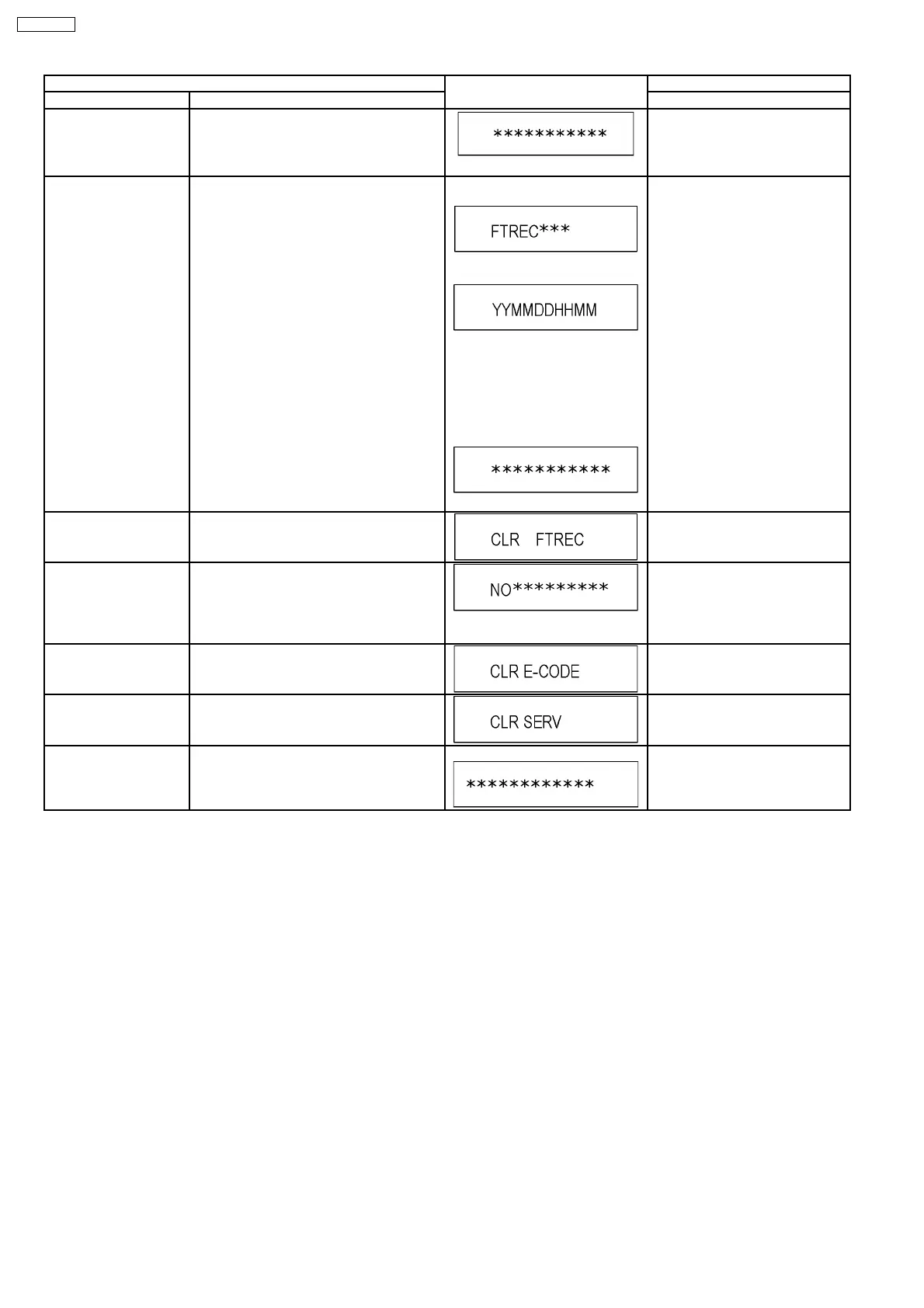
Item FL display Key operation
Mode name Description (Remote controller key)
Display the accumlated
working time
Display the accumulated unit´s working time.
(Indicating unit: Second)
Press [6] [4] in service mode.
Display the Error History Display the Error History stored on the unit. Display reason of error for 5
seconds.
Display the time when the error has
occurred for 5 seconds..
YY: Year
MM: Month
DD: Day
HH: Hour
MM: Minute
Display the accumlated working
time to occurring of the error for 5
seconds..
(Indicating unit: Second)
Press [6] [5] in service mode.
Then press [0] [1] ~ [1] [9], the past
19 error histories are displayed.
Delete the Error History Delete Error History information stored on the
unit.
Press [9] [7] in service mode.
Tray OPEN/CLOSE Test The RAM drive tray is opened and closed
repeatedly.
“*” is number of open/close cycle
times.
Press [9] [1] in service mode
*When releasing this mode, press
the [POWER] button on Front Panel
more than 10 seconds.
Error code initialization Initialization of the last error code held by
timer (Write in F00)
Press [9] [8] in service mode.
Initialize Service Last Drive Error, Error history and Error
Codes stored on the unit are initialized to
factory setting.
Press [9] [9] in service mode.
Finishing service mode Release Service Mode. Display in STOP (E-E) mode. Press power button on the front
panel in service mode.
22
DMR-E55PL








 To Next Page