302
12. Camera Customization
4
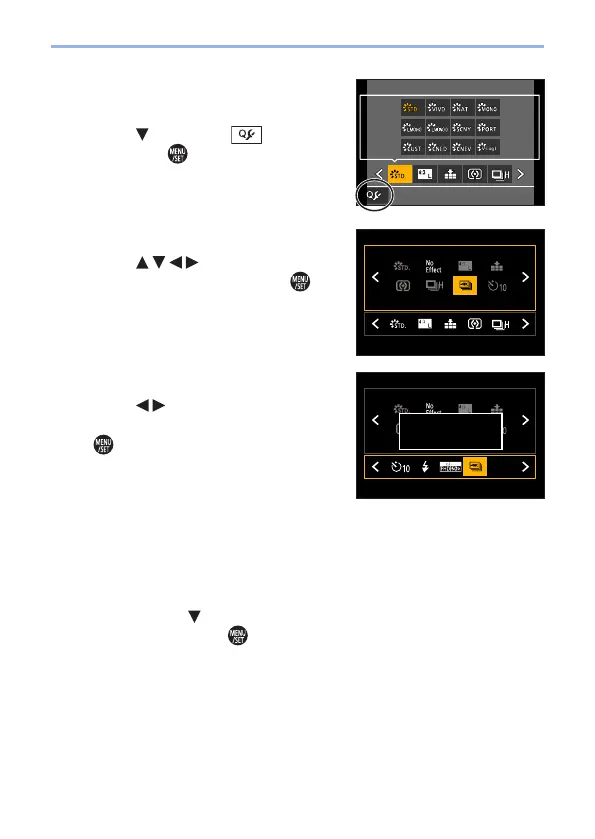
Display the editing screen for
the Quick menu.
● Press and select [ ], and
then press
.
5
Register menu items.
● Press to select the menu
item in the top row and press
.
• Items that are displayed in light gray in
the top row have already been set.
1/6
6
Select the item position.
● Press to select the empty
space in the bottom row and press
.
• You can also set the menu item by
dragging it from the top row to the bottom
row.
• If there is no empty space in the bottom
row, you can replace an existing item
with a new select item by selecting the
existing item.
• To cancel the setting, move to the bottom
row by pressing
and select an item to
cancel, and then press
.
● Press the [Q.MENU] to return to the
screen in Step
4.
1/6
Please move to the
desired position


 To Next Page
 Loading...