7.5. Playing Secondary Video and Audio
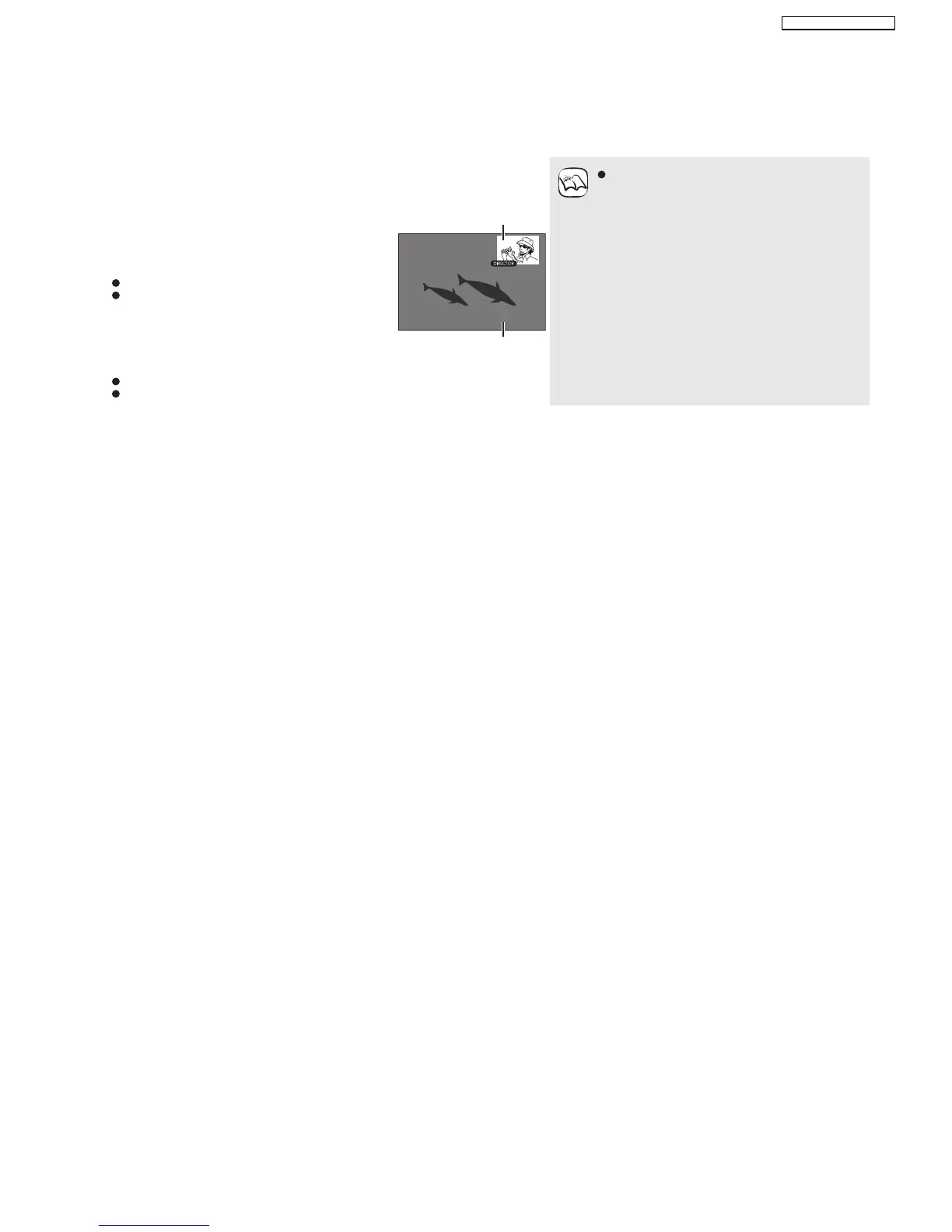
Playing secondary video (picture-in-picture) and secondary audio
Secondary video can be played from a disc compatible with the picture-in-picture
function.
For the playback method, refer to the instructions for the disc.
To turn on/off secondary video
Press [PIP].
Secondary video is played.
PiP ON is displayed.
Press the button to turn it ON and OFF.
To turn on/off audio with the secondary video
Press [SECONDARY AUDIO].
The secondary audio is played.
Secondary Audio ON is displayed.
Press the button to turn it ON and OFF.
Only the primary video is played during search/
slow-motion or frame-by-frame.
Secondary video
Primary video
NOTE
19
SA-BT100P / SA-BT100PC






 To Next Page