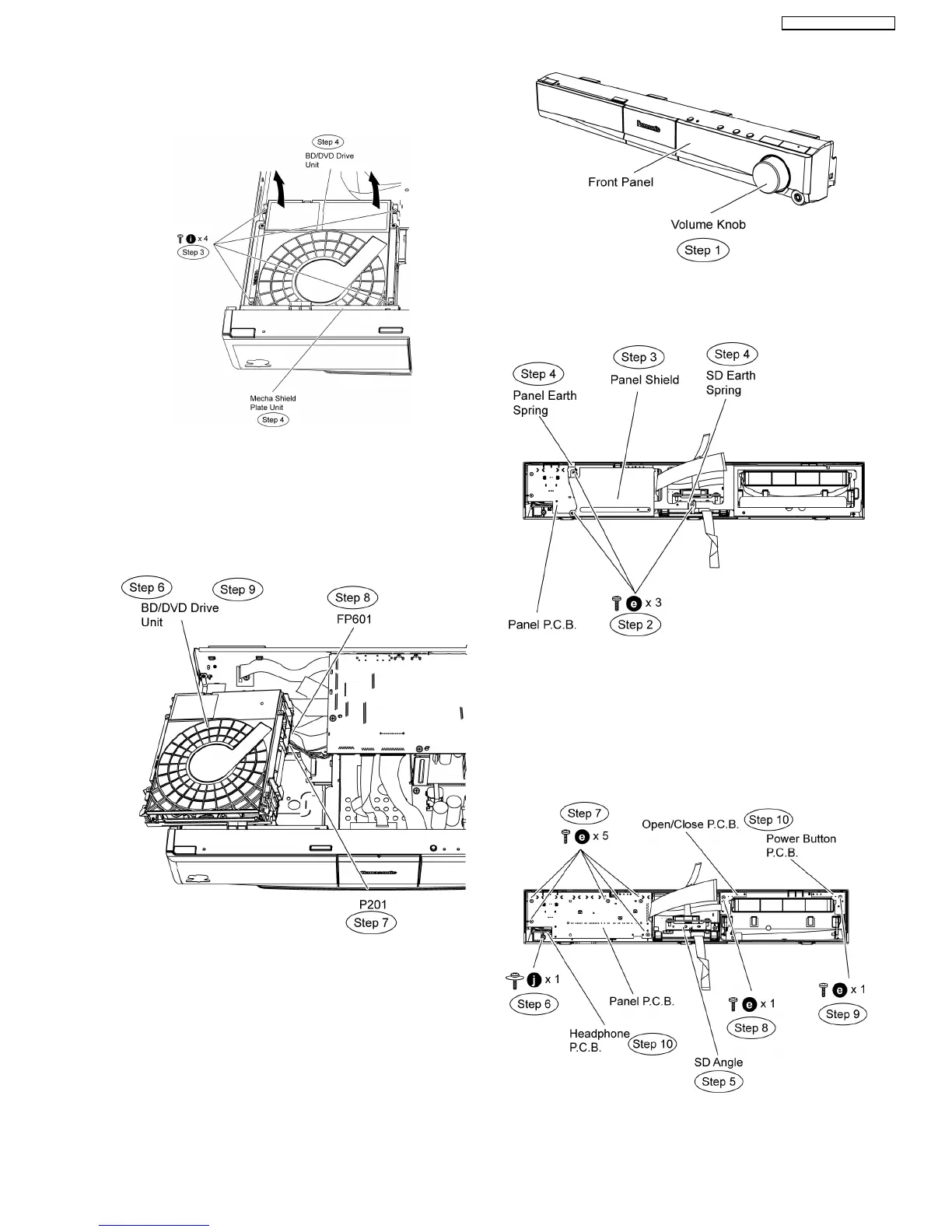
Step 3 Remove 4 screws from BD/DVD Drive unit.
Step 4 Remove Mecha shield plate unit.
Step 5 Lift the BD/DVD Drive unit in the direction of arrow.
Step 6 Move aside BD/DVD Drive unit and position it according
to the diagram show.
Step 7 Detach 4P FFC cable at the connector (P201) on
BD/DVD Drive unit.
Step 8 Detach 40P FFC cable at the connector (FP601) on
BD/DVD Drive unit
Step 9 Remove the BD/DVD Drive unit.
Caution Note: Keep the Mecha shield plate unit in safe
place. Avoid denting it. Place it back during assembling.
10.7. Disassembly of Panel/
Headphone/ Power /
Open/close P.C.B.
•
• •
• Follow (Step 1) to (Step 3) of Item 10.3.
•
• •
• Follow (Step 1) to (Step 7) of Item 10.5.
Step 1 Remove the volume knob.
Step 2 Remove 3 screws at panel shield.
Step 3 Remove panel shield.
Step 4 Remove the panel earth spring & SD earth spring
Step 5 Remove SD angle.
Step 6 Remove 1 screw on Headphone P.C.B.
Step 7 Remove 5 screws on Panel P.C.B.
Step 8 Remove 1 screws on Open/close P.C.B.
Step 9 Remove 1 screws on Power Button P.C.B.
Step 10 Remove Panel/ Headphone/ Power Button/
Open/close P.C.B.
45
SA-BT100P / SA-BT100PC






 To Next Page