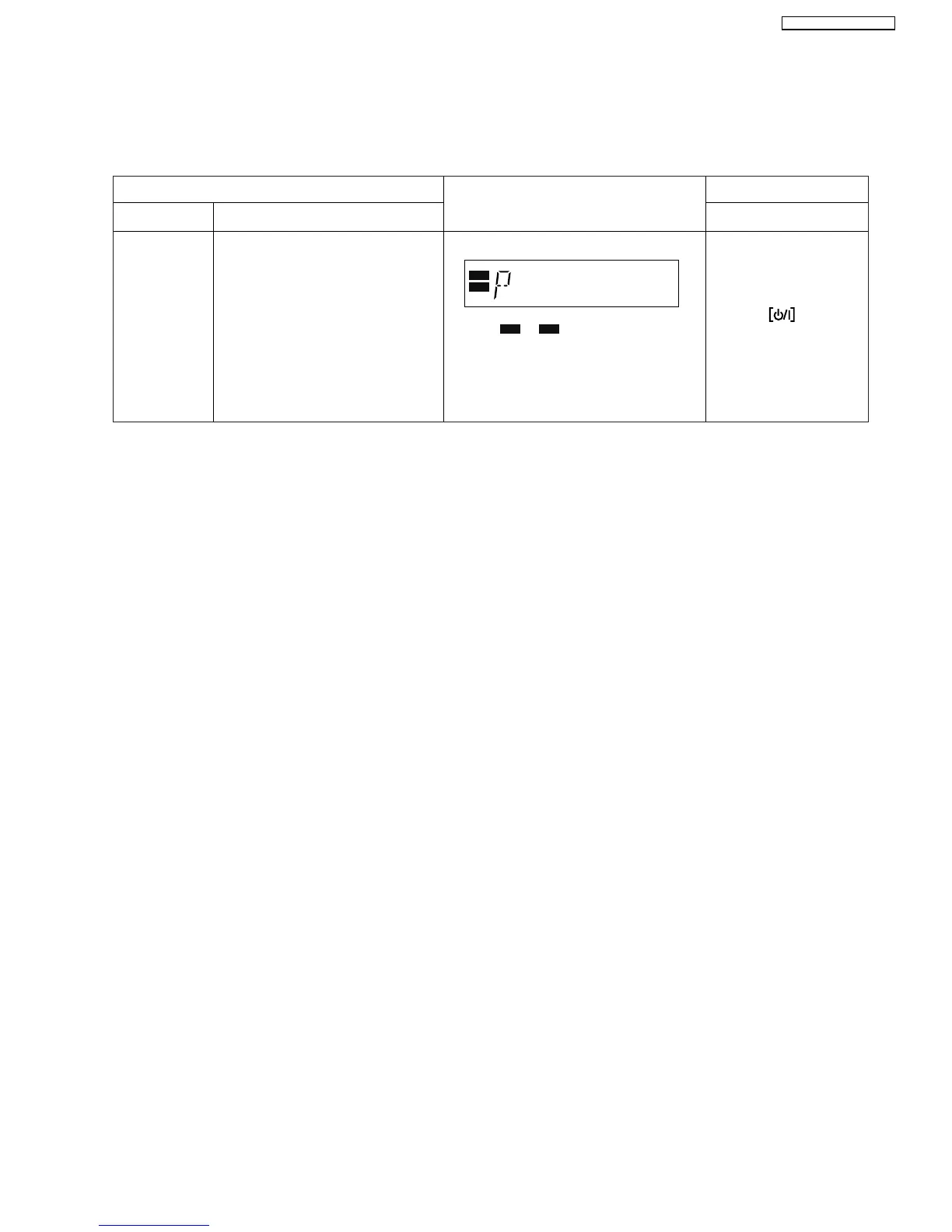
9.4. Service Mode Table (Wireless - e.g. SH-FX67)
By pressing various button combinations on the player and remote control unit, you can activate the various service modes for
checking.
9.4.1. Service Mode Table 1
FL Display
Key Operation
Front Key
Item
DescriptionMode Name
ID Setting
Press and hold [FAST
FORWARD] button on the
main unit, and [3] button
on the remote control unit.
Press the on main
unit or remote control.
W2S W4SW4S
W2S
W4S
To set the ID in the Tx & Rx. The
system goes into "Pairing Mode".
[P] will be displayed to indicate
it is in "Pairing Mode".
During this condition, the "ID set"
button on the receiver unit can be
pressed to pair the Tx & Rx.
After 60 seconds, the FL display will
return to its previous display.
Note: Carry out pairing when Tx or Rx
has been changed.
Note : or will blink when a new
transmitter card is inserted or when the
Receiver module P.C.B.(Rx) had been
changed.
It will stopped when pairing is completed.
37
SA-BT100P / SA-BT100PC






 To Next Page