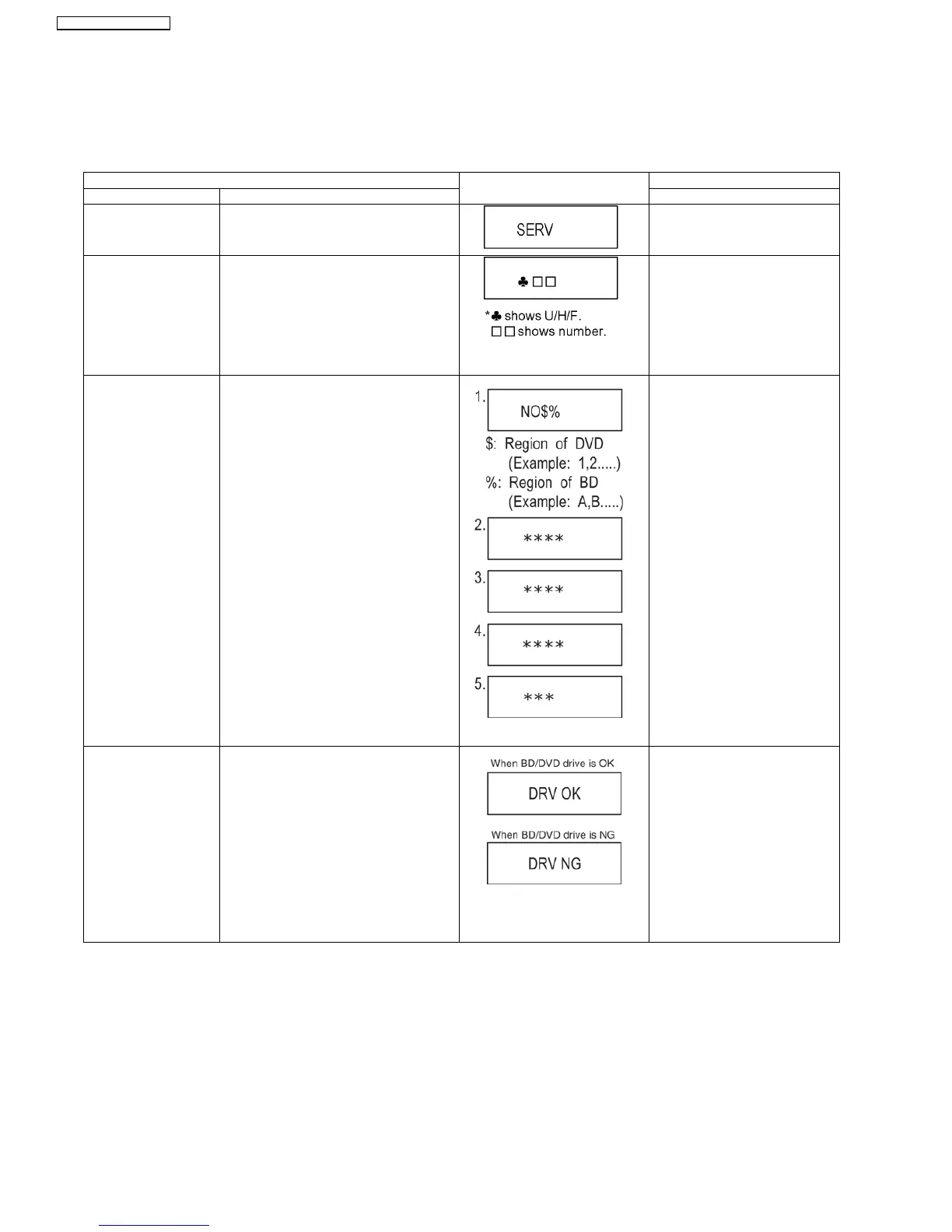
9.3. Service Mode at glance
Service mode setting: While the power is off, press [SKIP FWD], [PLAY] and [OPEN / CLOSE] simultaneously for five second.
9.3.1. Service Mode Table 1
Item FL display Key operation
Mode name Description (Remote controller key)
Release Items Item of Service Mode executing is cancelled. Press [0] [0] or [Return] in service
mode.
Error Code Display Last Error Code of U/H/F held by Timer is dis-
played on FL.
*Details are described in 9.1.1. Self-Diagno-
sis Functions.
If any error history dose not exist,
[F00] is displayed.
Press [0] [1] in service mode
ROM Version Display 1. Region code (displayed for 5 sec.)
2. Main firm version (displayed for 5 sec.)
3. Timer firm version (displayed for 5 sec.)
4. Drive firm version (displayed for 5 sec.)
5. ROM correction version (left displayed)
* are version displays.
Press [0] [2] in service mode
Drive check Simple quality of BD/DVD drive.
*If the date of the present or the
trouble occurred time is incorrect, it
may be not able to judge correctly.
Press [3] [8] in service mode.
32
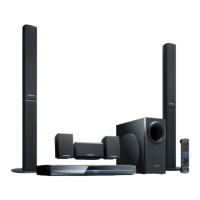
SA-BT100P / SA-BT100PC






 To Next Page