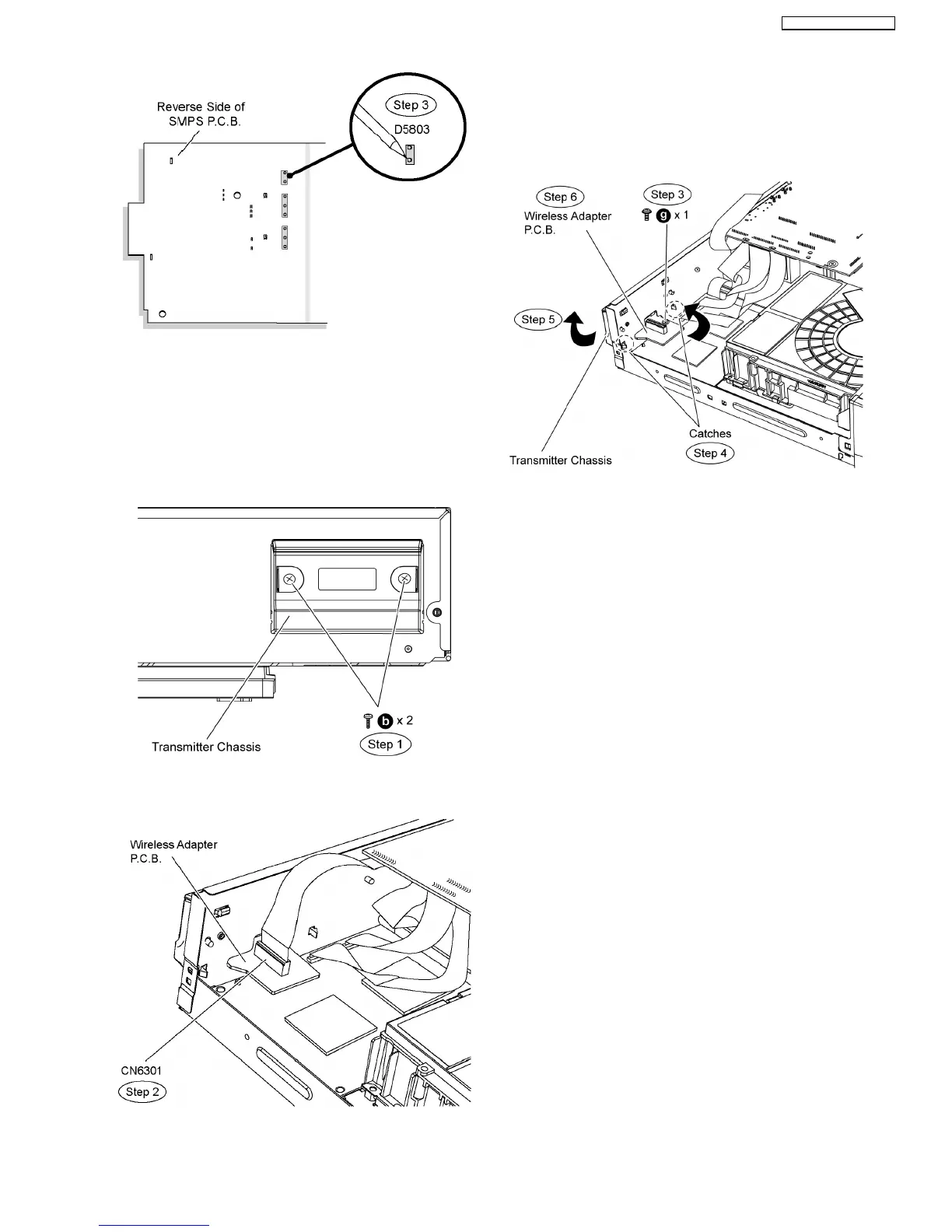
Special Note: Ensure pins of the regulator diode (D5803) are
properly seated and soldered on SMPS P.C.B.
10.21. Disassembly of Wireless
Adapter P.C.B.
•
• •
• Follow (Step 1) to (Step 3) of Item 10.3.
Step 1 Release 2 screws at the Digital Transmitter chasis.
Step 2 Detach 19P FFC cable at the connector (CN6301) on
wireless adapter P.C.B.
Step 3 Remove 1 screw on wireless adapter P.C.B.
Step 4 Relese 2 catches at the rear panel.
Step 5 Remove Digital Transmitter chasis in the direction of
arrow.
Step 6 Remove wireless adapter P.C.B in the direction of
arrow.
Caution: Remove the Wireless Adapter P.C.B carefully to
avoid damage the electrical components on P.C.B..
10.22. Disassembly of DSP P.C.B.
•
• •
• Follow (Step 1) to (Step 3) of Item 10.3.
•
• •
• Follow (Step 1) to (Step 6) of Item 10.21.
Step 1 Remove 4 screws on DSP P.C.B.
Step 2 Detach 20P FFC cable at the connector (CN3002) on
DSP P.C.B.
Step 3 Detach 24P FFC cable at the connector (CN3005) on
DSP P.C.B.
Step 4 Detach 15P FFC cable at the connector (CN3001) on
DSP P.C.B.
Step 4 Remove the DSP P.C.B.
57
SA-BT100P / SA-BT100PC






 To Next Page