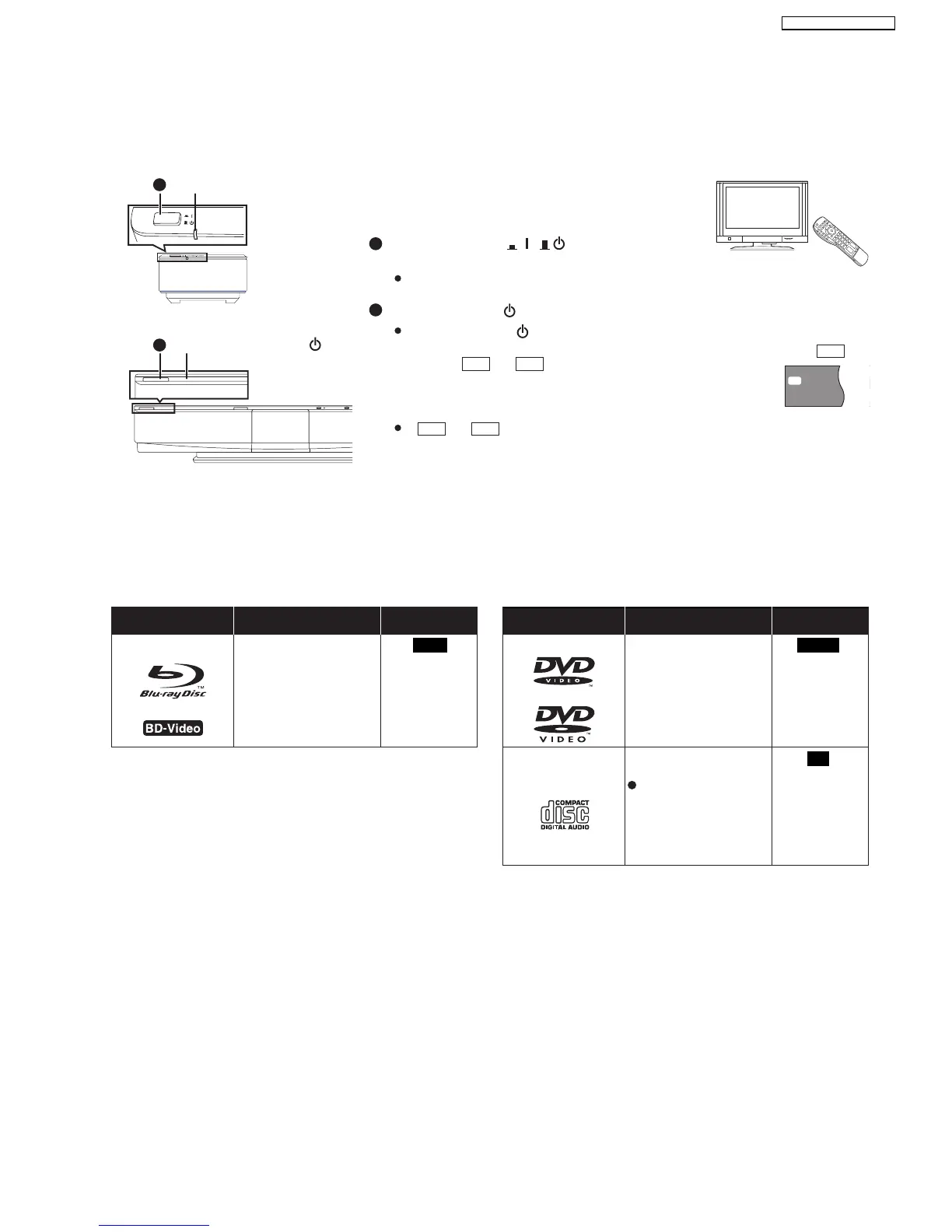
7.6.4. Setting up the unit
Turn on the power of the main unit and the wireless system after all connections are complete.
Turn on the main unit and wireless system
Preparation
Turn on the TV and select the appropriate video input on the TV.
Press [POWER , ] on the wireless
system.
AUTO OPERATION ON/OFF indicator lights red when the
wireless system is turned on and lights green when the wireless link is activated.
Press [POWER ]/I on the main unit.
Standby/on indicator () goes out when the unit is turned on.
When the link between the main unit and the wireless system is
activated, or is illuminated in the main unit s display.
If or is flashing in the main unit s display, check that the digital transmitter
at the back of the main unit is inserted correctly.
A
U
TO O
P
E
R
A
TIO
N
O
N/O
F
F
P
OWER
Standby/on indicator ( )
AUTO OPERATION ON/OFF
indicator
VIDEO1
SL
SD
W2S
e.g.,
1
2
1
2
W2S
W2S
W4S
W2S W4S
7.7. Disc and SD Cards Information
7.7.1. Packaged Discs
The chart shows the different type of retail/commercial discs you can use, and also includes the industry-standard logos that should appear on
the discs and/or packaging.
Type of media/
Logo
BD-Video BD-Video
CD
High Definition (HD)
movie and music discs
High quality movie and
music discs
Compact Discs (CD’s) that
contain audio and music
Features Indicated as Type of media/
Logo
Features Indicated as
BD-V
DVD-V
CD
Operation and sound
quality of CDs that do
not conform to CD-DA
specifications (copy
control CDs, etc.)
cannot be guaranteed.
23
SA-BT100P / SA-BT100PC






 To Next Page