85
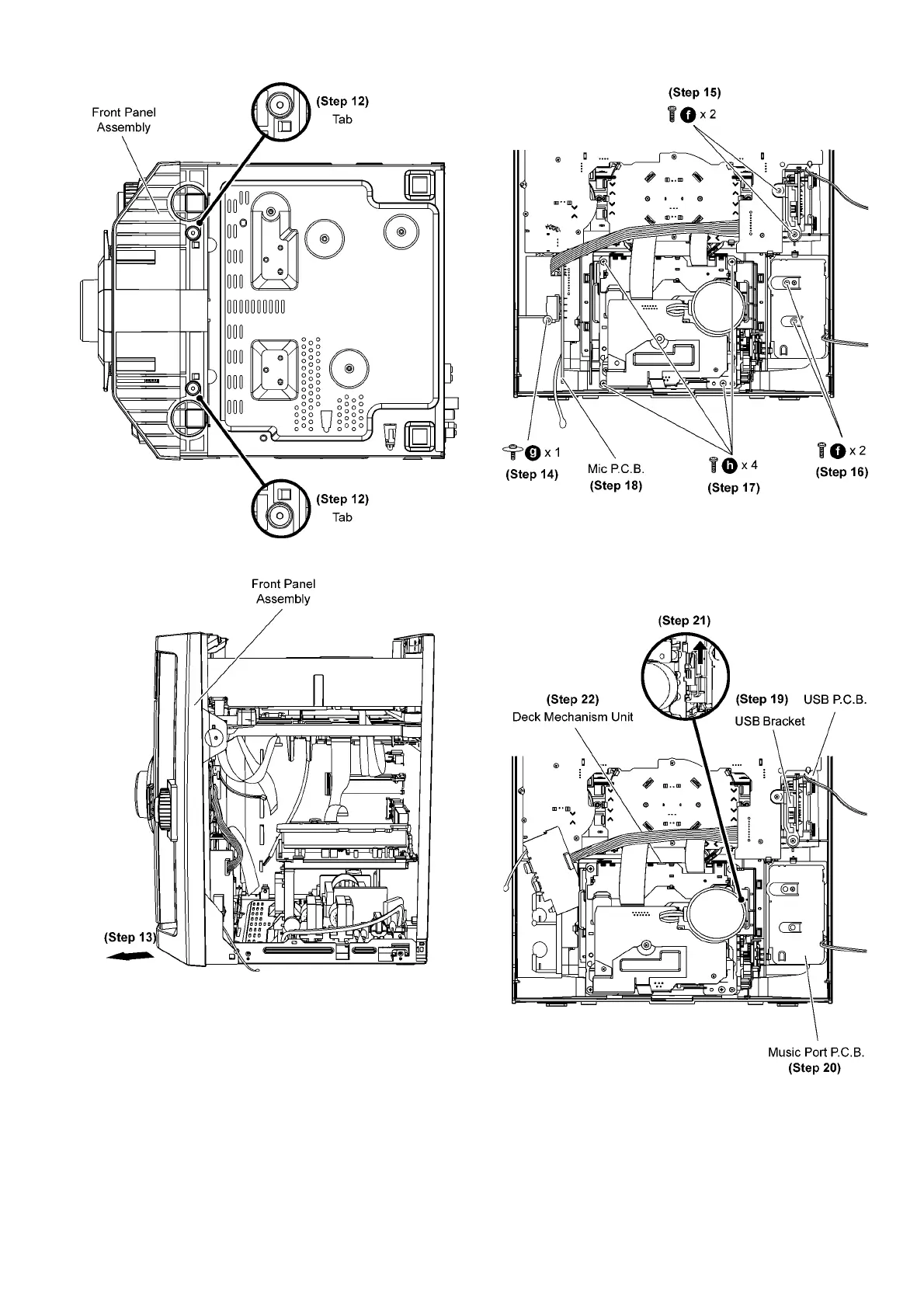
Step 12 Release the tabs at the bottom of front panel.
Step13 Remove front panel unit in the direction of arrow.
Step 14 Remove 1 screw at Mic P.C.B..
Step 15 Remove 2 screws on USB bracket.
Step 16 Remove 2 screws on Music Port P.C.B..
Step 17 Remove 4 screws at Deck Mechanism unit.
Step 18 Remove Mic P.C.B..
Step 19 Remove USB P.C.B. with USB bracket.
Step 20 Remove Music Port P.C.B..
Step 21 Push the lever upward as arrow shown to open the
cassette lid assembly.
Step 22 Remove Deck Mechanism unit.











 To Next Page