121
1
56_11_597A
56_11_598A
"- LEVEL EXPERT- PELLENC POWER TOOL BATTERY" Workshop document
Issue 11/2016 ref. : DOCUMENT ATELIER_BATTERIE_EXP_OUTILS_PELLENC_V2_2016_ENG
CHARGE LEVEL TEST
Start the storage discharge:
- Click on the "measurement" icon
- Click on the "storage" icon
OR start an indicator diagnostic
This discharge must be performed between 5°C
and 25°C.It should not vary (5°C)
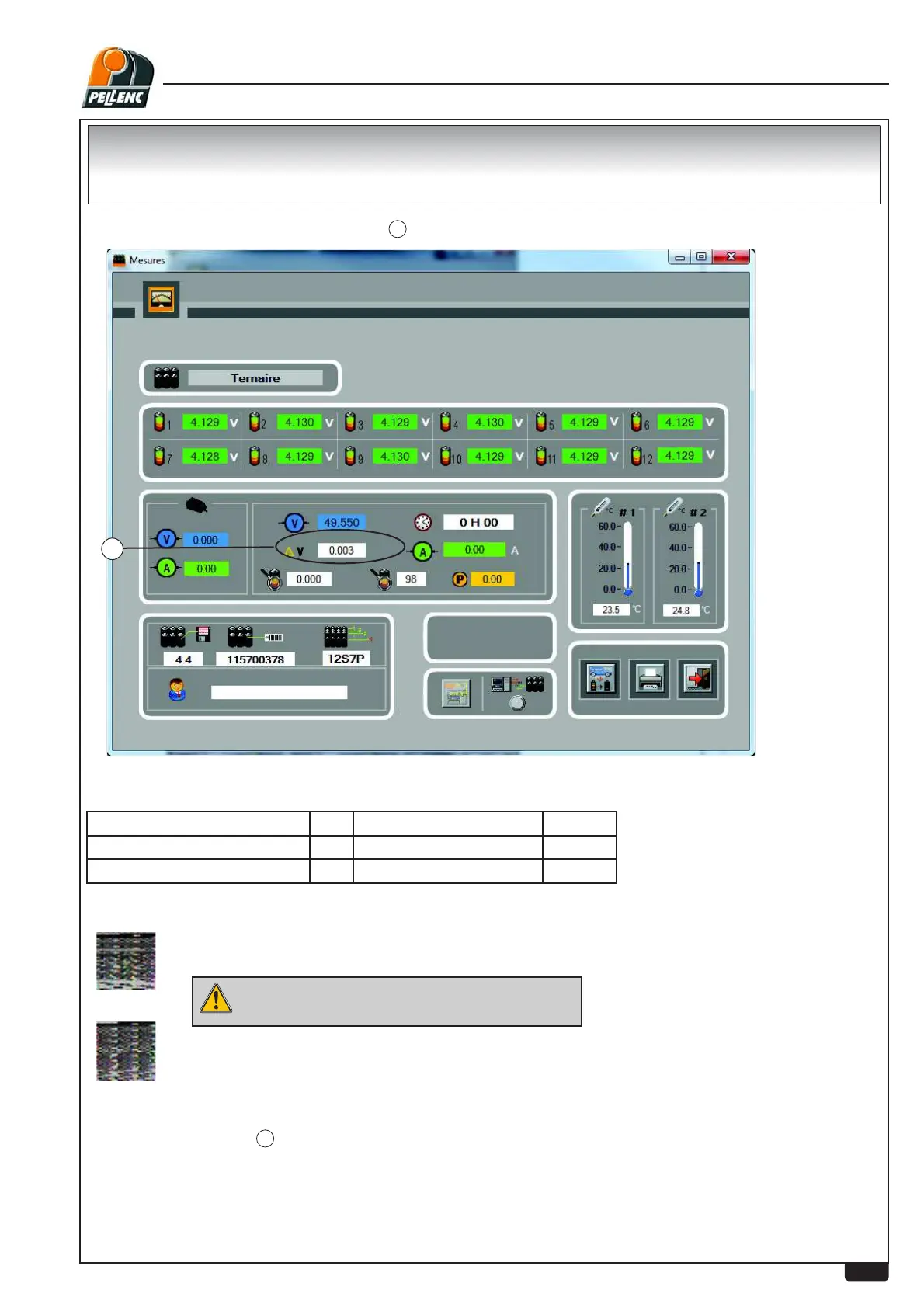
In the diagnostic software:
After 48 hours, check
¨9
1
again
If the value is 0.03V or higher, charge the battery (if the percentage shown
on the display is below the following data)
150 / 150P Battery 80% Battery 250 80%
Battery 200 80% Battery 400 60%
Battery 700/Olivion/1100 50% Poly 5 60%
Open the diagnostic software and check
¨9
1
:
,I¨9LVEHORZY &KDUJHWKHEDWWHU\IXOO\
Charge the battery with the original charger:
150 / 150P Î0.4 A
200 / 250 400 / Poly 5 Î1.2 A
700 / Olivion / 1100 Î2.2 A


 To Next Page