126
56_11_597A
"- LEVEL EXPERT- PELLENC POWER TOOL BATTERY" Workshop document
Issue 11/2016 ref. : DOCUMENT ATELIER_BATTERIE_EXP_OUTILS_PELLENC_V2_2016_ENG
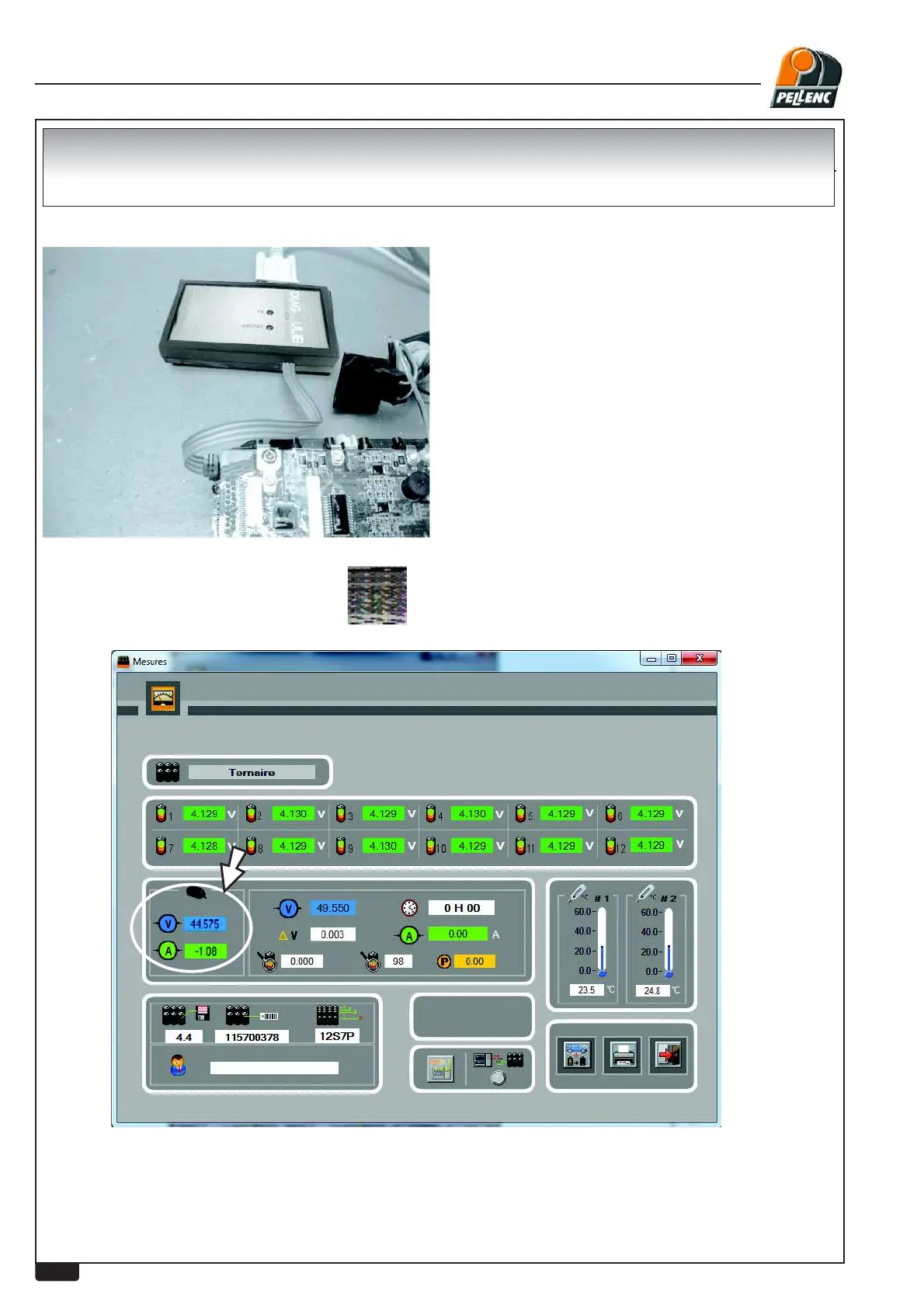
- Click on the "measurement" icon
Open the diagnostic software:
Remove the covers, connect the IRDA unit by wire to the board.
1. Check that the charging current corresponds to that measured during the charger test ±0.2A
(Test on an operative battery with a charge of less than 50%)
2. Disconnect or remove the board from the battery Î See procedure for replacing boards
3. Check that the charging voltage is equal to that measured during the charger test ±0.2V
TEST OF CHARGING VOLTAGE CURRENT BOARD


 To Next Page