68
1
65
3
4
2
7 8
10
11 12
9
"- LEVEL EXPERT- PELLENC POWER TOOL BATTERY" Workshop document
Issue 11/2016 ref. : DOCUMENT ATELIER_BATTERIE_EXP_OUTILS_PELLENC_V2_2016_ENG
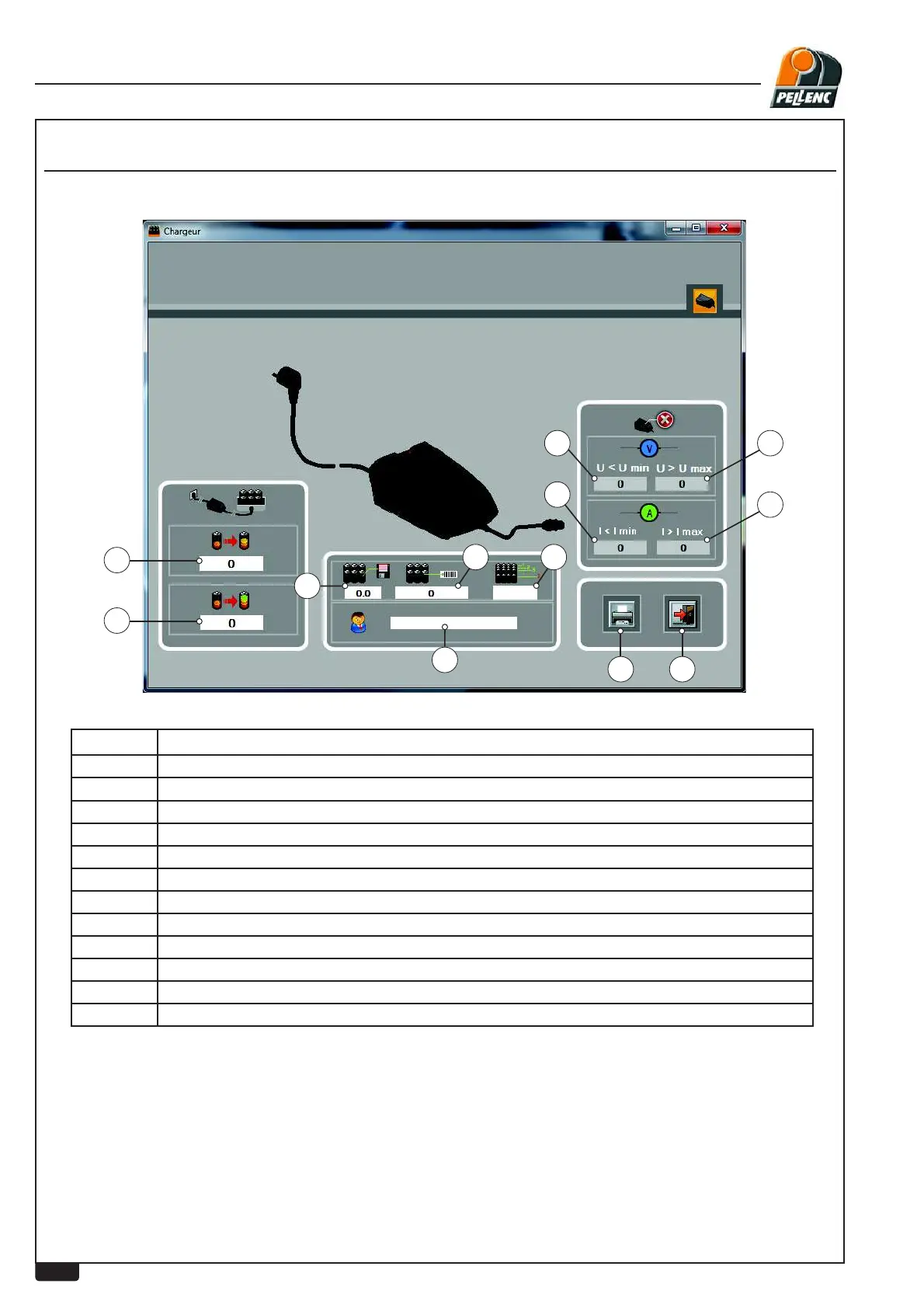
USING THE LI-ION BATTERY SOFTWARE - CHARGER SCREEN
LEVEL 3 - PELLENC AUTHORISED REPAIRER
Labels Explanations
1 Number of charging operations performed.
2 Number of complete charging operations.
3 Charging current too low.
4 Charging current too high.
5 Charging voltage too low.
6 Charging voltage too high.
7 Print button.
8 Return to previous screen (escape)
9 Name of customer entered during wired download or battery serial number in RFID
10 Battery software version.
11 Battery internal serial No.
12 Number of battery cells



 To Next Page