36
1
2
3
9
7
8
4
5
6
18
10
11 12
14
15
17 19 20 21
16
13
22
"- LEVEL EXPERT- PELLENC POWER TOOL BATTERY" Workshop document
Issue 11/2016 ref. : DOCUMENT ATELIER_BATTERIE_EXP_OUTILS_PELLENC_V2_2016_ENG
LEVEL 3 - PELLENC AUTHORISED REPAIRER
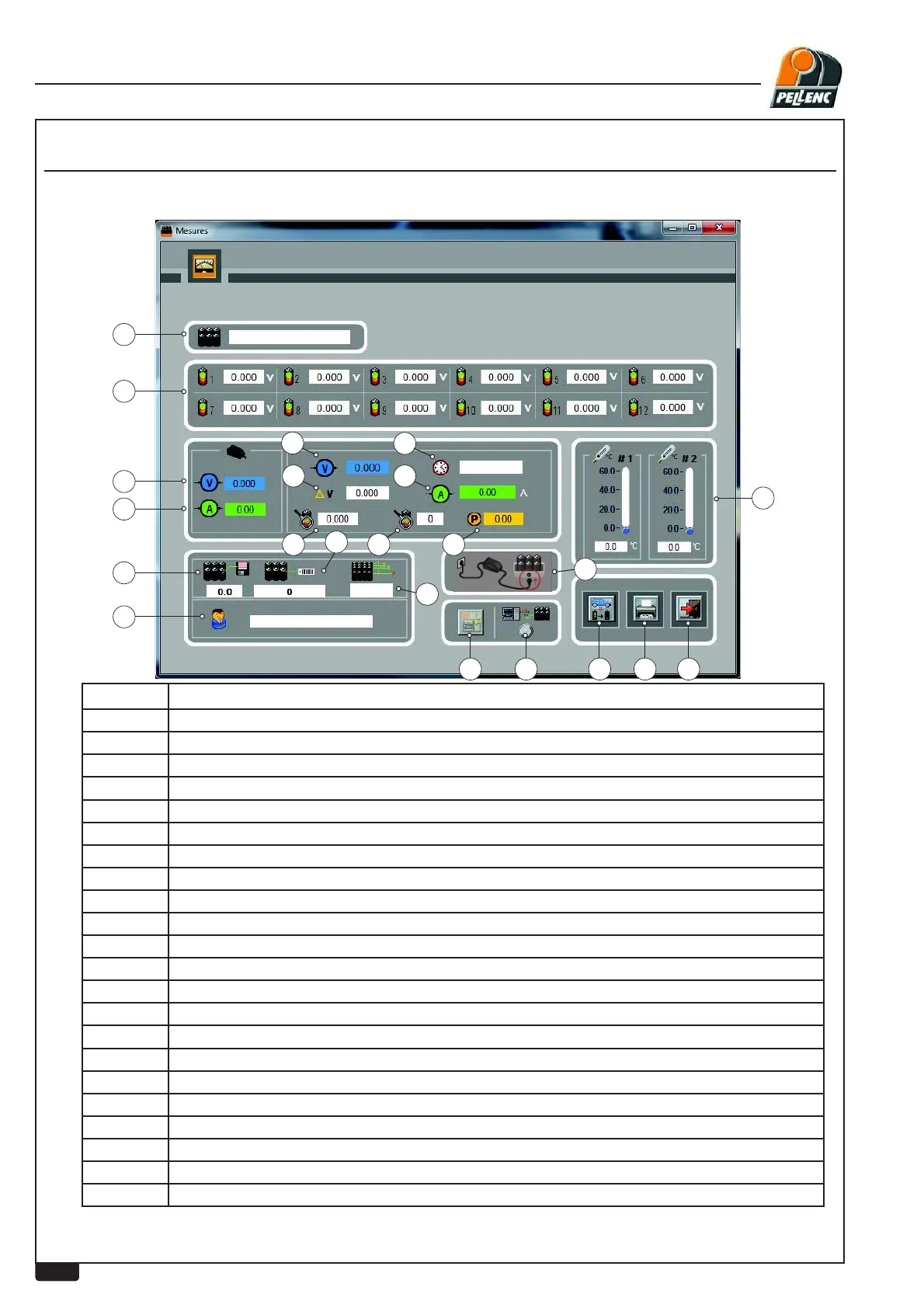
USING THE LI-ION BATTERY SOFTWARE - MEASUREMENT SCREEN
Labels Explanations
1 Technology
2 Voltage values, battery cell by cell. (in volts)
3 Charging voltage (Charger test)
4 Charging current in amps. (Charger test)
5 Battery software version.
6
Name of customer entered during wired download or battery serial number in RFID
7 Battery internal serial No.
8 Number of battery cells
9 Battery voltage (in volts)
10
Largest voltage difference between 2 cells. (in volts)
11 Remaining battery charge (Ah) ( Delivered last time used )
12 Remaining battery charge (%).
13 Consumption in Wh. (Last use)
14 Utilization current (amperes).
15 Utilization time (hours). (Last use)
16 Temperature values of the two battery sensors. (in degrees Celsius)
17 Communication indicator (serial link only)
18 Download (Serial link only)
19
Discharge button for transport and storage
20 Print button.
21
Return to previous screen (escape)
22 Battery charge



 To Next Page