40
1
2
3
4
5
6
7
8
9
10
19
11 16
1312
18
14
17
15
20
21
22
"- LEVEL EXPERT- PELLENC POWER TOOL BATTERY" Workshop document
Issue 11/2016 ref. : DOCUMENT ATELIER_BATTERIE_EXP_OUTILS_PELLENC_V2_2016_ENG
USING THE LI-ION BATTERY SOFTWARE - TREELION TOOL SCREEN
LEVEL 3 - PELLENC AUTHORISED REPAIRER
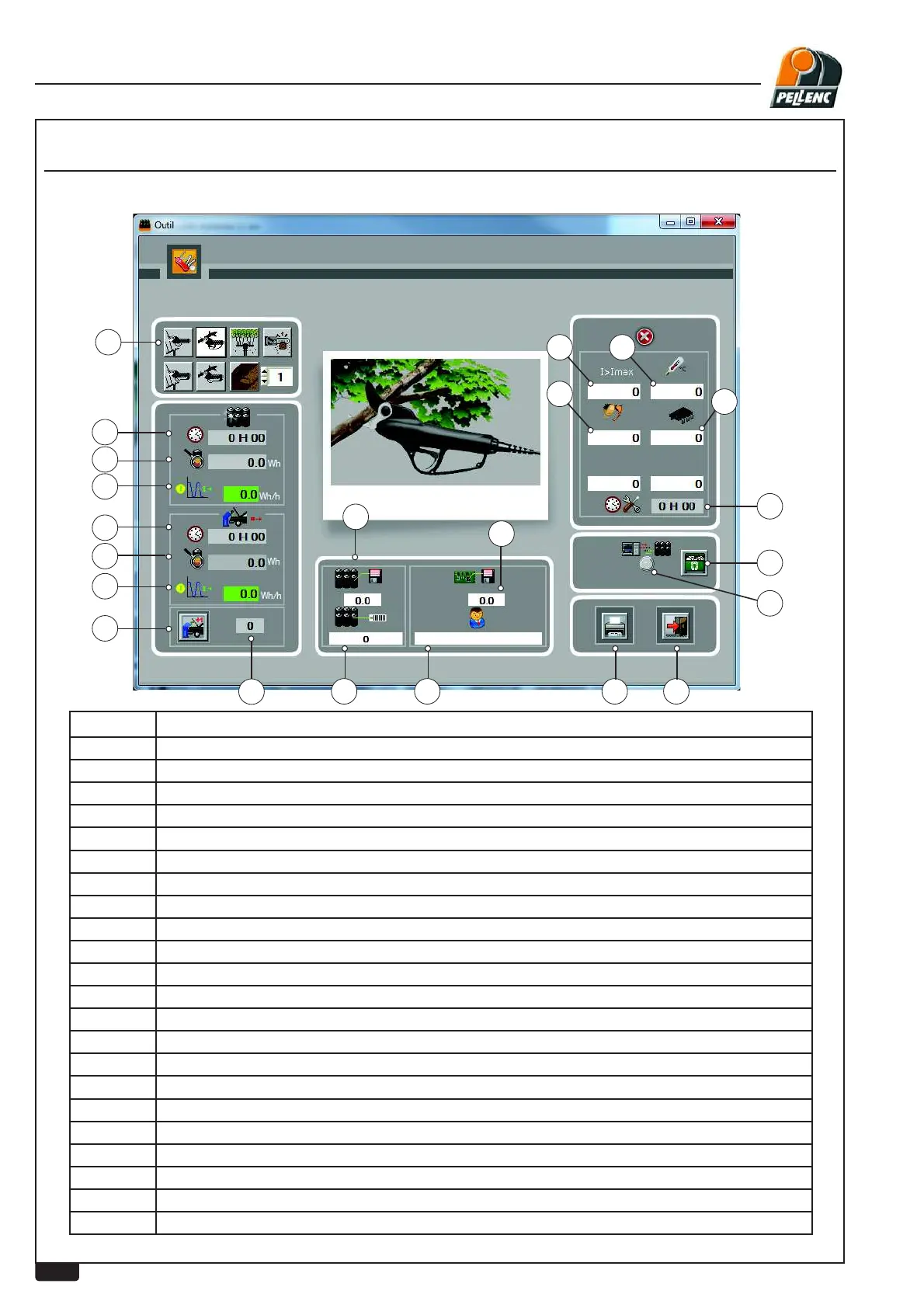
Labels Explanations
1
Choice of tools and pages (2 pages)
2 Total working time from start-up or from replacement of card
3 Total power use from start-up or from replacement of card
4 Average total power use from start-up or from replacement of card
5 Working time since last overhaul
6 Charge consumed since last overhaul
7 Average charge consumed since last overhaul
8 Reset time counter since last overhaul
9 Battery internal serial No.
10 Battery software version.
11 Name of customer entered during wired download or battery serial number in RFID
12
Current too high
13 Motor control board temperature
14 Trigger sensor fault
15 Communication indicator (serial link only)
16
Print button.
17
Return to previous screen (escape)
18 Motor starting fault
19 Software version of last tool used
20 Tool operating time
21
Reset fault screen
22 Number of overhauls carried out


 To Next Page