131
2 3
4
4
5
5
"- LEVEL EXPERT- PELLENC POWER TOOL BATTERY" Workshop document
Issue 11/2016 ref. : DOCUMENT ATELIER_BATTERIE_EXP_OUTILS_PELLENC_V2_2016_ENG
LEVEL 4 - EXPERT LEVEL
LI-ION BATTERY PARAMETERIZATION SOFTWARE INSTRUCTIONS
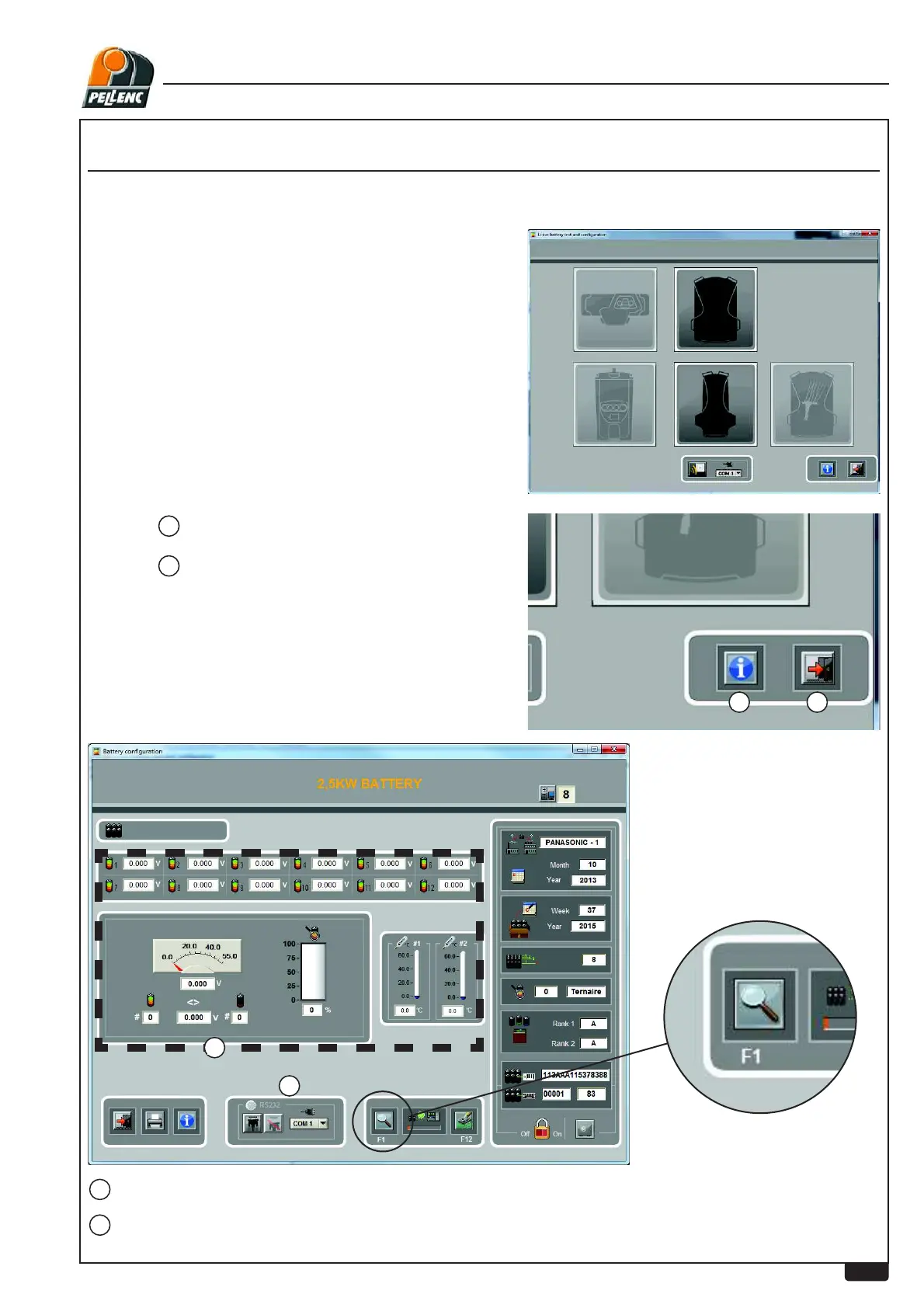
The left upper part corresponds to the measurement window of the Diag software
The icon
2
gives information about the software.
The icon
3
closes the software.
The software detects the battery model used.
Access the parameters by
placing the RFID card against
the battery card and clicking on
the read parameters icon (or
press F1). (Wait 10 seconds).
SERIAL LINK, DO NOT USE WIRELESS MODE (RFID)


 To Next Page