76700 -66/94-
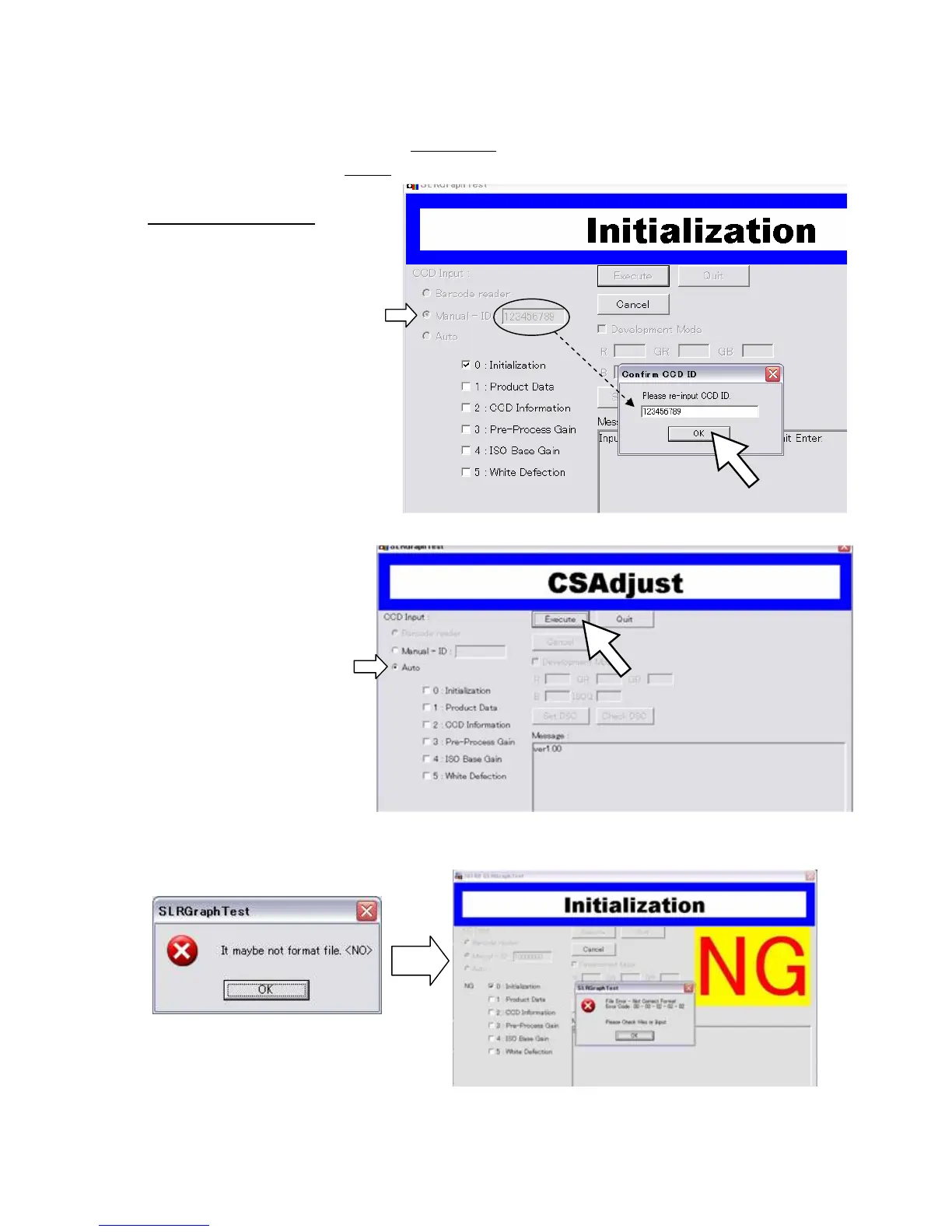
(8) Select「CCD Input」
* When replaced T100 or CCD ----- Select “Manual-ID”
* Other than above ----- Select “Auto”
(9) When select [Manual-ID]
Input CCD ID No 2 times
Input ID No.
↓
Press “Execute” button or
“Enter” key
↓
Input ID No
↓
Press “OK” button or Enter key
↓
Adjustment process start
(10) When select [Auto]
Press “Execute” button or Enter key →Adjustment process start
*When the following error window is displayed, select “Manual-ID” and input correct CCD ID No.
・ Manual-ID



 To Next Page