76700 -68/94-
23-5 WDC Adjustment procedure
[NOTE] CCD white pixel defect compensation item only can be adjustable by this procedure.
(1) Connect the AC adaptor to the camera.
(2) Connect the camera to the computer by the USB cable (I-USB17).
(3) Turn the main switch ON, and then confirm that the camera is recognized as a [Removable Disk]
under [My Computer].
(4) Start the adjustment software (WDC.exe). [NOTE] Lens ID number is not necessary.
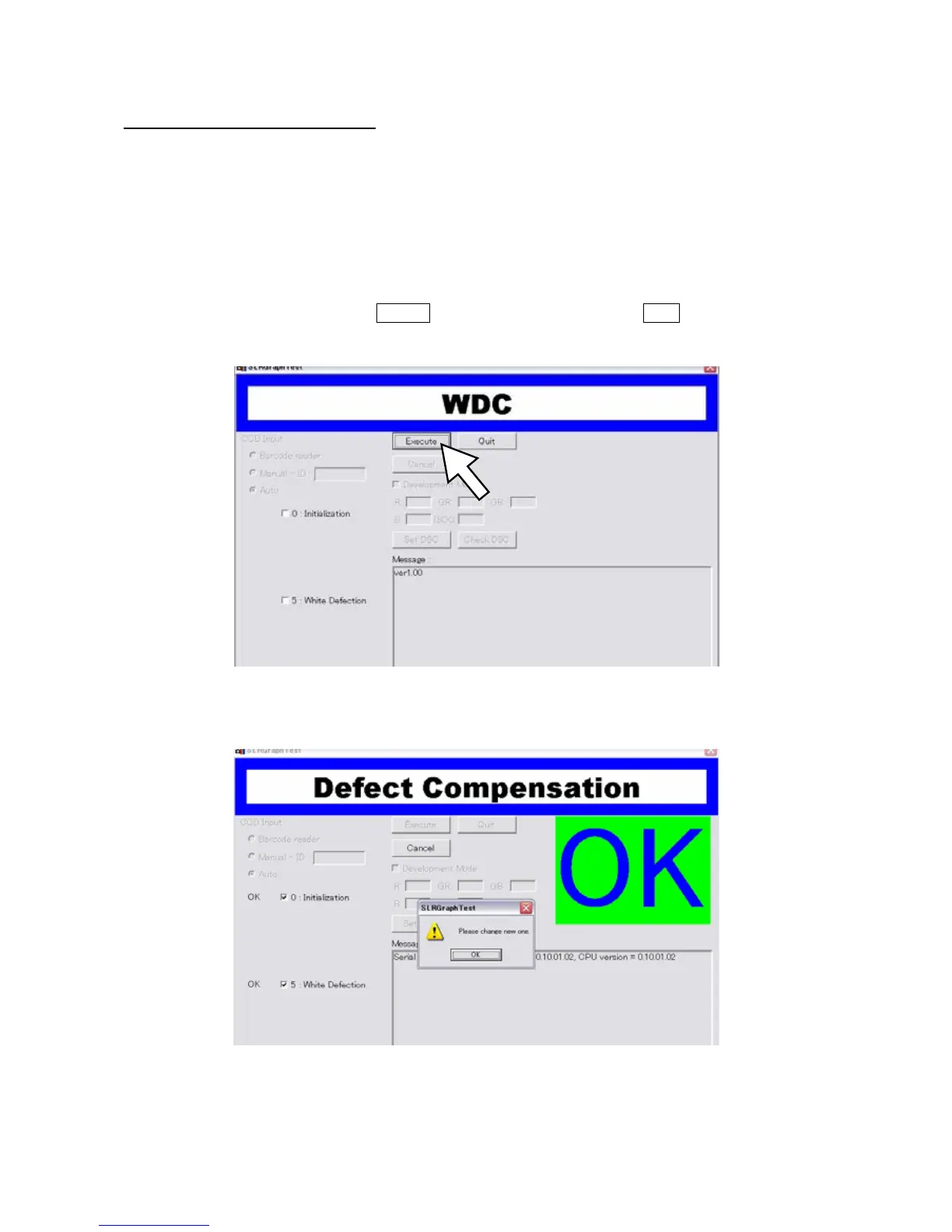
(5) The following window will be displayed when the adjustment software is started.
(6) Execute the adjustment by clicking Execute button in the dialog box or push Enter key on the keyboard.
(7) When the screen changes as follows, the adjustment is completed.



 To Next Page