30
Programming Configuring using the ICS Switchbox
Inverting Recline direction through the switchbox
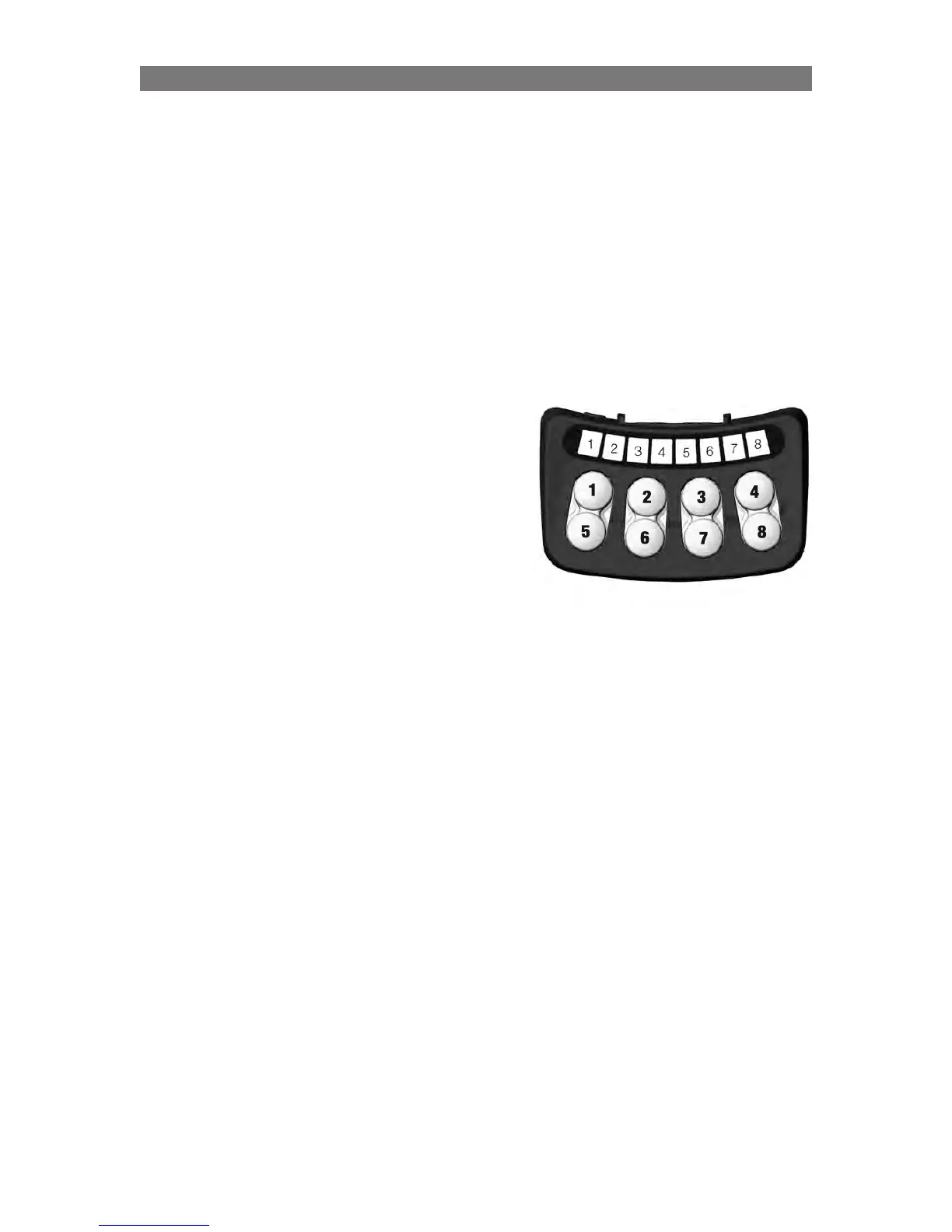
To adjust whether the direction of the recline will be inverted when operated with the ICS switchbox,
press button 3.
• When LED 5 lights up green, the recline will move forward when the rear button is activated.
• When LED 5 lights up red, the recline will move forward when the front button is activated. (standard).
Inverting Legrest direction through the switchbox
To adjust whether the direction of the legrest will be inverted when operated with the ICS switchbox,
press button 7.
• When LED 6 lights up green, the legrest will move up when the rear button is activated.
• When LED 6 lights up red, the legrest will move up when the front button is activated. (standard).
Settings on page 3 in the Set-up menu
Link Legrest to Backrest movements
To link the movement of the legrest to the movement
of the backrest (legrest moving outwards when
backrest is moving backwards and vice versa)
press button 1.
• When LED 1 lights up green the legrest is
linked to the backrst movements.
• When LED 1 lights up red the legrest isn’t
linked to the backrst movements.
NOTE! In both settings, the leg rest can be adjusted
on its own without infuence on the backrest.



 To Next Page