44
Programming Corpus VS/APE- Specific Attributes
5. Ground Clearance and Ground Touch adjustments:
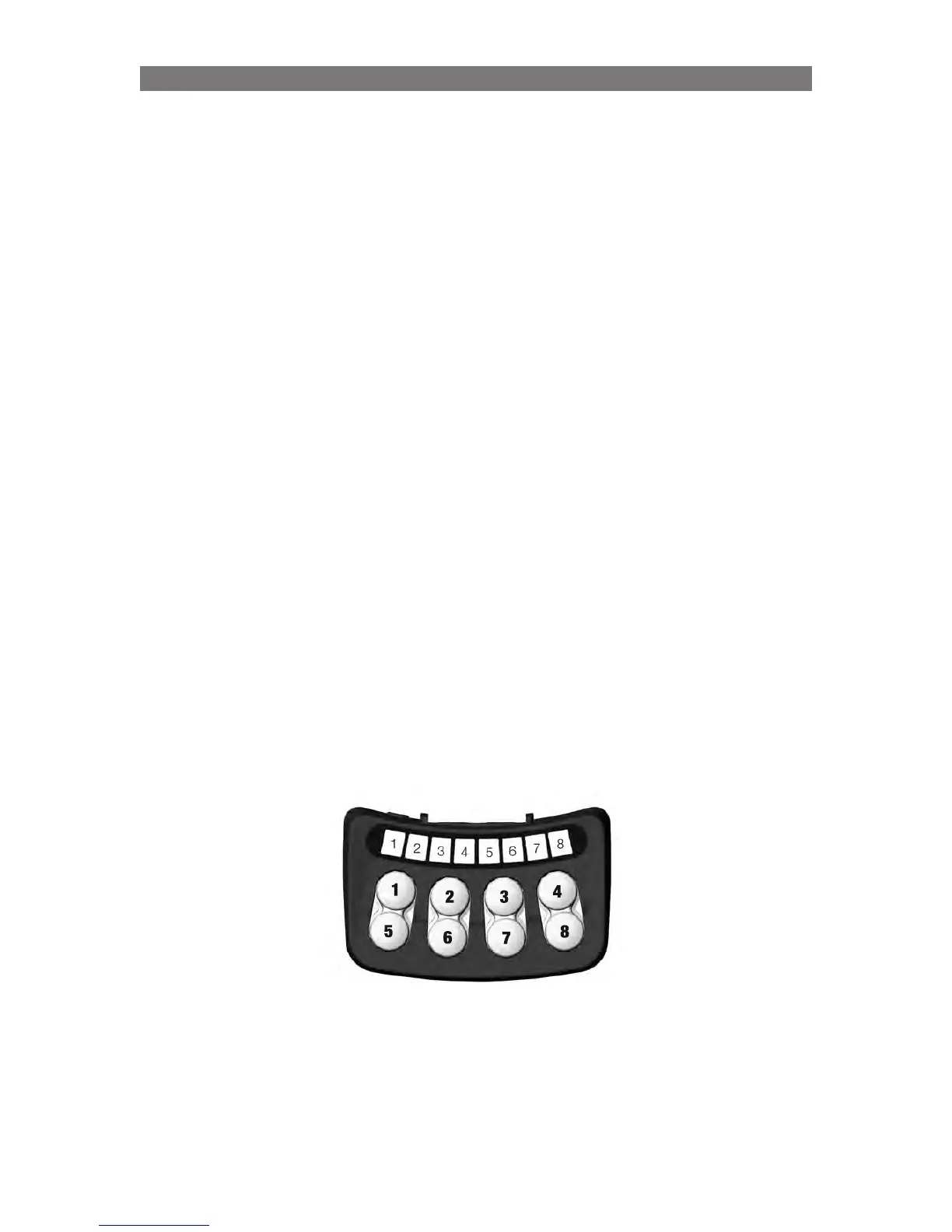
Both these sequences are entered by pressing Button 4 in Standing Sequence Setting mode (Led 4 = solid
green, Led 8 = flashing yellow)
The Ground Clearance setting together with the Ground Touch are used by the system to maintain
footplate ground clearance during standing. Ground Clearance defines how far above the Ground Touch
the footplates shall be at the end of the stand sequence.
The Ground Touch setting (Corpus with articulation legrest options only) is used by the system to establish
a defined position when footplates or legrest post touches ground, e.g. in order to get a correct reference
when the footplates touches ground.
If footplates are mechanically adjusted below the lowest position of the legrest post it is needed to adjust the
Ground Touch setting. The Ground Clearance is an offset from the Ground Touch position and is normally
not needed to be adjust from default factory setting.
Ground clearance will by default be 40mm to keep footplates off the ground e.g. when standing or lowering
the seat.
Note: If there is a need to get closer to the ground than currently defined Ground Clearance or Ground
Touch, keep the button pressed for more than 15s and both Ground Clearance and Ground Touch
adjustment is reverted to its lowest position. When the reset occurs, LED 4 will switch to flashing green as
long as the button is pressed. When the button is released, the adjustments are reset and the chair needs
to be restarted.
Procedure
1.
When in seating position use button 1 and 5 to adjust seat elevation height or use Button 2 and 6 to
adjust the position of the footplate until they touches ground (Ground Touch) or the wanted clearance
between ground and footplate (Ground Clearance).
2.
When ready use Button 8 to save Ground Touch. Led 8 - solid green while holding sw8, position is
saved
or
When ready use Button 7 to save Ground Clearance Led 6 - solid green while holding sw7, position
saved
3.
Restart system (Off and On)!



 To Next Page