43
4. Adjustment of Legrest extension in standing position (Only Corpus VS and
Power transfer option on Corpus APE)
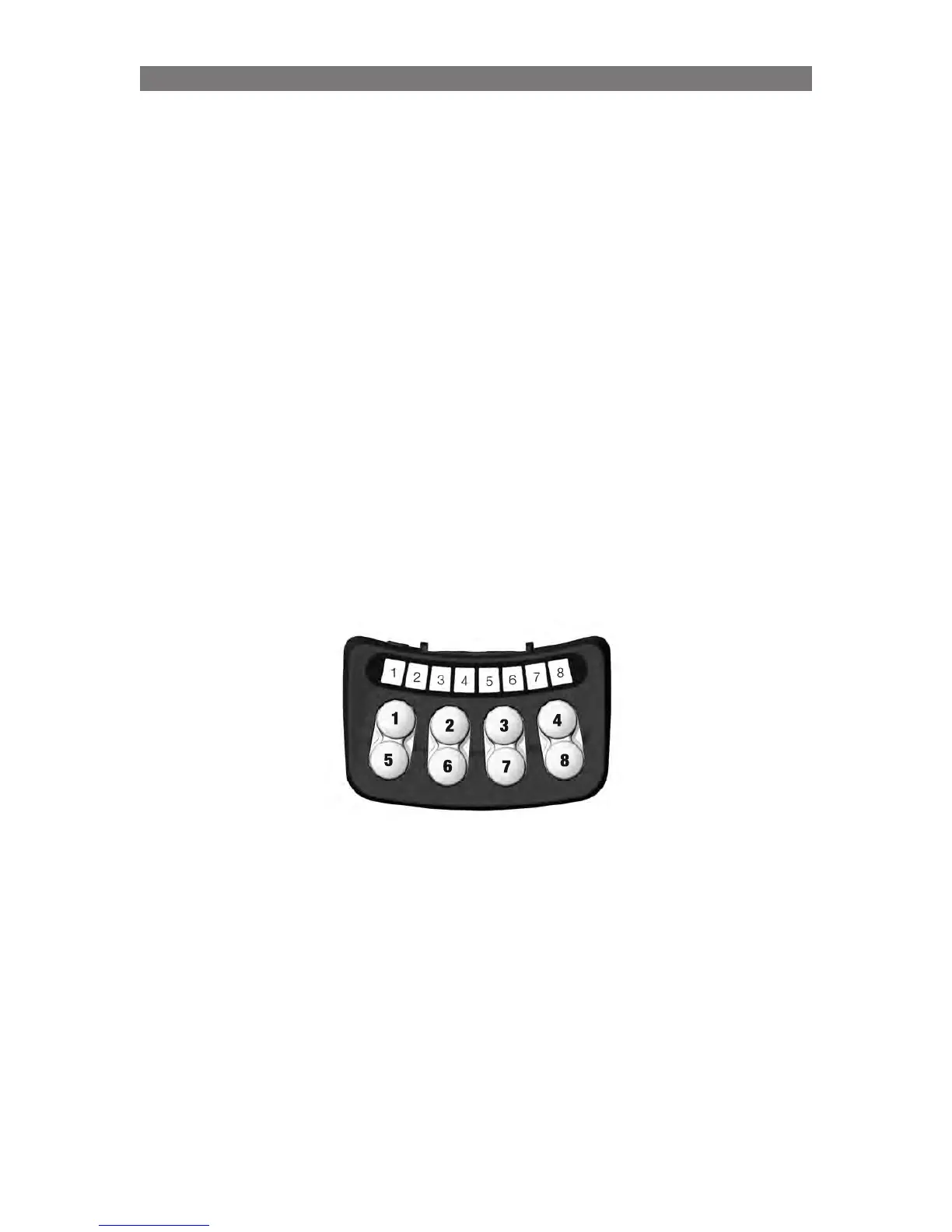
This sequence is entered by pressing Button 3 in Standing Sequence Setting mode (Led 3 = solid green).
Note: If the button is pressed for more than 15s and the seat angle is not negative (angled forwards), the
legrest extension will be reset to the default extension in standing position. When the reset oc-curs, LED
3 will switch to flashing green as long as the button is activated. When the button is re-leased, the legrest
extension while standing is reset and the chair needs to be restarted.
It is possible to adjust the Legrest Extension length for the standing position.This could be required to do
if the he Legrest has extended too much (or too little) in standing position so that the user is not in a good
position.
Procedure
Before entering this Legrest Extension Adjustment set up mode, use the normal standing sequence to get
to the final standing position.
1.
When in final standing position (CP3) and use Button 1 and 5 to adjust the position of the footplate.
2. When ready use Button 8 to save legrest extension
Led 8 - flashing green: new position can be saved
Led 8 - solid green: while holding sw8, position saved
Led 8 - solid yellow: when seat is in a position that doesn’t allow saving
3. Restart system (Off and On)!
4. Return the seat to horizontal sitting position. Restart the system again (Off and On).
Programming Corpus VS/APE- Specific Attributes



 To Next Page