50
50
Pre-Defined Standing Sequences
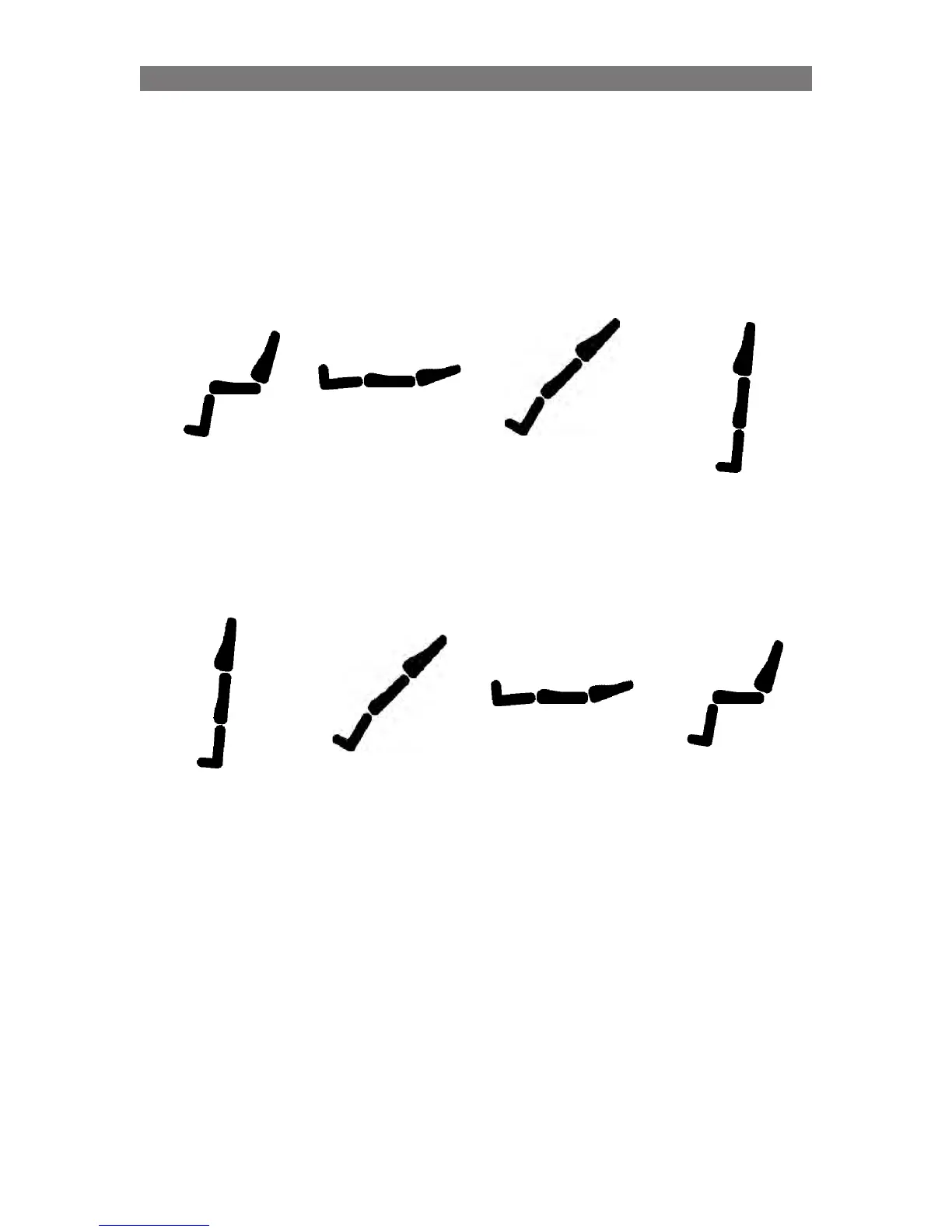
Pre-Defined 3: “Lay to Stand”
This sequence is similar to a “Tilt Table” Stander.
First, the backrest and legrest are moved to 180°. Then the seat pan angle is transitioned to the vertical
position, much like a tilt board.
Pre-Defined 3 Standing Sequence - UP Overview
Pre-Start
Stand=0
Leg=100
Back=115
Start
Stand=0
Leg=175
Back=160
Stand=45
Leg=135
Back=132
Finish
Stand=85
Leg=95
Back=95
Start
Stand=85
Leg=95
Back=95
Stand=45
Leg=135
Back=132
Finish 1
Stand=0
Leg=175
Back=160
Finish 2
Stand=0
Leg=100
Back=115
The “down” sequence finishes with the user in a supine position, but then transitions the user to an
upright seated position.
NOTE: If the user wishes to remain in a supine position after ‘un-standing’, they should STOP activating
the joystick or switchbox button when they have reached the lying position.
The final “down” position of this sequence can transition the user to a seated position after the supine
position by using WheelChair Builder.
The “up” sequence starts by placing the user in a supine position.
Pre-Defined 3 Standing Sequence - DOWN Overview
Programming VS - Specific Attributes



 To Next Page