Title Service Manual, LPCR2 Page
Service Product Drawing
3323299
B
Released State Date 11/14/2017
7000545 Revision A
6. Open the CR2 lid.
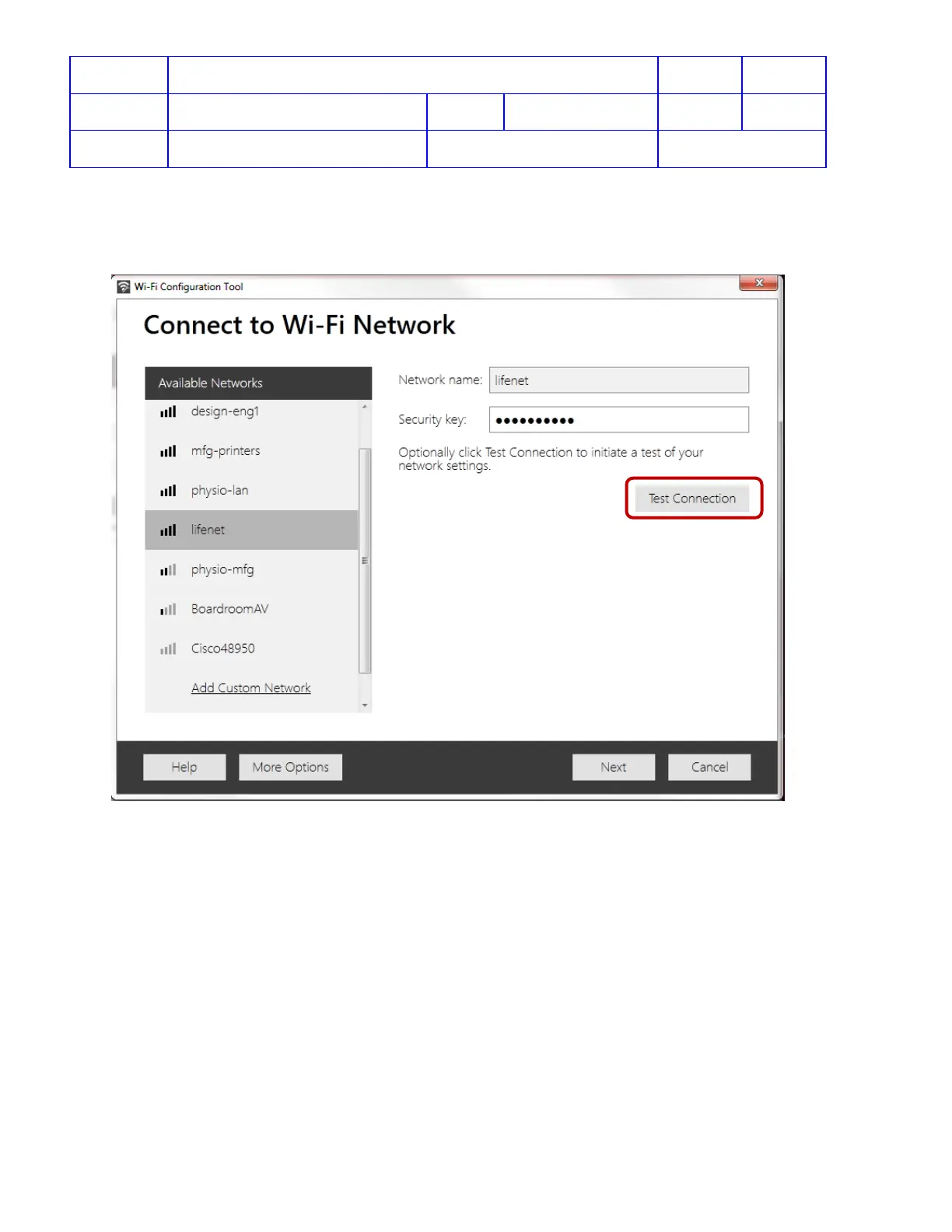
7. Follow the onscreen instructions from the Wi-Fi Configuration Tool.
8. After selecting a Wi-Fi network name and entering Security key, click Test Connection to test if the CR2 can
communicate with the Wi-Fi network hotspot and reach LIFENET System.
NOTE: If the intended CR2 Wi-Fi location is not in the range, skip the connection test and go to step 10.












 To Next Page