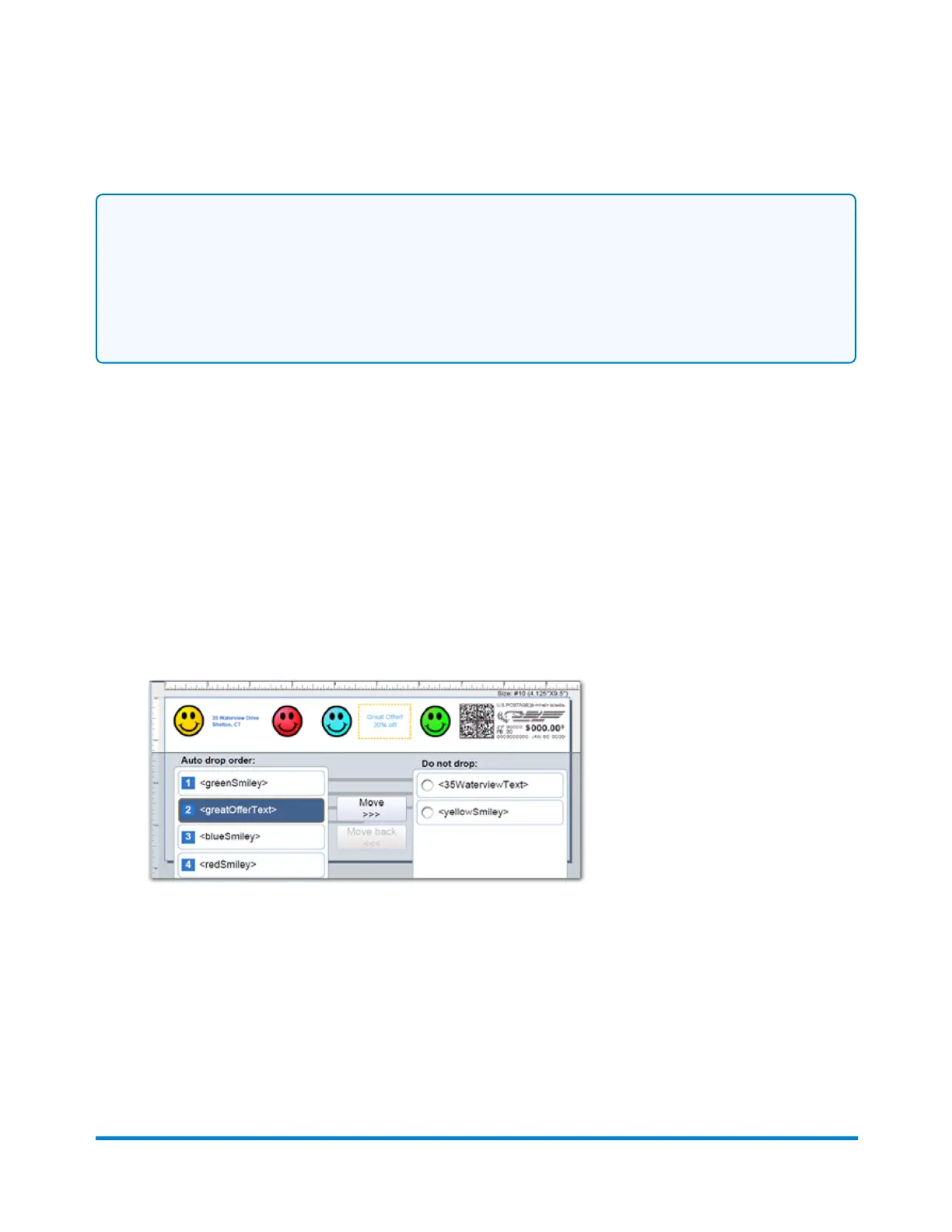
Notes on drop order:
l
When a right justified element is dropped, the other right justified images shift to the right. The
distance of the shift is equal to the size of the image plus its margin.
l
When a left justified element is dropped, the other left justified images do not shift or change
position.
Changing the image/message drop order
To select an image you do not want deleted during a WOW mail run:
1. Select anywhere within the envelope on the Run Mail screen.You can also select the Edit
envelope link.
2. Select the Print element drop order option from the list box on the left of the Edit envelope
screen.
3. The graphics and messages currently in the Transpromotional zone are listed in the left Auto
drop order list box.
4. Select the image from the Auto drop order list and then select Move. This image/message now
appears in the Do not drop list in the top position on the right.
5. Select OK.
6. To remove an image from the 'Do not drop' list, select it and then select Move back.
Running mail
Pitney Bowes User Guide April 2022 78











 To Next Page