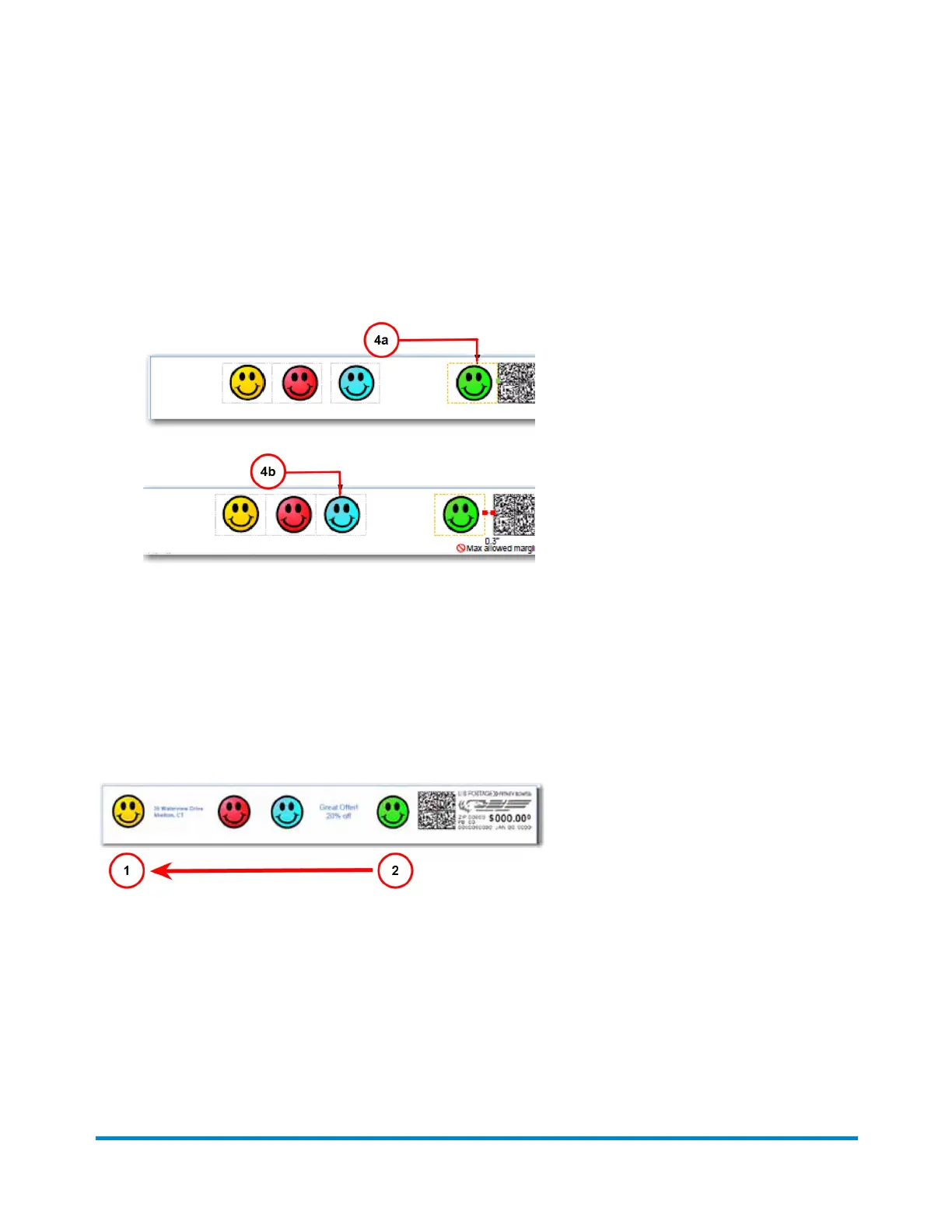
4. The graphics within a group (right-justified or left-justified) are connected to one another so that
moving one also affects the other. In the example below, moving the right justified green graphic
(see 4a) also moves the blue graphic (see 4b) since they are both right justified (note that this
has no affect on the left justified yellow and red graphics).
How markers are added or dropped
The diagram below shows the default order (1 = last, 2 = first) in which non-postal elements (graphic
images, text messages, return addresses) are dropped from the Transpromotional zone if the
envelope size changes during a WOW mail run and an element(s) will not fit. The postal elements are
restored in the reverse order.
You can specify which images or messages you do not want dropped. The default drop-order will
remain the same but the image or message you select will be skipped during the drop. Refer to
Changing the image/message drop order.
Running mail
Pitney Bowes User Guide April 2022 77











 To Next Page