User Manual of WDAP-C1750
-90-
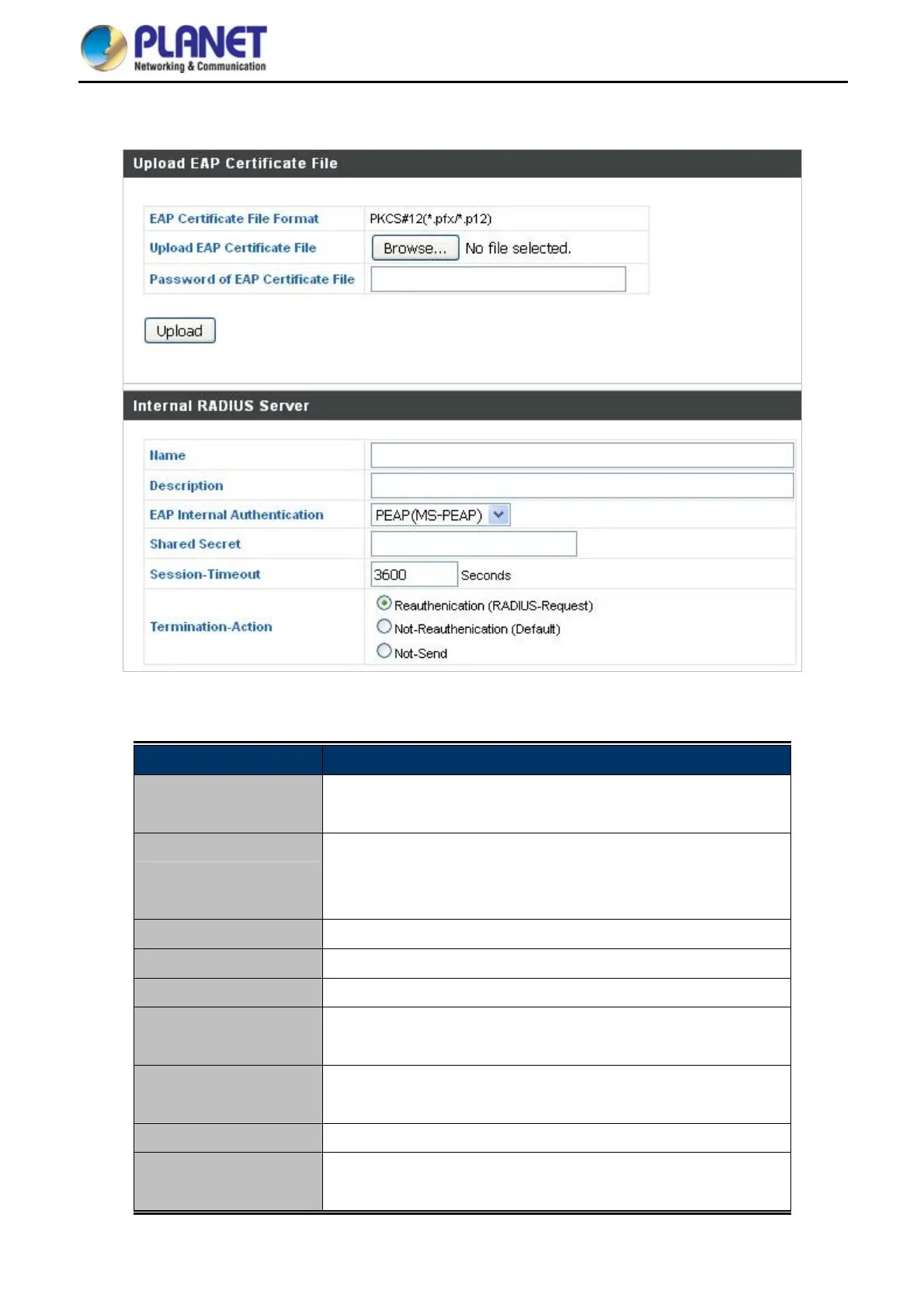
6.4.3.2. Internal RADIUS Server
Figure 6-19 NMS Settings—Internal RADIUS Server
Object Description
EAP Certificate File
Format
Displays the EAP certificate file format: PKCS#12(*.pfx/*.p12)
EAP Certificate File
Click “Upload” to open a new window and select the location of an
EAP certificate file to use. If no certificate file is uploaded, the
internal RADIUS server will use a self-made certificate.
Name
Enter a name for the Internal RADIUS Server.
Description
Enter a description of the RADIUS Server for reference.
RADIUS Server
Enter the RADIUS server host IP address.
EAP Internal
Authentication
Select EAP internal authentication type from the drop down menu.
Shared Secret
Enter a shared secret/password between 1 to 99 characters in
length.
Session Timeout
Set duration of session timeout in seconds between 0 and 86400.
Termination Action
Select a termination-action attribute: “Reauthentication” sends a
RADIUS request to the access point, “Not-Reauthentication”



 To Next Page
 Loading...











