User Manual of WNAP-6325
-47-
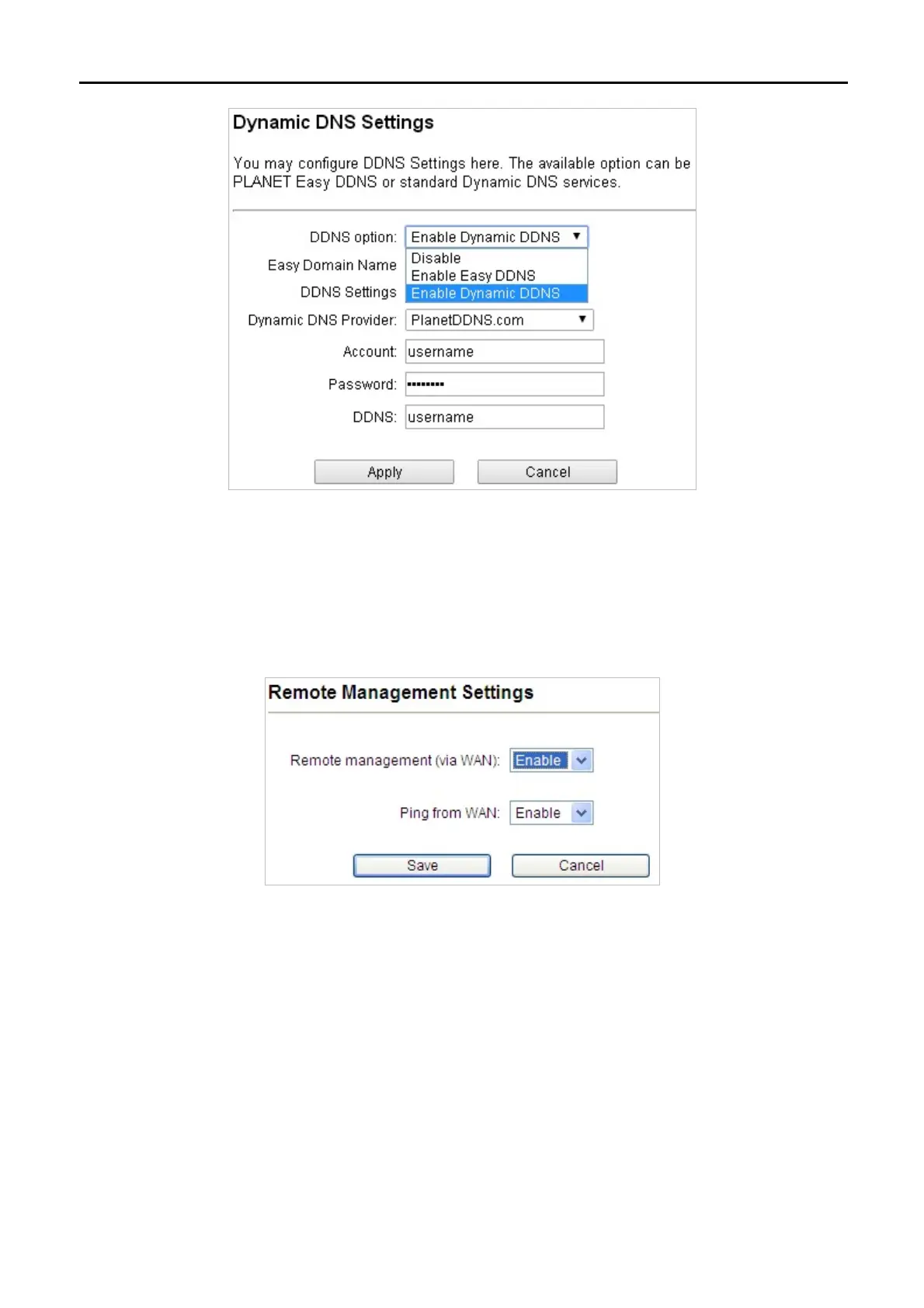
Step 2. Configure the DDNS account that has been registered in Planet DDNS website.
Account: Enter your DDNS host (format: xxx.planetddns.com, xxx is the registered domain name)
Password: Enter the password of your account.
DDNS: Enter your DDNS host again.
Step 3. Go to “Remote Management” to enable remote access from WAN port.
Step 4. Go to “WAN Port Settings” to configure WAN connection to Static Mode (fixed IP).



 To Next Page