EasyManua.ls Logo

Polycom Vortex EF2210 - User Manual

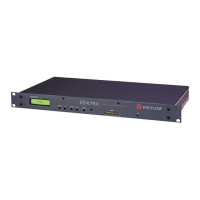
Polycom Vortex EF2210
97 pages
Print Icon
To Next Page IconTo Next Page
Loading...
Installed Voice Business Group
RS-232 Command Set:
Vortex EF2210 Programming Guide
Copyright
© 2003 Polycom, Inc.
Polycom and the Polycom logo are registered trademarks of Polycom, Inc.
ASPI, Vortex, VS4000, Viewstation, and iPower are
registered trademarks of Polycom, Inc.
All other brand names, product names, and trademarks are the
sole property of their respective owners

Table of Contents

Other manuals for Polycom Vortex EF2210

Questions and Answers

  • M
    Melissa MorseAug 11, 2025
    What to do if the Polycom Vortex EF2210 Telephone Accessories microphone is not gating?
    • J
      Joshua WhiteheadAug 11, 2025
      If the Polycom Telephone Accessories microphone is not gating, there are several possible reasons: * Verify if the microphone is assigned to an automixer. * Check if the microphone is muted. * Ensure the microphone level is appropriately set, verifying mic or line level and phantom power. * Increase the Hold Time, as it may be too low. * Confirm the Gating settings, ensuring the microphone is not Forced Off. * Adjust the Gating Priority, especially if the input has a Gating Priority of 4. * Modify the Gate Threshold setting, either the Adaptive Threshold or the Manual Threshold.
  • G
    glenn89Aug 19, 2025
    Why is the microphone not gating on my Polycom Vortex EF2210 if the Gate Threshold is set?
    • W
      wwhiteAug 19, 2025
      If the Polycom Telephone Accessories microphone is not gating, it could be due to the Gate Threshold setting. If the Gate Threshold is set to Adaptive, adjust the Adaptive Threshold. If it's set to Manual, adjust the Manual Threshold.
  • E
    Erin MartinAug 27, 2025
    How to troubleshoot a Polycom Vortex EF2210 Telephone Accessories microphone that is not gating?
    • G
      Geoffrey PowellAug 27, 2025
      If the Polycom Telephone Accessories microphone is not gating, check if the microphone is assigned to an automixer, or if the microphone is muted. Also check the microphone level to make sure it is set to the appropriate mic or line level and that phantom power is on where needed.
  • T
    tonyasuarezSep 2, 2025
    What to check if my Polycom Vortex EF2210 microphone is not gating and the Gating Priority is set?
    • S
      Stephanie RamosSep 2, 2025
      If the Polycom Telephone Accessories microphone is not gating, check the Gating settings to ensure the microphone is not Forced Off. Also, if your input has a Gating Priority of 4, adjust accordingly.

Polycom Vortex EF2210 Specifications

General IconGeneral
TypeConference Phone
Echo CancellationYes
Input Impedance10 kΩ
Output Impedance600 Ω
Microphone Pickup RangeUp to 20 feet
Weight3.5 lbs
ConnectivityAnalog (POTS)
Frequency Response100 Hz to 20 kHz
Power SupplyAC Adapter

Related product manuals