PowerFleet
®
VAC4 and VAC4S Hardware User’s Guide
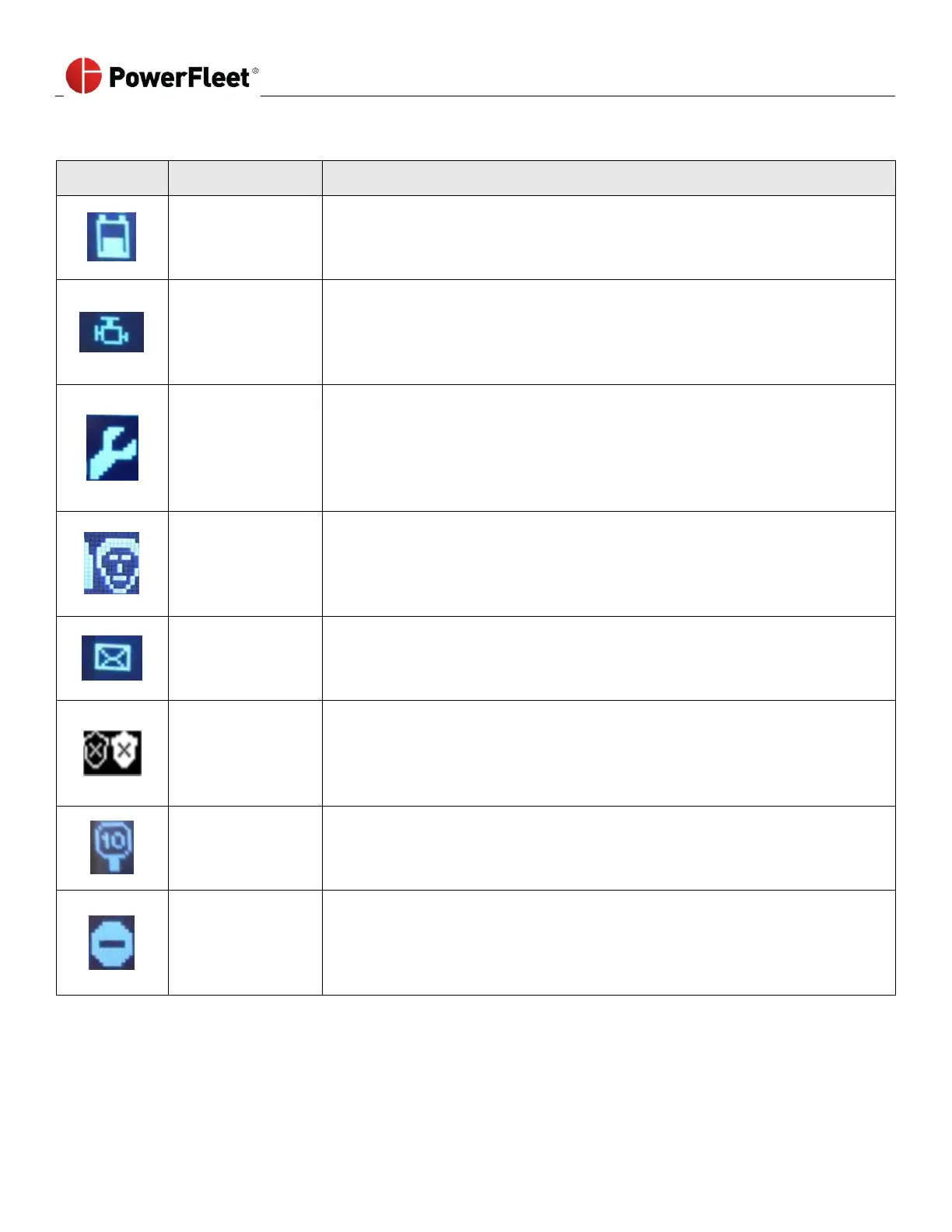
Common icons include the following:
The Low Battery icon:
The vehicle battery is low and requires a charge.
Low Oil Pressure
High Engine
Temperature
The Engine icon:
The oil pressure or engine temperature inputs (VIMs 10 and 11) are outside the
normal range. Check the engine for low oil or coolant.
The Maintenance icon is accompanied by an alternating, blinking Green/
Orange LEDs.
The vehicle is locked and can only be logged into using a Maintenance operator
credentials.
The Master icon is accompanied by a blinking yellow LED.
The vehicle has an active checklist that requires a Master or Maintenance
operator to complete.
The New Message icon is accompanied by a blinking red LED.
A new message was received for the vehicle and/or operator. Once the
message is read, the icon disappears.
The blinking Shield icon:
The vehicle is in Emergency Access mode, indicating that any operator can
access and operate the vehicle without logging in through the VAC.
The Speeding icon:
The operator was driving over the configured speed limit. The icon will
disappear once the vehicle decelerates to an acceptable speed level.
The Zone icon:
The operator has driven the vehicle inside a restricted area. Drive the vehicle
out of the restricted area to clear the icon.



 To Next Page