562400-000, Issue 1.3 January 2022
Page 25 of 61
7.3. Min Radius
7.3.1. Min Radius Limit Menu
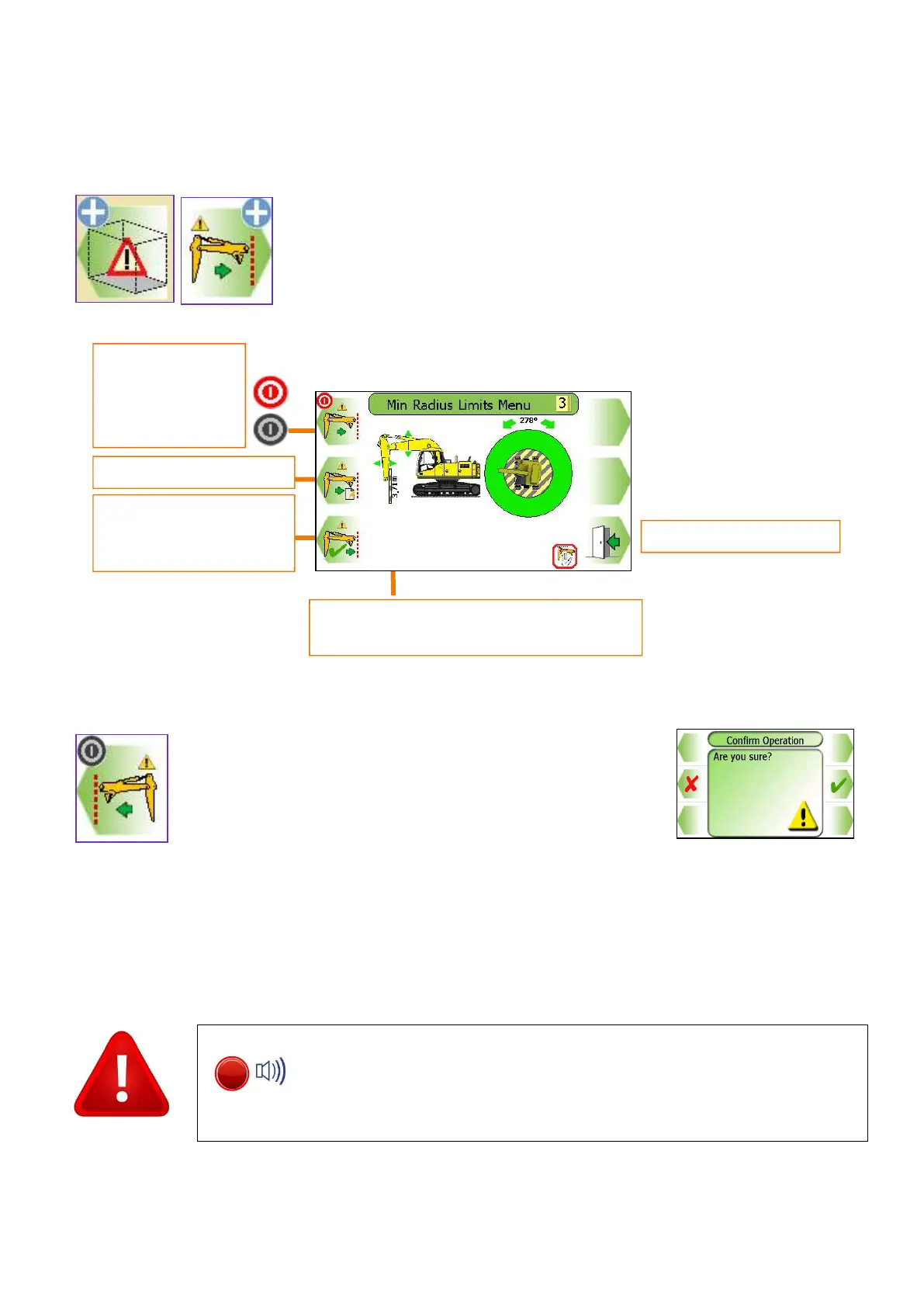
A min radius limit can be set by entering a known radius on the keypad or
by manually moving the machine to the desired limit.
Using the Min Radius Limits Menu, the min radius limit can
be switched ON and OFF, see sections 8.3.2 to enter a
known min radius and section 8.3.3 for setting the min radius
by moving the machine.
With a Min radius limit set, the screen will normally display the current nearest point value. To display the
current limit value, exit to the full screen and hold any button for three seconds, the value will then turn
blue indicating it is the current limit value.
Once a limit is set, the internal alarm will sound and the RED LED will
light if the equipment exceeds the current limit. Always check that the
current limit activates at the set point. The restriction cannot be
deactivated if in the alarm state. Observe the operational limitations
Exit to previous
Set min radius
current near
Current nearest point.
Only displayed if a min radius limit is set.
Turns Monitoring


 To Next Page
 Loading...