GTR-3455
Doc Ref: Page: 59
Date: 13/01/13 Issue: H
Pr
seal
®
uk
Tray Sealing Solutions
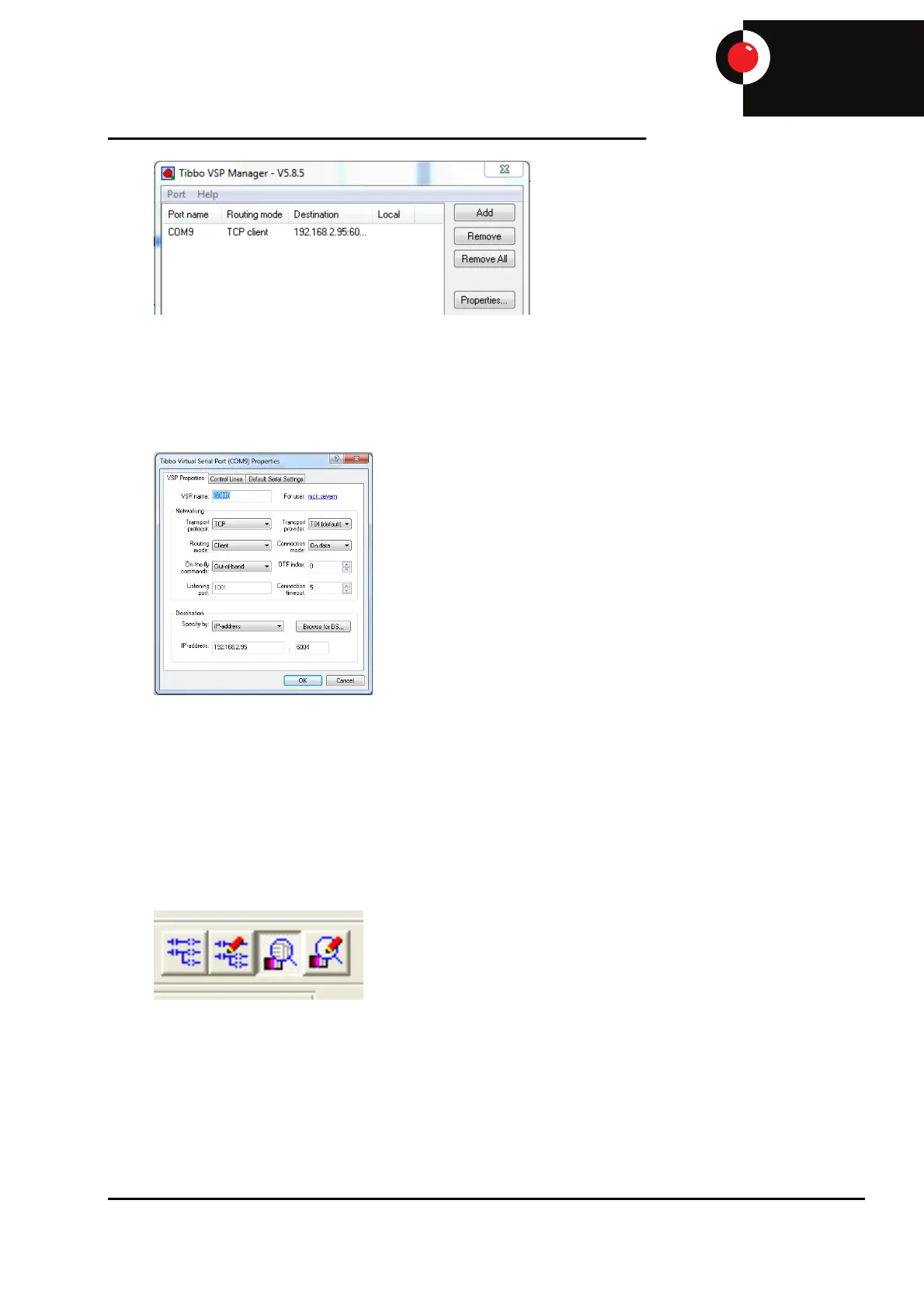
Select the VSP name from the drop down selection, the standard com port that Proseal use is com
9, and set the IP address to the same as the IP address of the screen and press ‘OK’.
The standard IP address of the screen is 192.168.1.1 but if an Ewon is fitted the IP address may
have been changed. To find the IP address, if unknown, cycle the power and the screen will display
the current IP address during the start-up procedure.
Now that Tibbo is configured, connect though the screen using ether an E595 straight Ethernet
cable or an E597 crossover cable, depending on the internal setup of the Ethernet port of the PC,
to the Ethernet connection or spare LAN port of the Ewon if fitted.
Open up the PLC program using GX developer and follow the procedure, explained in section 1.1,
to connect to the PLC ensuring the COM port is set to the same as in VSP (Usually COM 9).
Open the PLC program and select the ‘Monitor’ icon.



 To Next Page