MVI69E-MBS ♦ CompactLogix Platform Diagnostics and Troubleshooting
Modbus Serial Enhanced Communication Module User Manual
ProSoft Technology, Inc. Page 101 of 154
June 28, 2017
6.6 Connecting to the Module’s Web Page
The module’s internal web server provides access to module version and status
information, as well as the ability to set the date and time, reboot the module, and
download firmware upgrade to the module. Enter the assigned IP address of the
module into a web browser or use the following steps in PCB.
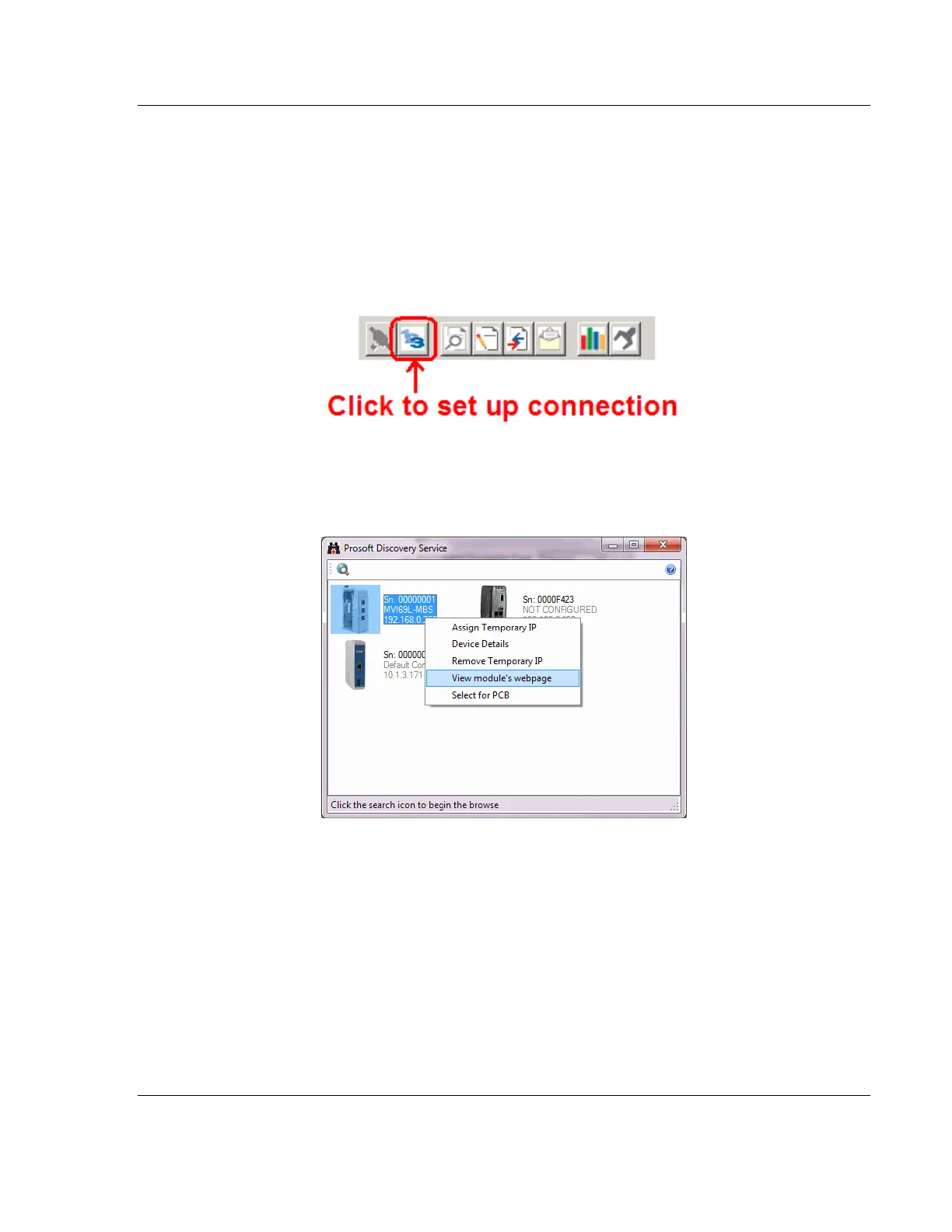
1 In the PCB Diagnostics window, click the SET UP CONNECTION button.
2 In the Connection Setup dialog box, click BROWSE DEVICE(S) to start ProSoft
Discovery Service.
3 Right-click the module icon and choose VIEW MODULE’S WEBPAGE to launch
your default browser and display the module’s webpage.



 To Next Page