MVI69E-MBS ♦ CompactLogix Platform Diagnostics and Troubleshooting
Modbus Serial Enhanced Communication Module User Manual
ProSoft Technology, Inc. Page 93 of 154
June 28, 2017
6.4 Using the Diagnostics Menu in PCB
ProSoft Configuration Builder (PCB) provides diagnostic menus for debugging
and troubleshooting.
To connect to the module’s Configuration/Debug Ethernet port
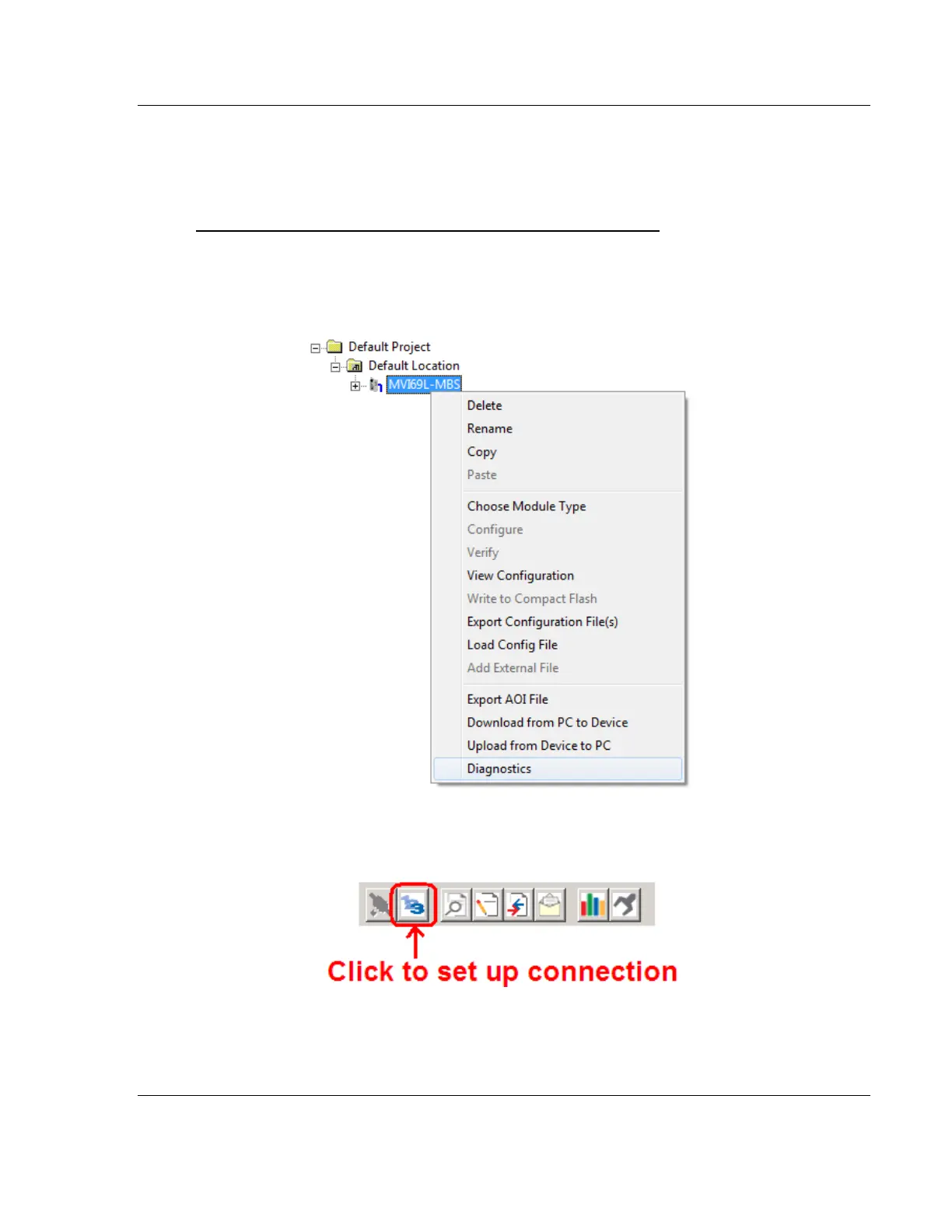
1 In the tree view in ProSoft Configuration Builder, right-click the MVI69E-MBS
module and then choose DIAGNOSTICS. For instructions on opening and using
a project in PCB, please refer to Configuring the MVI69E-MBS Using PCB
(page 43).
2 After the Diagnostics window opens, click the SET UP CONNECTION button to
browse for the module’s IP address.



 To Next Page