MVI69E-MBS ♦ CompactLogix Platform Adding the Module to RSLogix
Modbus Serial Enhanced Communication Module User Manual
ProSoft Technology, Inc. Page 37 of 154
June 28, 2017
2.6.2 Adding Another Module in RSLogix 5000
You can place multiple MVI69E-MBS modules in the same rack provided it does
not exceed the power distance rating of the CompactLogix or MicroLogix 1500-
LRP rack (see System Requirements (page 10)). Adding an additional module to
the rack is similar to installing a new module; however, the name of the module
must be unique.
1 Start RSLogix 5000 and open the project.
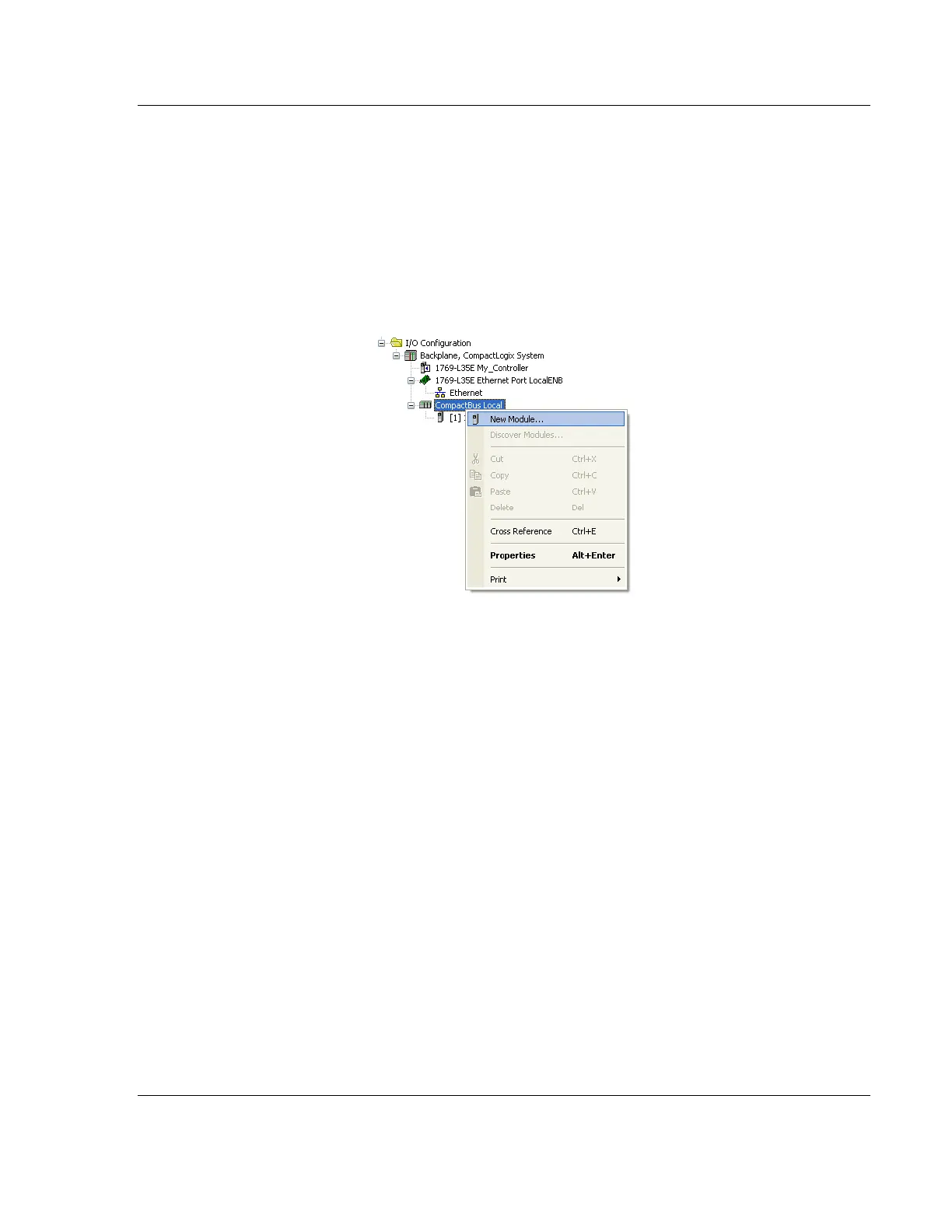
2 In RSLogix 5000, locate the I/O CONFIGURATION folder. Right click
COMPACTBUS LOCAL and choose NEW MODULE.
3 In the Select Module Type dialog box, select the MVI69E-MBS module.
o If you are using an Add-On Profile (AOP), this adds the MVI69E-MBS
module and configures the relevant parameters. You must be using
RSLogix version 15 or later to to use an AOP.
o If using an AOP is not an option, select GENERIC 1769 MODULE and click
CREATE.



 To Next Page