Adding the Module to RSLogix MVI69E-MBS ♦ CompactLogix Platform
User Manual Modbus Serial Enhanced Communication Module
Page 38 of 154 ProSoft Technology, Inc.
June 28, 2017
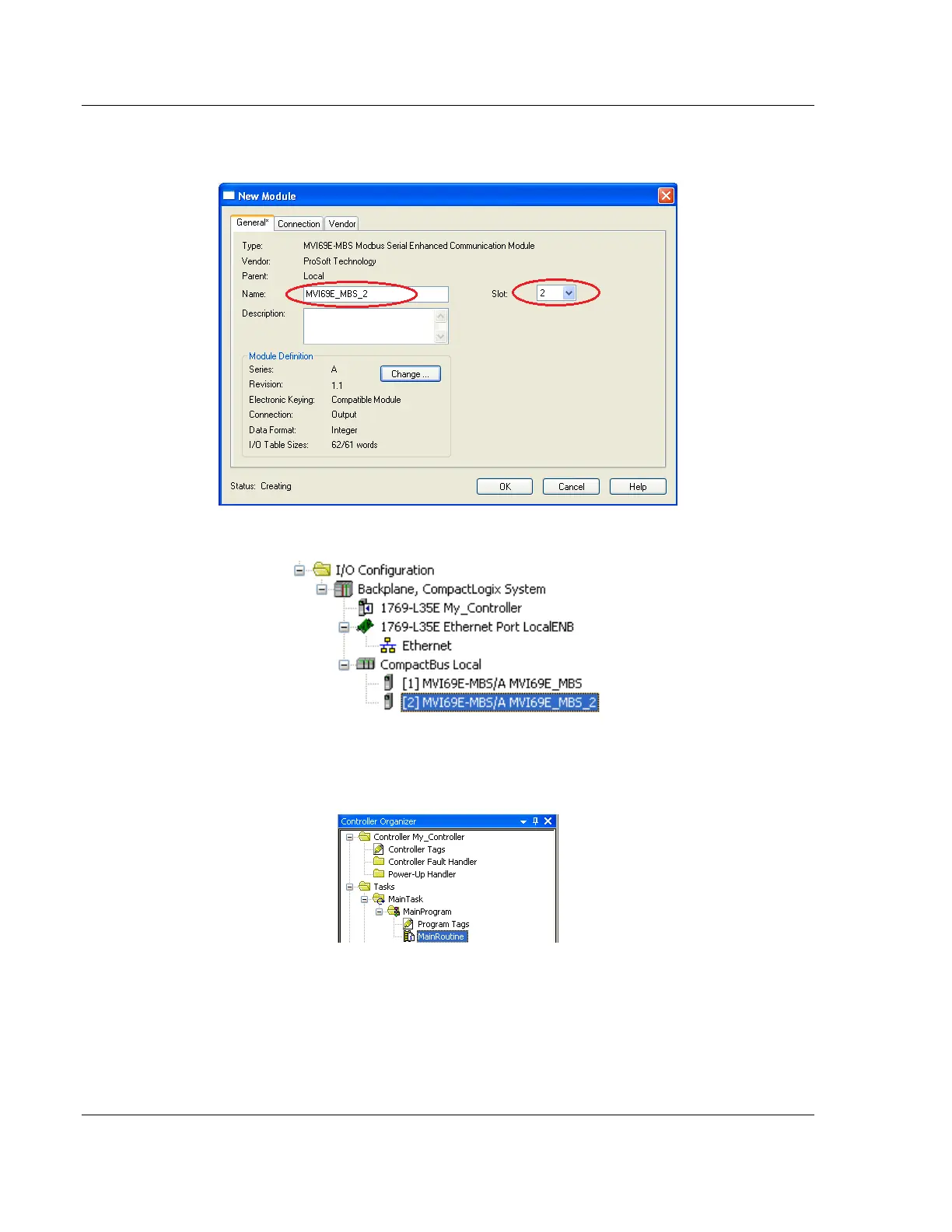
4 The New Module dialog box appears. Enter a unique name for the new
module, and confirm the slot number of the new module.
5 Click OK. The new module is now visible.
6 You must also import the Add-On Instruction(AOI) for the new module (see
Adding another module in PCB (page 35)). In the Controller Organizer pane,
double-click MAINROUTINE to open the ladder for the routine.



 To Next Page