Adding the Module to RSLogix MVI69E-MBS ♦ CompactLogix Platform
User Manual Modbus Serial Enhanced Communication Module
Page 30 of 154 ProSoft Technology, Inc.
June 28, 2017
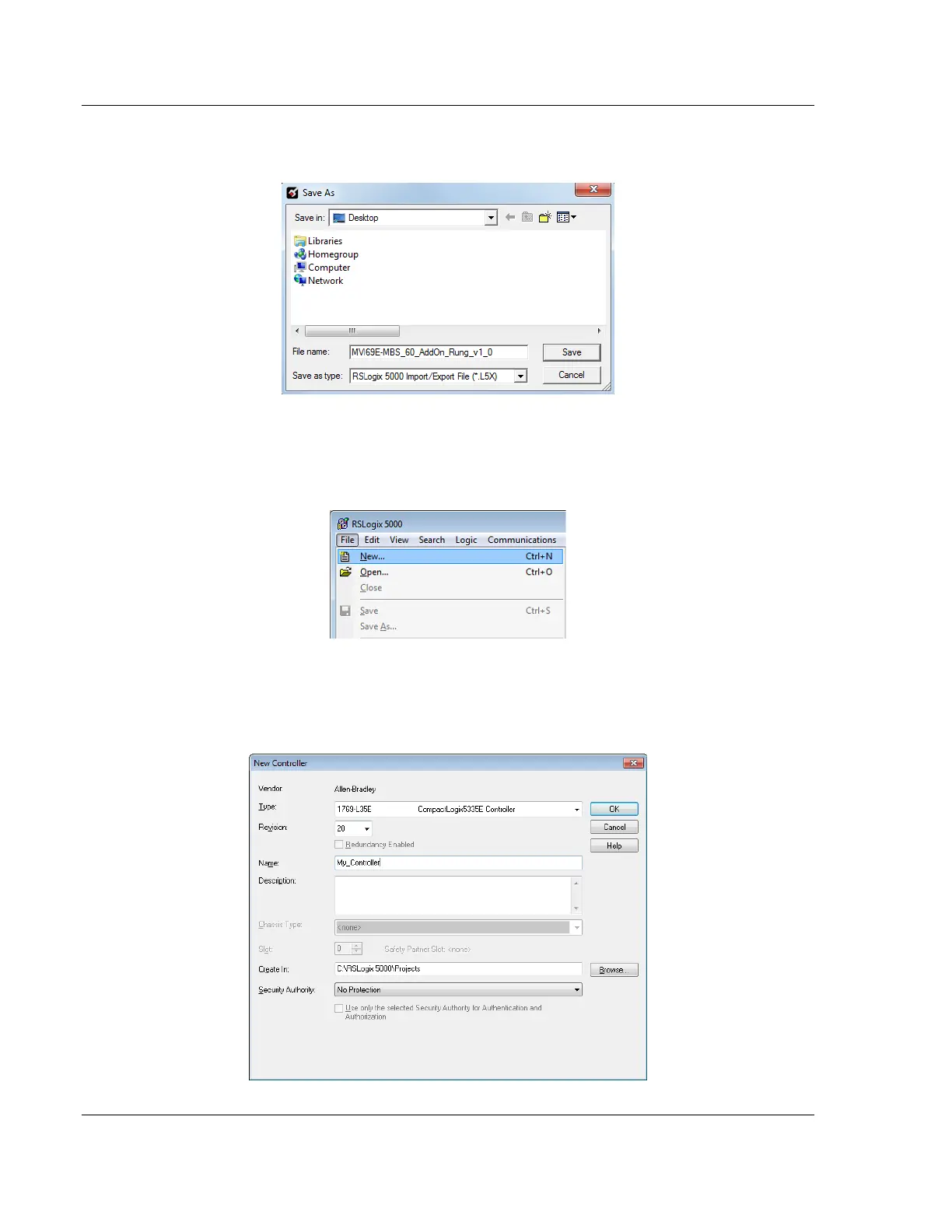
6 Save the .L5X file to the PC/Laptop in an easily found location, such as
Windows Desktop.
2.4 Creating a New RSLogix 5000 Project
1 Click the FILE menu and then choose NEW.
2 Select your CompactLogix or MicroLogix 1500-LRP controller model.
3 Select REVISION 16 or newer.
4 Enter a name for your controller, such as My_Controller.
5 Select your CompactLogix or MicroLogix 1500-LRP chassis type.



 To Next Page