Adding the Module to RSLogix MVI69E-MBS ♦ CompactLogix Platform
User Manual Modbus Serial Enhanced Communication Module
Page 24 of 154 ProSoft Technology, Inc.
June 28, 2017
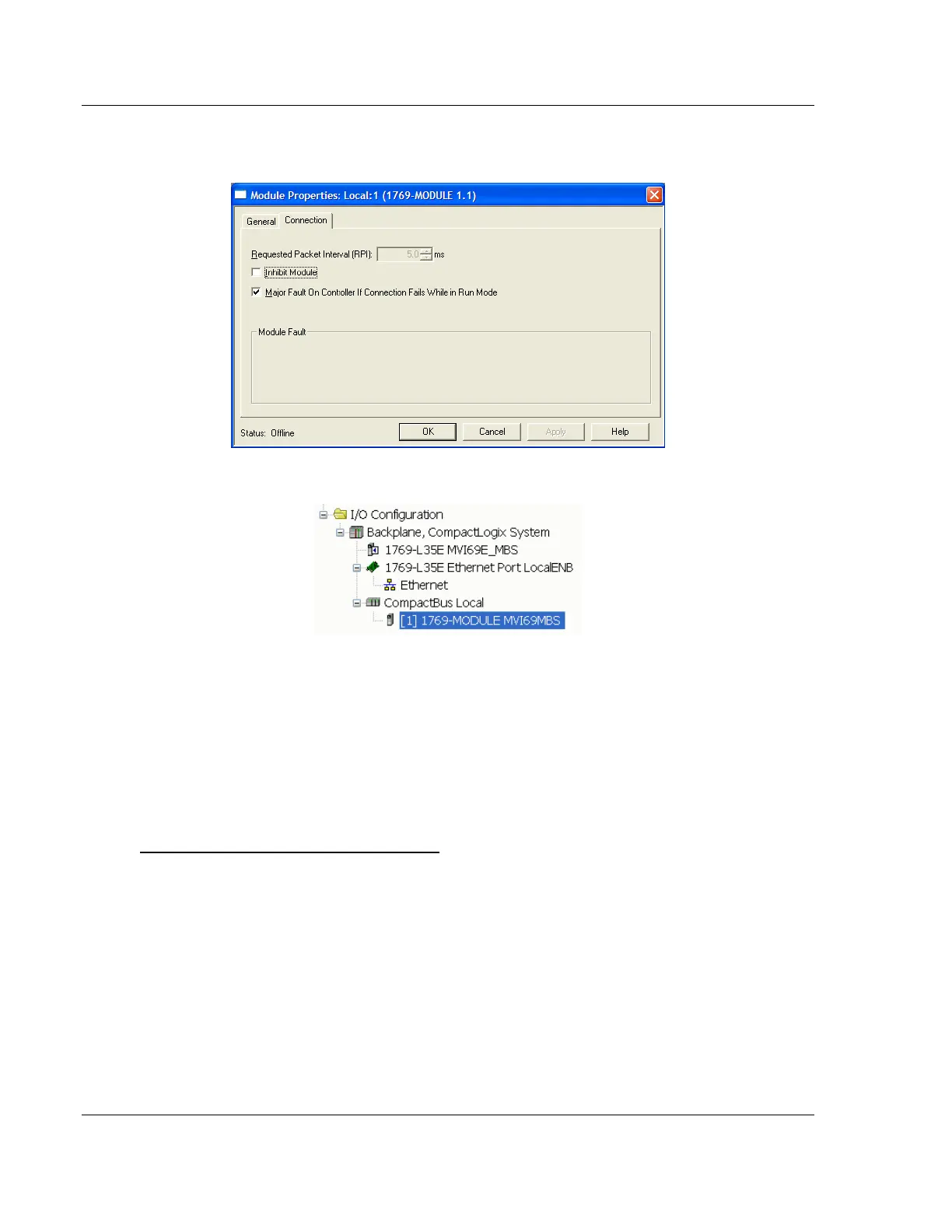
4 On the Connection tab, set the REQUESTED PACKET INTERVAL value for your
project and click OK.
The MVI69E-MBS module is now visible in the I/O Configuration tree.
2.2 Installing ProSoft Configuration Builder
Use the ProSoft Configuration Builder (PCB) software to configure the module.
You can find the latest version of the ProSoft Configuration Builder (PCB) on our
web site: http://www.prosoft-technology.com. The installation filename contains
the PCB version number. For example, PCB_4.3.4.5.0238.EXE.
Installing PCB from the ProSoft website:
1 Open a browser window and navigate to http://www.prosoft-technology.com
2 Navigate to the ProSoft Configuration Builder download link, and save the file
to your Windows desktop.
3 After the download completes, double-click the file to install. If you are using
Windows 7, right-click the PCB installation file and then choose RUN AS
ADMINISTRATOR. Follow the instructions that appear on the screen.
4 If you want to find additional software specific to your MVI69E-MBS, enter the
model number into the ProSoft website search box and press the Enter key.



 To Next Page