MVI69E-MBS ♦ CompactLogix Platform Adding the Module to RSLogix
Modbus Serial Enhanced Communication Module User Manual
ProSoft Technology, Inc. Page 23 of 154
June 28, 2017
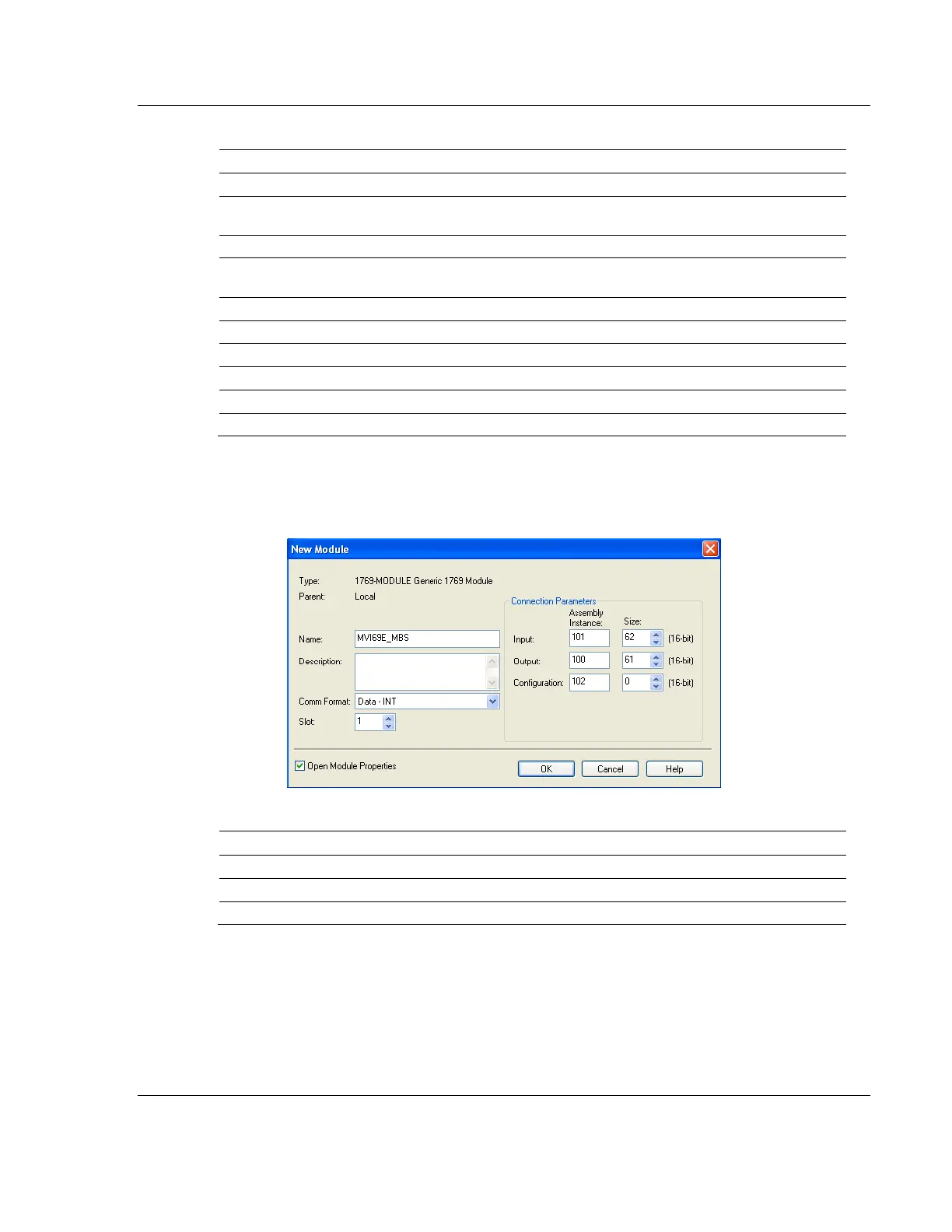
3 Set the Module Properties values as follows:
Enter a module identification string. Example: MVI69EMBS
Enter a description for the module. Example: ProSoft
communication module for Serial Modbus communications.
Enter the slot number in the rack where the MV69E-MBS
module is installed.
Configuration Assembly Instance
The following illustration shows an example where the module was
configured for a block transfer size of 60 words (input block size = 62 words,
output block size = 61 words):
The following options are available:



 To Next Page