Configuring the MVI69E-MBS Using PCB MVI69E-MBS ♦ CompactLogix Platform
User Manual Modbus Serial Enhanced Communication Module
Page 56 of 154 ProSoft Technology, Inc.
June 28, 2017
3.3 Downloading the Configuration File to the Processor
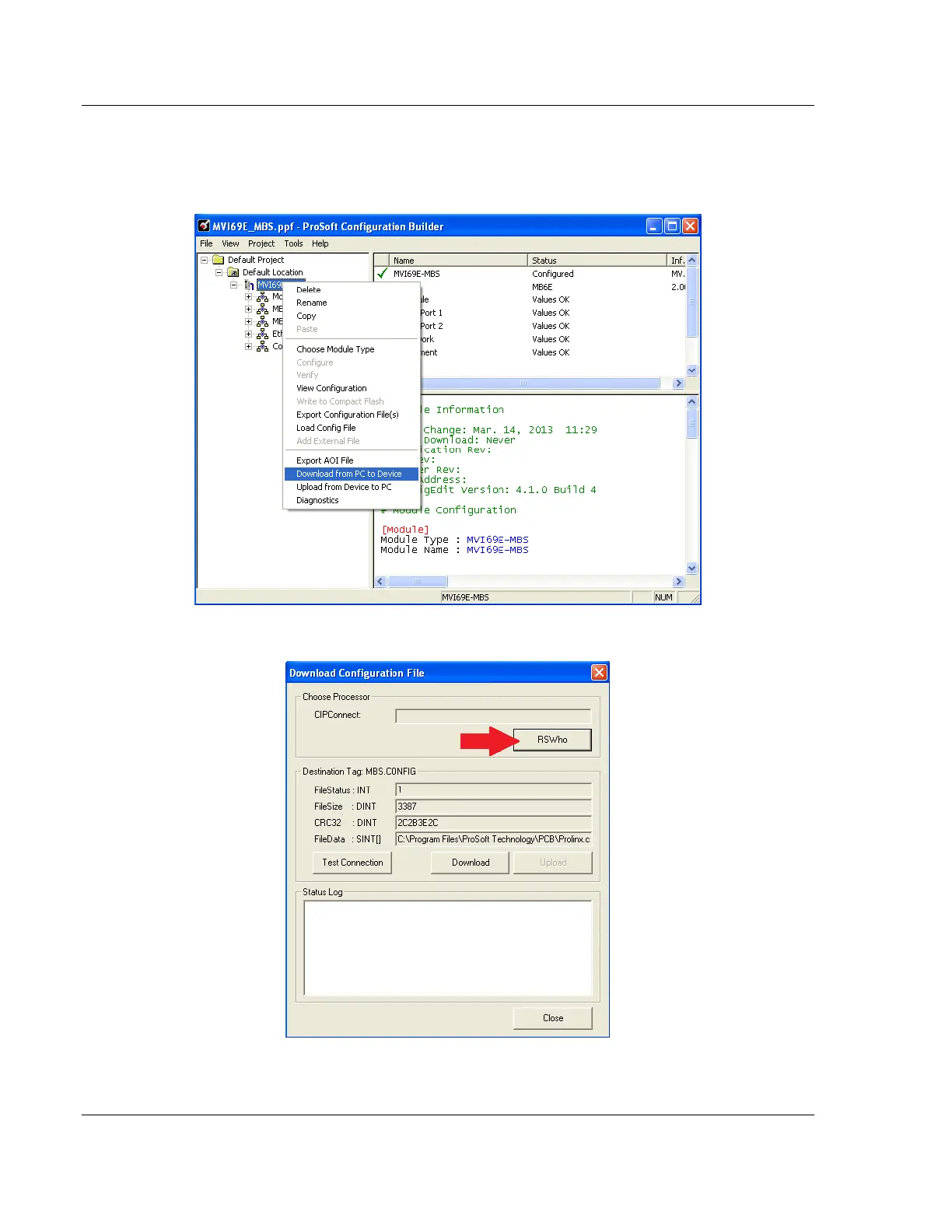
1 In the ProSoft Configuration Builder tree view, right-click the module icon and
choose DOWNLOAD FROM PC TO DEVICE.
2 In the Download Configuration File dialog box, click RSWHO.



 To Next Page