MVI69E-MBS ♦ CompactLogix Platform Configuring the MVI69E-MBS Using PCB
Modbus Serial Enhanced Communication Module User Manual
ProSoft Technology, Inc. Page 57 of 154
June 28, 2017
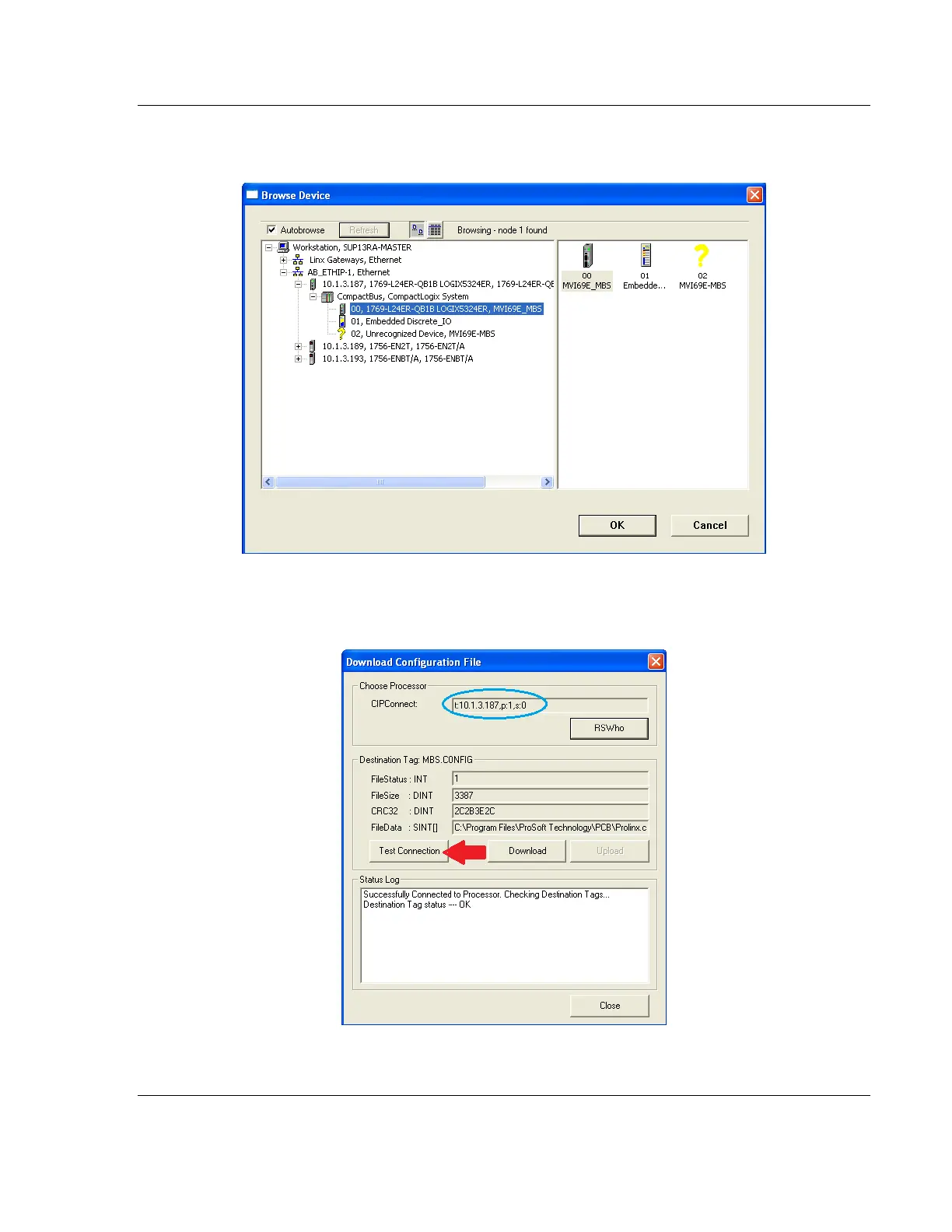
3 Browse to, and then highlight the CompactLogix or MicroLogix 1500-LRP
processor and click OK.
4 Notice the CIPConnect path has been updated in the Download Configuration
File dialog box. Click TEST CONNECTION to verify the path is active and can
successfully connect to the processor.



 To Next Page