Adding the Module to RSLogix MVI69E-MBS ♦ CompactLogix Platform
User Manual Modbus Serial Enhanced Communication Module
Page 22 of 154 ProSoft Technology, Inc.
June 28, 2017
2.1.2 Creating a Module in the Project Using a Generic 1769 Module
Profile
This procedure is not required if you installed the ProSoft Technology Add-On
Profile for this module.
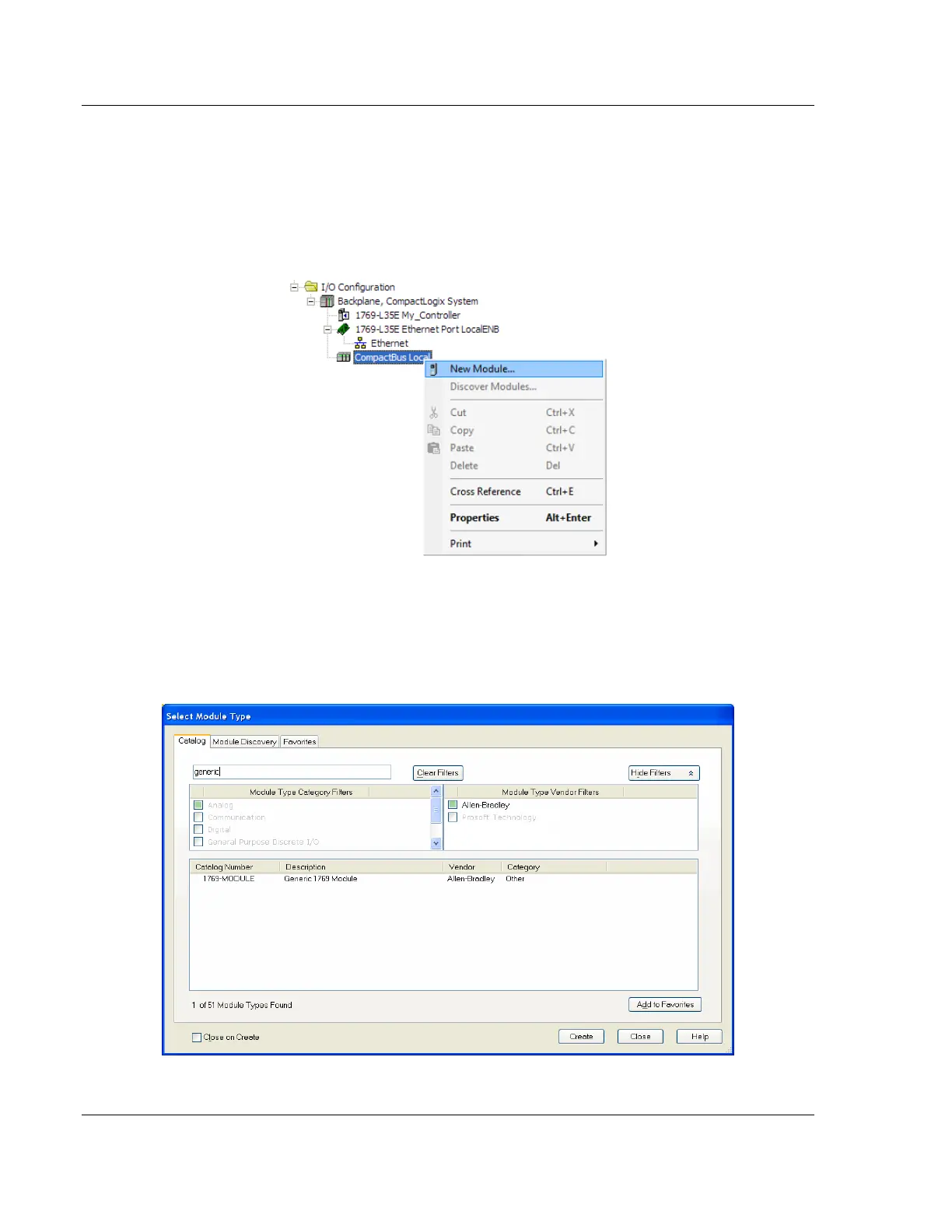
1 Expand the I/O CONFIGURATION folder in the Project tree. Right-click the
appropriate communications bus and choose NEW MODULE.
This opens the Select Module Type dialog box.
2 Enter GENERIC in the search text box and select the GENERIC 1769 MODULE. If
you're using an earlier version of RSLogix, expand OTHER in the Select
Module dialog box, and then select the GENERIC 1769 MODULE.



 To Next Page