Reference MVI69E-MBS ♦ CompactLogix Platform
User Manual Modbus Serial Enhanced Communication Module
Page 146 of 154 ProSoft Technology, Inc.
June 28, 2017
Ethernet Performance
Ethernet performance in the MVI69E-MBS module can be affected in the
following way:
Accessing the web interface (refreshing the page, downloading files, and so
on) may affect performance
Also, high Ethernet traffic may impact MBS performance, so consider one of
these options:
o Use managed switches to reduce traffic coming to module port
o Use CIPconnect for these applications and disconnect the module
Ethernet port from the network
7.6 Modbus Application Port Connection
The module supports RS-232, RS-422, and RS-485 wiring to remote devices.
7.6.1 RS-232 Wiring
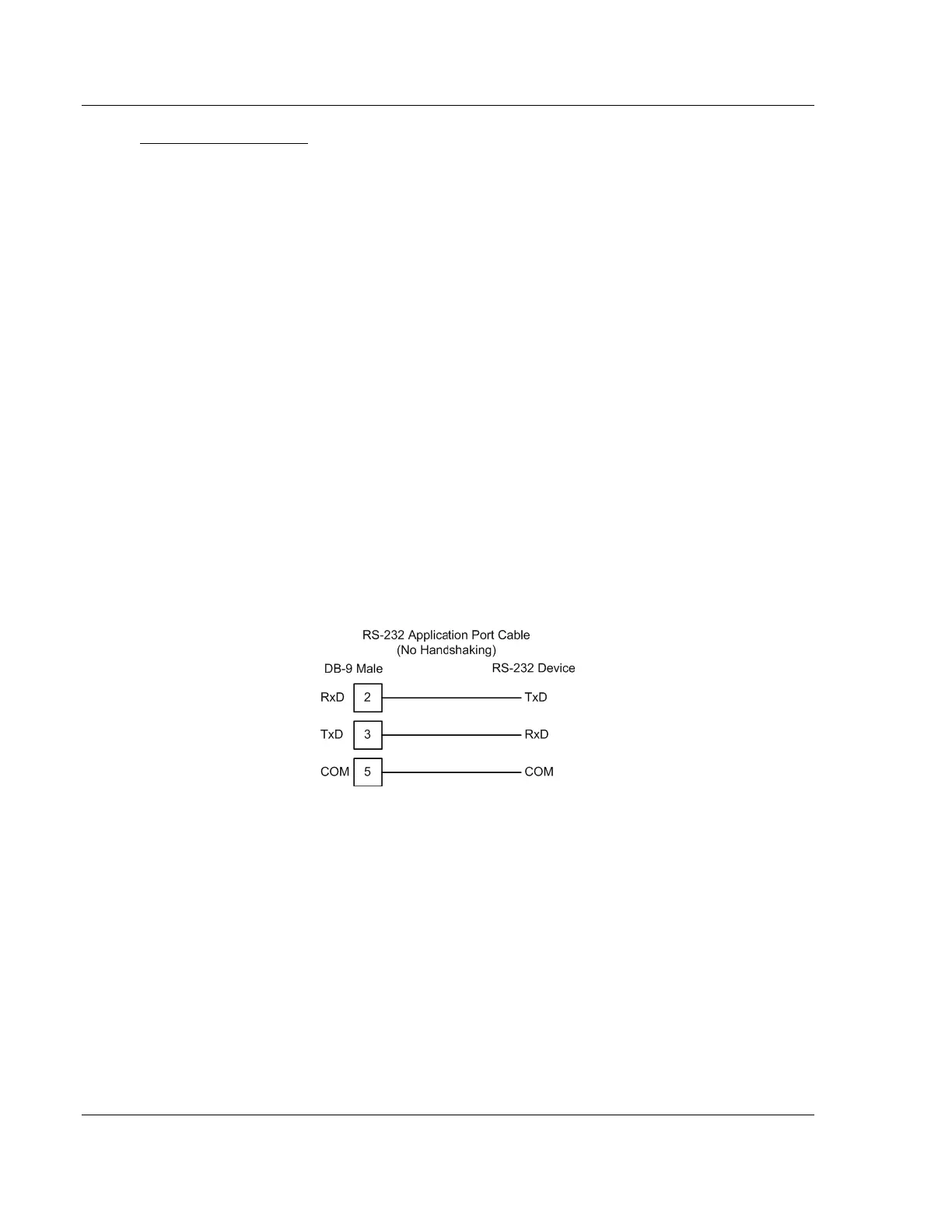
When the RS-232 interface is selected, the use of hardware handshaking
(control and monitoring of modem signal lines) is user definable. If no hardware
handshaking is used, here are the cable pin-outs to connect to the port.



 To Next Page